By inserting an Excel configuration table, the color column is generated by default. As you know, the standard color of models in SOLIDWORKS is gray. However, we do not use colors in the table, like: red, black or blue. The table uses a numerical term. So how can you determine the selected color from the table?? There is a special pattern for this purpose. But before I write about it,...
Author: Paul (Paul Kęska)
Extrusion of the surface in an unusual application
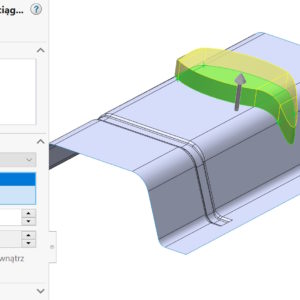
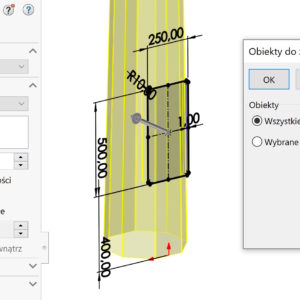
Extruding a surface is equivalent to the Extrude Boss/Base operation from solid modeling. Allows you to extrude a surface from a sketch in two directions. However, a less known functionality of Surface Extrusion is the ability to create an extrusion on an existing surface from a wall. You can extrude a planar face when selected with ALT or a 3D face. For non-planar faces, remember the direction vector, which can....
Why do parts in an assembly open with feathers and what does it affect??
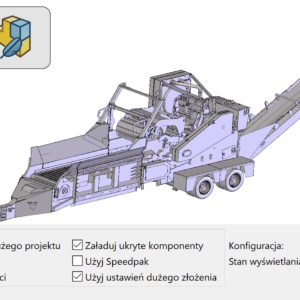
A blue feather next to the part in the assembly tree indicates this, that it was loaded in Lightweight mode. This is a special mode, which allows you to open assemblies faster by keeping file information to a minimum. Of course, if we want to edit the file or make a cross-section, we must load it to full memory. Loading an assembly with lightened components is faster than loading....
Equivalent to penetration at the junction of pipes from welded structures
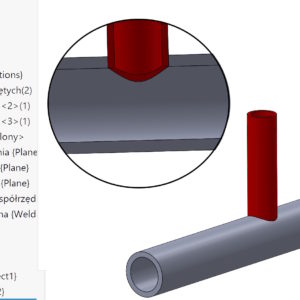
In addition, Routing, which serves, among others,. for the design of piping installations, there is a Penetration command. It is used to cut a hole at the junction of two pipes of different diameters. However, not everyone uses Routing, then, to some extent, it is possible to draw similar installations with welded structures. The problem is this, that here there is no operation analogous to penetration. So get to know....
Component reference and its use
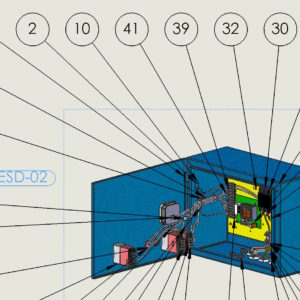
You can assign an identifier to an individual component instance in an assembly. To do this, edit the Component Properties and complete the Component Reference. E.g, you can use Component References to store reference designators for a printed circuit board assembly or an electrical wiring assembly. When different instances of the same component have different Component Reference values, these instances can be displayed as separate...
Which version is the older SOLIDWORKS?
As is widely known, SOLIDWORKS does not save files backwards. Therefore, be careful when viewing files from an older version. The big problem, of course, is file sharing, if there are different versions of the program within the same company. That's why I wanted to share a useful trick, which allows you to quickly determine, which version of SOLIDWORKS files come from. Of course, if you already have a file....
Phisical Dynamics – why their use should be limited to a minimum
Wanting to show the work of a chain in SOLIDWORKS, roller mechanisms, gears etc. appropriate bonding must be used. However, the disadvantage of binding is the rigid connection of the components – not taking into account any play. This will be very clearly visible in the case of gear binding, rack and pinion mechanism or chain arrangement. But there is an undoubted advantage – the operation of the above-mentioned devices is very smooth, does not burden ...
Trim/Extend with Shift and without keys
SOLIDWORKS has hidden functions for some tools. This is the case with the Crop Elements command, which also allows for extension, even though there is a separate operation for lengthening. But today I wanted to show, useful option. Well, in Advanced Crop mode, if you want to extend the sketch segment To next – cut it with Shift! However, if you grab the line traditionally....
Thin-wall extrusion and perpendicular cutting in sheet metal
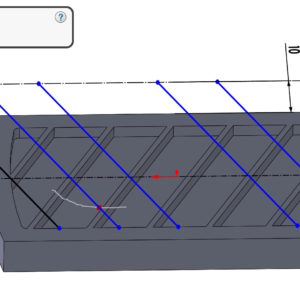
Consider the following situation. sheet metal, from which I want to cut a smaller sheet. The difficulty lies in the fact, that the cut overlaps the bends. As you know, in such a case the Perpendicular cutting option should be selected. However, it is not available when thin-wall cutting or double contour cutting! However, if you cut with a double outline – SOLIDWORKS will only leave....
Two ways to show removing a bolt or nut in an animation
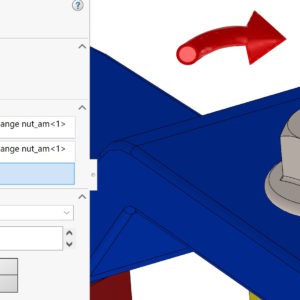
Animations, that can be made in SOLIDWORKS may contain a number of elements. Today I want to show you a way to show how to screw in or remove a screw, nuts etc. Method 1. In my opinion, this is the simplest way to use explode in the animation creator. Explosion must combine two types of movement – shift (to the height of the nut) with rotation (here 5 revolutions). Method 2....