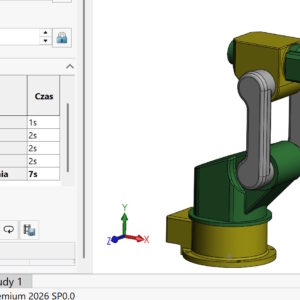
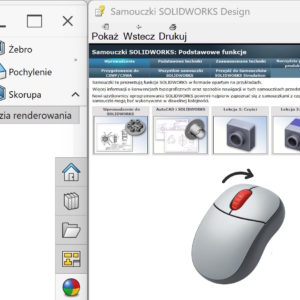
Do you know, that in some panels of the SOLIDWORKS interface you can enlarge or reduce text exactly like this, as in a web browser or Windows Explorer? Magnifying text in SOLIDWORKS works the same way as in the browser! Just use the Ctrl shortcut + scroll (i.e. hold down the Ctrl key and rotate the mouse wheel), and text in panels such as SOLIDWORKS Resources, Online help,...
Author: Paul (Paul Kęska)
Tongue-groove connection in welded structures
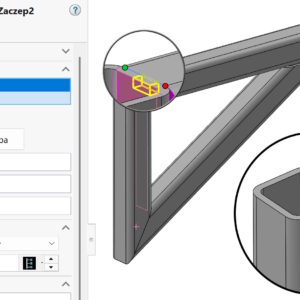
Many SOLIDWORKS users associate the Tab and Slot feature primarily with designing joints in sheet metal. Meanwhile, its potential goes far beyond typical applications - especially in the context of welded structures, where precise positioning of elements before welding is crucial. Hitch and slot in sheet metal and more. Hitch and slot in the assembly – why not? Why...
Future Version Components (FVC) w SOLIDWORKS
There is a mechanism in SOLIDWORKS, which allows you to open an assembly saved in a newer version of the program - even if you are working on an older version.
This is Future Version Components (FVC).
Render the model using SOLIDWORKS Visualize
Render your model with SOLIDWORKS Visualize – now without leaving the SOLIDWORKS window! For years, Visualize has been treated as a separate application - great for photorealistic visualizations, but still requires exporting the model, synchronization and switching between windows. However, a feature has appeared in SOLIDWORKS, which significantly shortens this distance: Visualize rendering directly in the SOLIDWORKS window. It's a little....
The best ways to connect two pieces of hose
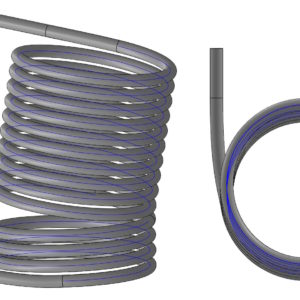
The task is to connect two fragments of the coil, which are arranged at a certain angle. Both fragments are Helix, between which a gap is left. The challenge is to make a smooth transition between both fragments. Method 1. The fastest, the simplest, but generating the largest deviations. It involves drawing a connector between existing Helices using a Spline. To make it possible, we turn on the 3D sketch first,...
Artboard – do you know what the color of the sketch depends on??
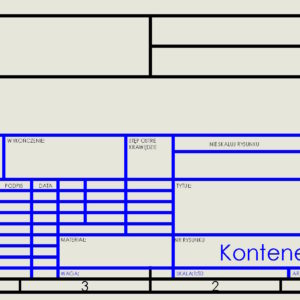
The drawing table is the basic element on the drawing sheet. Some people modify existing ones, others create them from scratch on their own. What you need to know about such a table? consists of ordinary sketch lines, they can be trimmed, dimension etc. (but we remove the dimensions, so that they are not visible), you can freely change the line thickness, color or cut, It is possible to replace the table...
Mate controller for quickly changing positions in assemblies
You can use the Mate Controller to quickly change the position of parts in assemblies
Grouping of welded elements in documentation
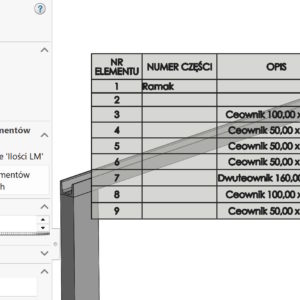
Grouping of welded elements – new useful option. If the structure is welded (as a multi-body part) is part of an assembly, you can display it in two ways in the BOM table. The Indented option will create an identical solution to assemblies with subassemblies. Table cut list – preview in part However, the Unfolded option will display everything flat, i.e. without an additional line in....
F6 Shortcut in SOLIDWORKS - Toggle Selection Filters
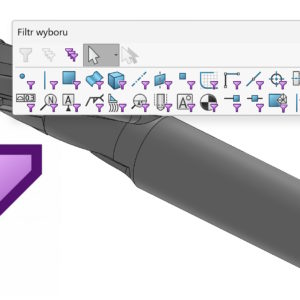
Filters allow you to select a specific type of item, e.g. edges, wall, axes, points etc. Wall filter in practical use. Turn on the filter bar by pressing F5 – this is a built-in shortcut. But have you accidentally turned on a shortcut using the keys? (most often) X, V or E? Activation is indicated by a visible symbol next to the cursor. Of course, after activating a given....
Fixing local distortion in a surface model
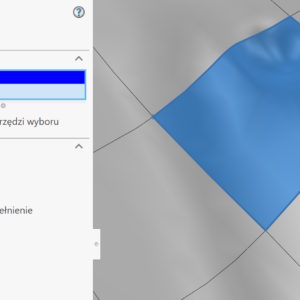
Surface models – especially those resulting from scan conversion – may contain various types of distortions. They can be divided into global and local (smaller size). How to fix local distortion? It all depends on the degree of deformation and the arrangement of the edges of the surrounding walls. Generally, the easiest and fastest way would be to use the Delete wall operation. After selecting the wall or walls, select Delete...