
Texture 3D allows you to create a convexity in mesh model based on a graphic file. It works similar to mapping during rendering, In the case of 3D texture, a model with real deformation is created.
See how to create such a deformation in three steps.
1. Replace the model with so -called. mesh.
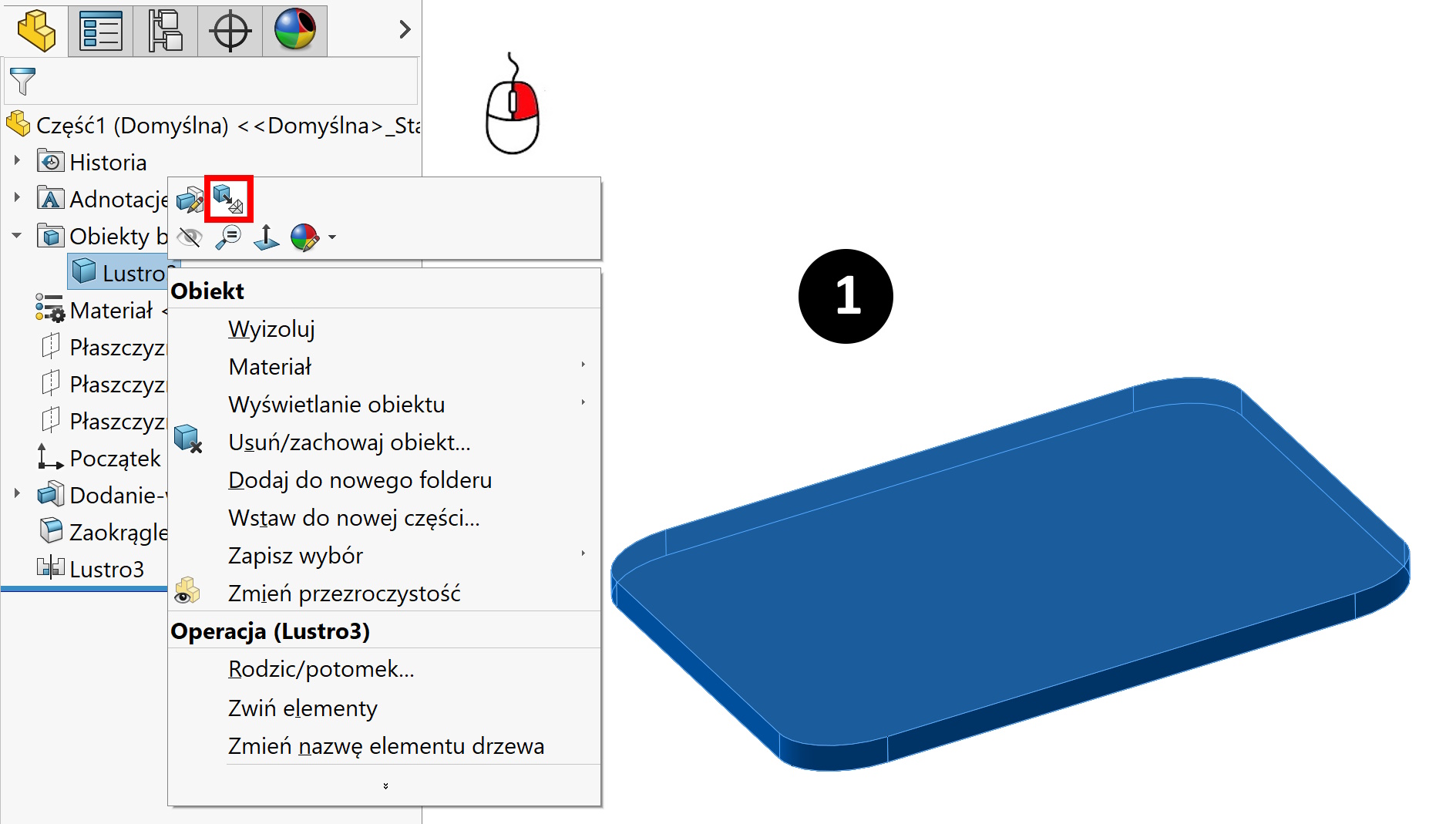
2. Add look.
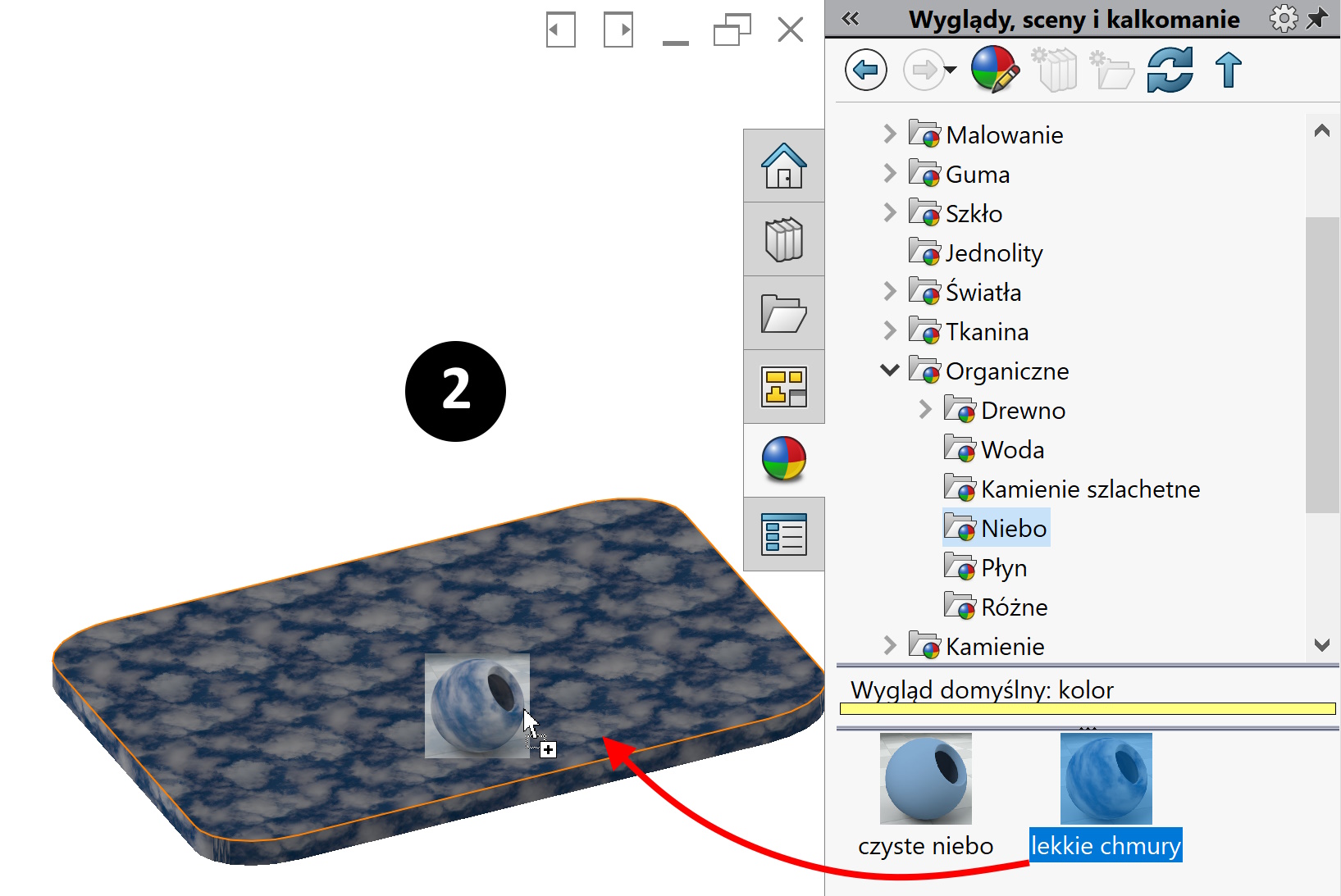
3. Create a 3D texture.
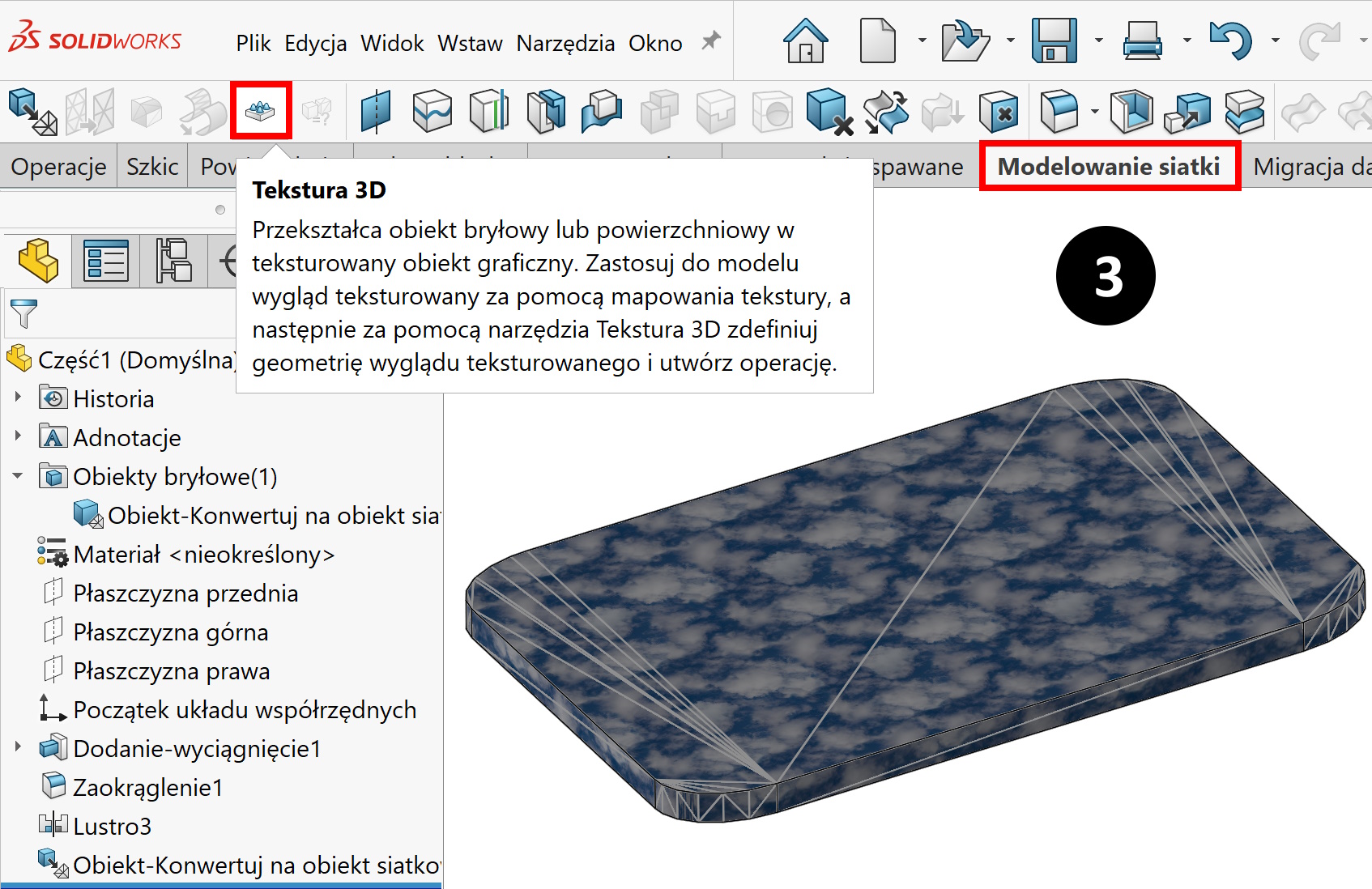
Choose the appropriate parameters. but remember, that working on a reticular model (consisting of triangles), A significant reduction in size or high smoothing results in a drastic extension of the time calculation of this operation. At the same time, the file size increases.
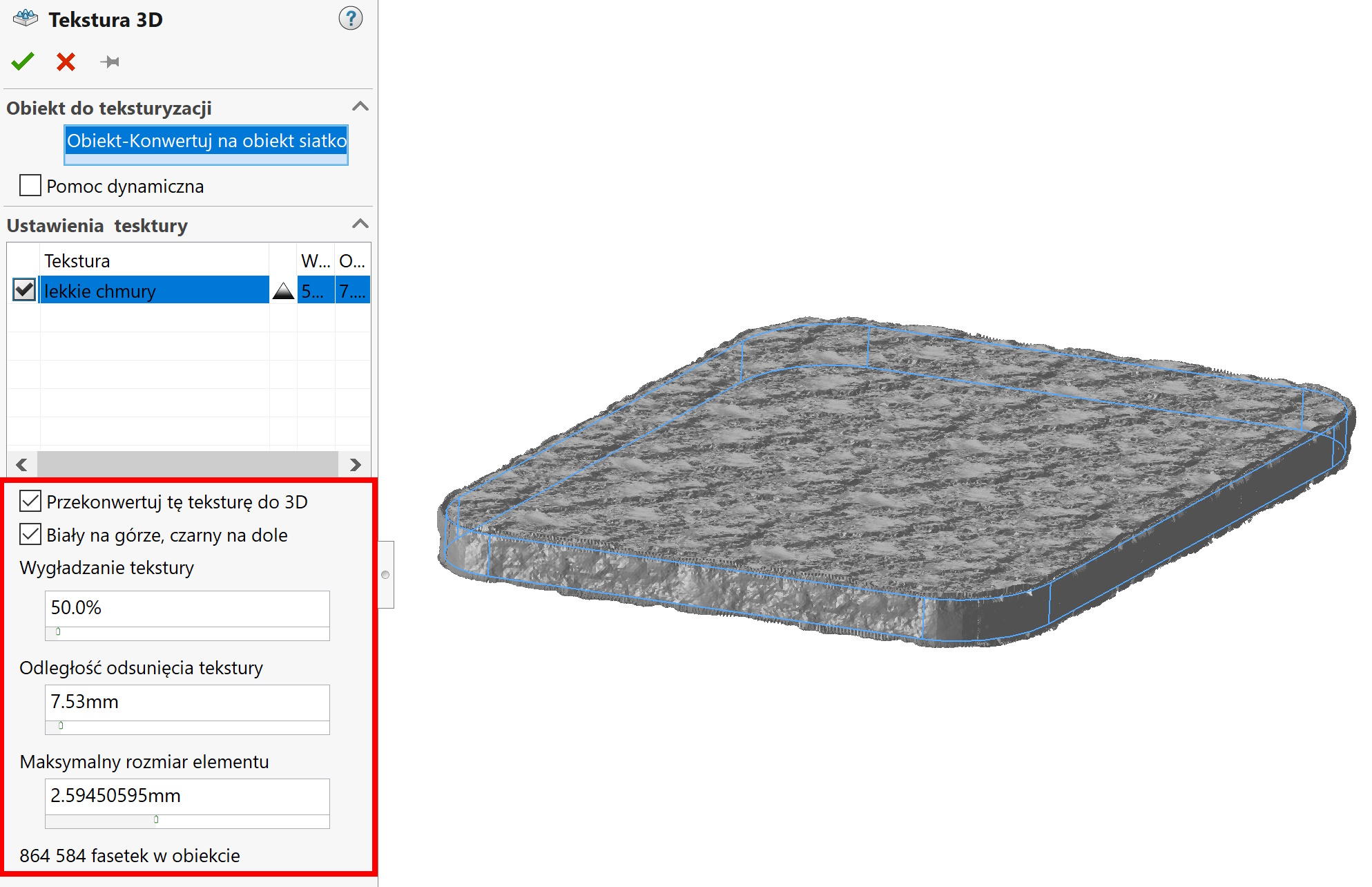
Of course, such a model will not be smooth…
Leave a Reply