
There is a mechanism in SOLIDWORKS, which allows you to open an assembly saved in a newer version of the program - even if you are working on an older version.
This is Future Version Components (FVC).
Post
There is a mechanism in SOLIDWORKS, which allows you to open an assembly saved in a newer version of the program - even if you are working on an older version.
This is Future Version Components (FVC).
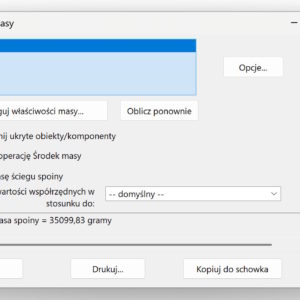
In some structures, e.g. tanks, hulls, cranes, heavy machinery, joint mass can reach 3–8%. This is so much, that this is not a negligible quantity. This is especially important in the offshore industry due to buoyancy and stability. From the designer's point of view, it is crucial to calculate the weight of the joints. ATTENTION! The weight of welds can be calculated in the case of a bead..
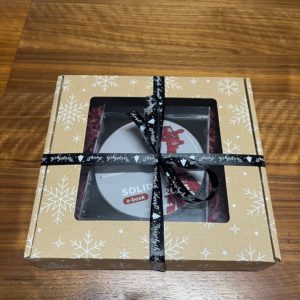
Another Christmas is fast approaching. On this occasion, I have a gift idea for you. The latest SOLIDWORKS e-book 2025 in a Christmas box edition on CD. Let me remind you, that e-book containing 760 exercise pages (from beginner to advanced) is a publication intended for self-study of SOLIDWORKS. It covers areas such as: basics of modeling, deposit,...
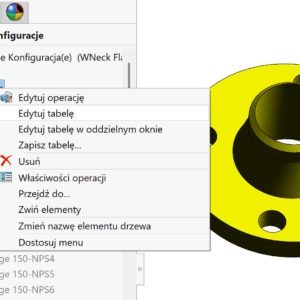
Do you know, that there is a new solution in SOLIDWORKS 2025 regarding the Configuration Table. . Well, so far it has been like this, that by opening a file with a configuration table created in a different language than this one, in which we open it, it was not possible to edit the table. This means that the file could be opened and it recognized existing configurations, but after closing the table did not update the model...
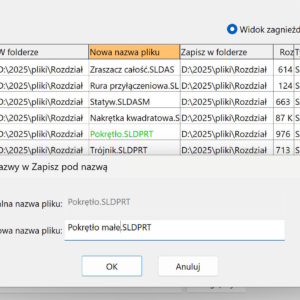
In the Pack and GO dialog box, you can save the fold and drawing with the documents. You can also change the file name or folder individually, in which files you save. To do it, you should double-click the left mouse button on a cell in the selected column, ie. Save to folder or New filename.
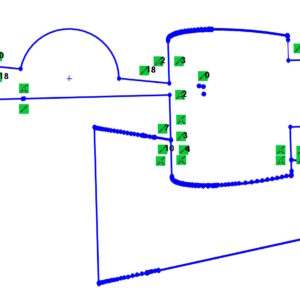
DXF file, which contains a lot of elements and additionally contains breaks and overlapping elements, It can be a problem. Instead of repairing the sketch, you can extrude the geometry using Selected Contours. Then you convert the resulting wall to a sketch and remove the solid. Ready. The sketch is repaired!

A long time ago I wrote about the settings for printing in the File tab > Print3d. Yes, in SolidWorks there is a possibility, Just like in an ordinary printer, Printing parameters settings and supports check, thin walls, layers etc.. Unfortunately, not all printers are on the list, ale można użyć domyślnych ustawień w celu zorientowania się na temat potencjalnych problemów z wydrukiem....

Slowing down for a while on the occasion of Easter, I'll show you, how to draw a perfect egg! You need two operations, rotation from an ellipse and bending. You may have just found out (out) myself, that the Bending operation allows you to Narrow objects. You can smoothly adjust the degree of narrowing in a simple way… Also read: Bending operation – start of the season grilowego

Since when there is no photo in Solidworks 360, Slightly more attention should be placed on light in 3D models. Because, that the Visualize Standard version does not give you the opportunity to insert your own lighting sources. This can be around in some way by creating a light emitting object – but more on that another time. Therefore, assuming, that models to ...

Three years ago I showed one of the possibilities of a quick change of name, under which parts are displayed in configurations on the list of materials. Poprawne wyświetlanie nazw części z konfiguracjami w liście materiałów BOM Obecnie wystarczy zmienić ustawienie w szablonie dokumentu części. Of course, the option does not work back, i.e.. that this must be changed before the start of the configuration. W rysunku...