Wycięcie rowka na walcu różnymi metodami
Post

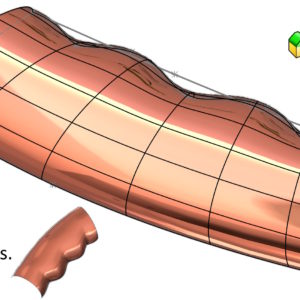
Cut out the groove on the cylinder with various methods

A frequent question on the forum and more – how to cut the cylindrical groove on the cylinder correctly? Learn three solutions.   1.Extrude the cut + Cut out by rotation + rounding. The easiest to implement, but at the same time the least universal solution. It consists. Finally, add rounding. 2. Cutout after....

1 August 20251 August 2025by
Wstawianie pliku importowanego do części SOLIDWORKS
Post

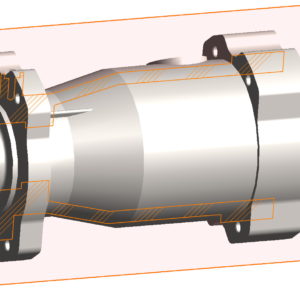
Inserting a file imported into the Solidworks part

As you know, in SolidWorks you can put a part into the part. However, so far it could only be a file in the format of parts.*SLDPRT. I will not write on this occasion and the use of such an action, There are several of them. But I will write about the new possibility. Currently, you can insert in addition to native SW files also imported files in formats: *.sat, *.step oraz *.igs.

6 July 20256 July 2025by
Rysowanie krat szybkim sposobem
Post

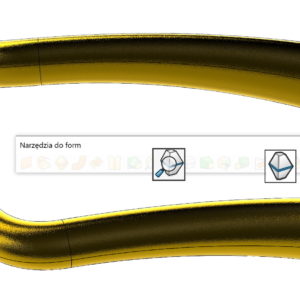
Drawing bars in a quick way

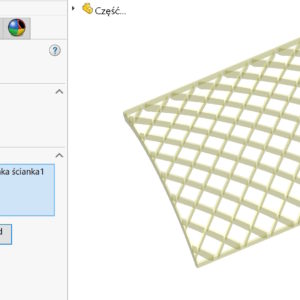
Drawing a grille can cause some problems. Of course, you can and should use various available tools, In this style. Let's consider the target element in the shape of an arc. To cut dozens or cheese of holes in the shape of a diamond or square, You should draw a lot of mutually intersecting lines. It is simple… But the cut will not be so easy, because...

15 February 202515 February 2025by
Analiza pochylenia z klasyfikacją ścian
Post

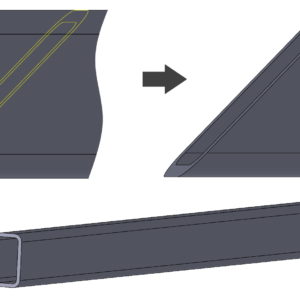
Slope analysis with wall classification

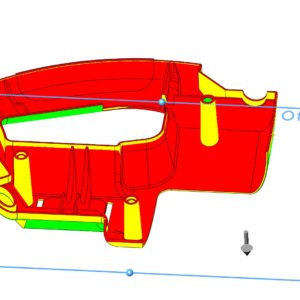
The inclination used mainly in the design of plastic elements or castings can be analyzed with a dedicated operation. The draft analysis available on the Evaluate tab allows you to evaluate walls for demoulding. If you select the Wall classification option during the analysis – you can accurately determine walls with positive slope, negative, mixed and these, that do not achieve the required inclination. If you also enable....

17 March 202417 March 2024by
Domyślne wyświetlanie części pod nazwą konfiguracji w BOM
Post

Default display of the part under the configuration name in the BOM

As you know in SOLIDWORKS, the name of the document in the BOM is used for configuration. This poses a problem, which can be solved e.g. using the configuration table. You can read about it below. Correct display of part names with configurations in the BOM Therefore, owners of the latest version of SOLIDWORKS 2023 will enjoy the fact, that the corresponding setting has been added to...

8 August 20237 August 2023by