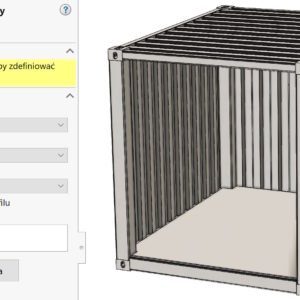
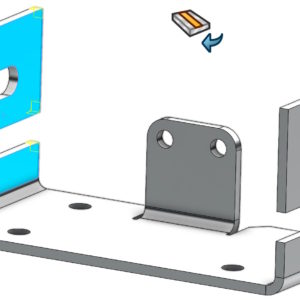
Most operations are configurable. Right-click and select Configure Operation. However, mate references do not have this capability. Because, to control fade/unsuppress, click Properties. Only now can you specify configurations, where references will be extinguished.
Author: Paul (Paul Kęska)
Designing components with regard to stacking
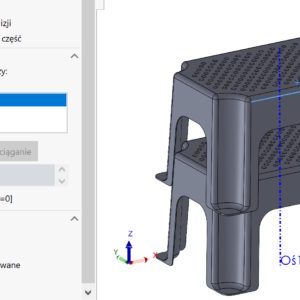
Many products, which we design in 3D requires stacking. It is a process that allows optimal stacking of elements. This may apply to containers, pots, office chairs and much more. View, how you can use SOLIDWORKS to check the position in the stack. First, I insert the detail into the assembly and create the axis, where I will move it. Of course, if in...
Default display of the part under the configuration name in the BOM
As you know in SOLIDWORKS, the name of the document in the BOM is used for configuration. This poses a problem, which can be solved e.g. using the configuration table. You can read about it below. Correct display of part names with configurations in the BOM Therefore, owners of the latest version of SOLIDWORKS 2023 will enjoy the fact, that the corresponding setting has been added to...
How to remove dimensions leaving center marks?
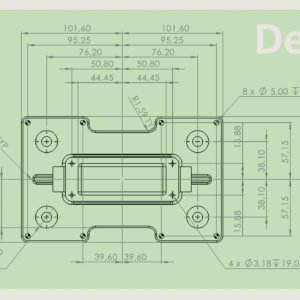
Imagine a situation, in which we insert dimensions automatically, but we want to delete them later. It would be most convenient to mark them with a large frame and simply delete them. Unfortunately, then we also remove other annotations, e.g. center marks. But did you know, that in this case you can activate filters F5 and enable Filter hole dimensions/callouts. As a result, you only remove the dimensions, alternatively...
Transfer material from the profile in welded structures
In SOLIDWORKS, you can assign a material to a construction profile from Weldment profiles. However, for the operation to be successful, you have to assign this material to the profile beforehand. Defining the material looks the same as in the case of 3D objects. Then, if you choose a profile with material, select Transfer material from profile. If no material is specified in the selected profile – error will appear....
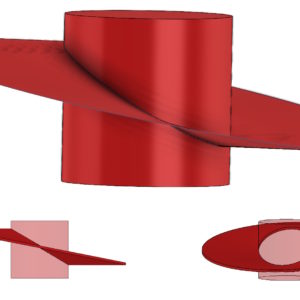
Radial surface divergence to show the deformed washer
Different features in SOLIDWORKS have different uses. Radial surface spreading is mainly used to create parting surfaces and faces in molds. But it also finds less typical use, e.g. to make the shape of the deformed washer. Of course, you can use this operation as you wish, remember though, that it is not normally found on the Surfaces tab. So you can add it...
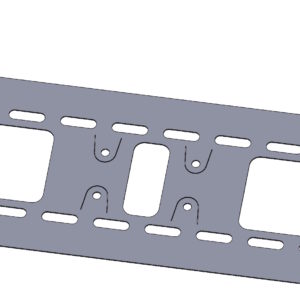
Why can't you see the bend line in sheet metal?
If you do not see the bend line on the flattened sheet metal despite the visible sketch, this is not a program error! The visibility of the bend line is determined by the setting in the drop-down list that overrides the visibility of elements. Then it is enough to enable the Show bending lines icon at the bottom of the card.
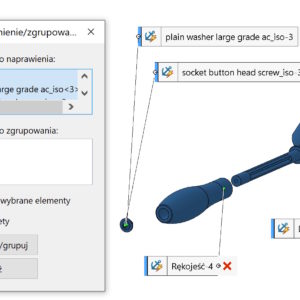
Momentary fixation/grouping is a useful option when working in assemblies
Momentary Pin/Group is a right-click option in assemblies. Allows you to momentarily immobilize selected components – will be marked with an asterisk. The second useful option is grouping – in this case, the components are locked to each other. This in turn makes it easier to manipulate, move etc. components.
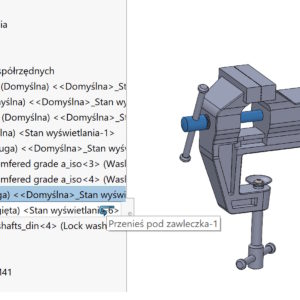
Dragging components in the assembly tree with the appropriate key combination
In SOLIDWORKS assemblies, you can reorganize components by dragging in the feature tree. This will change the order of components and move parts from the main level to subassemblies or vice versa. 1. If this symbol appears (1), you need to position the cursor above or below the component, because you can't drop the component at that point. 2. By dragging a component below another you will see....
Break off corner vs. classic rounding in sheet metal
In sheet metal, you can chamfer or fillet using the Corners operation. Do you know how this operation differs from the classic rounding/chamfering? 1. corners. A faction corner (chamfer)/Cut the corner (rounding) are Sheet Metal features, which allow you to perform the above operations after selecting faces or edges. If you select the entire wall(Y) – the program will collect all the corners. If, however...