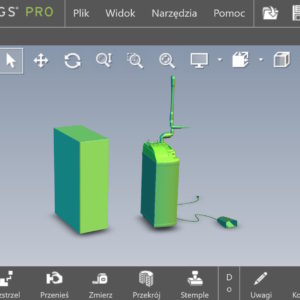
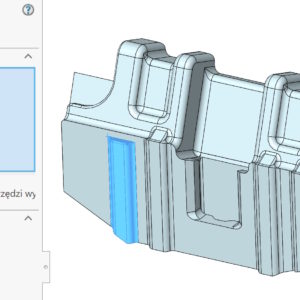
Modifications to imported files (without operation tree) are completely natural and result from the widespread exchange of data. However, the available operations do not always work and you have to use different methods. Walls cannot be removed, regardless of the method and number selected. You can cut out the problem area with a regular solid operation.. Then we fill the gap by moving the wall. I'm removing the wall again – Now...
Author: Paul (Paul Kęska)
Symmetrical linear array
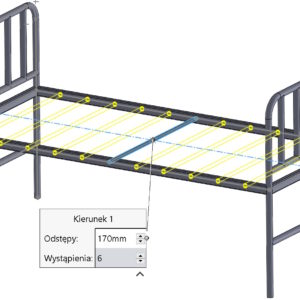
By performing an array of either an operation or an object, sometimes there is a need to do it in two directions. Of course, you can define parameters for the direction independently 1 and separately for the direction 2. If the spacing and number of repetitions are identical for both directions, so why not use the solution known from Circular Array? In this case, for direction 2 you can turn on....
DimXpert – automatic dimensioning from the center of the edge
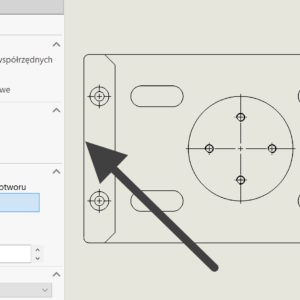
In DimXpert, you can dimension drawings based on the vertex or center of the hole/cylinder. But what about the situation?, when we want to dimension symmetrically, and you cannot indicate the center of the edge? Of course, you can divide the wall with a division line, but this is the so-called method. invasive, resulting in a change of wall IDs. Hence, existing dimensions will be out of date and if the wall...
Changing the reference order of a component
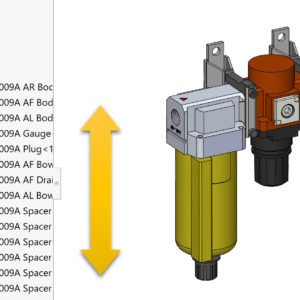
Component references are additional references that allow you to identify the same components in different places in the assembly. This applies to both parts and subassemblies. I've written about this before – link below. Component reference and its use Today I will show you, how you can change the order of references. First, right-click on the assembly and select Edit Component References....
Preview the sketch dimension
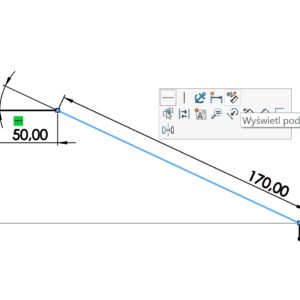
After drawing the outline, instead of enabling dimensioning, you can point your cursor at a sketch element. Please disable the tool used first (cursor visible in the form of an arrow). A gray transparent dimension will then appear, which, when indicated, turns into a dimension. After entering the values, confirm with enter. You can also mark e.g. two lines with CTRL, to add an angular dimension. This way, without....
Last chance to take advantage of the training this year
Dear users, I strongly encourage everyone to take advantage of my SOLIDWORKS training offer! What will you gain?? a wide range of standard training, individual approach – the possibility of composing your own course, the highest quality supported by 20 years of experience, practical advice resulting from cooperation with the industry. Last places, last opportunity to use the training budget. Check also: Reference
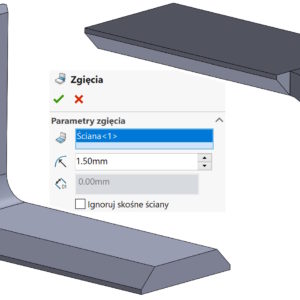
Ignore sloping walls when converting to sheet metal
If you are converting objects with sheared faces on the bends to sheet metal, a problem may arise. Depending on the operation used – and there are two to choose from – the result will be different. And yes, for the Insert Bends command, if you check Ignore diagonal faces you will get the following result: And if you uncheck the above option you will get: However, in the case of the Convert... operation.
Use software OpenGL in eDrawings
Do you know, that it is also possible to enable OpenGL programmatically in the eDrawings application. What kind of option is this? Software OpenGL disables graphics card hardware acceleration, enabling software-only graphics rendering. This option is automatically enabled, if the graphics card does not support hardware acceleration or does not have the appropriate drivers (for the current resolution settings, colors, refresh rate etc.)....
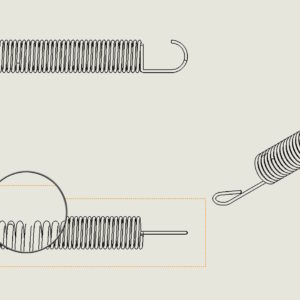
Increase curve quality with higher settings
While creating a drawing this may happen, that the elements presented in the projections do not look good. What I mean is that the geometry is not displayed properly, especially the complicated one. This happened to me several times when drawing springs or housings with very variable curvature. In this case, go to Document Properties > Image quality and check the performance of three....
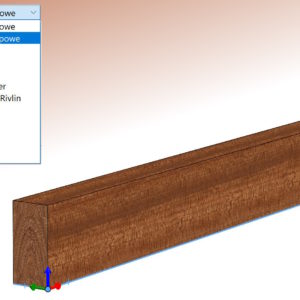
Defining an orthotropic material in SOLIDWORKS
Can be assumed, that all default materials in the SOLIDWORKS material database are isotropic. Is it possible to define an orthotropic material?, that is, representing different physical properties in different directions? An example of such a material is wood, whose properties differ significantly in the longitudinal and transverse directions. Well, such properties can be described. However, the condition is that the Simulation i add-in must be launched first..