Working in folding, it is important, to have full control over the project. If you open files in other windows or edit in an assembly and make changes – The files are marked with an asterisk *. In such a case, by selecting the Save command, a window with the following information will be displayed, which files were modified. So what is the difference between Save All? It varies....
Author: Paul (Paul Kęska)
Cutting perpendicular in profiles that are not a sheet
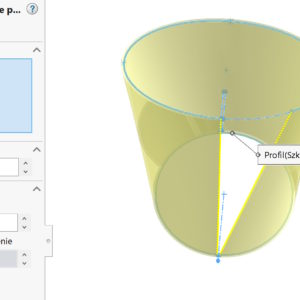
Concept “cuts perpendicular” We associate it with sheets – and rightly so. Cutting perpendicular in sheets of sheets will straighten the holes, while there may be a need to get such an effect in parts, which are not sheets. What then? Let's consider the 80x80x5 square profile – As you can see, there is no perpendicular cutting option when cutting. Perform the following steps. 1. Move away ...
Only the camera allows you to penetrate the wall in SOLIDWORKS
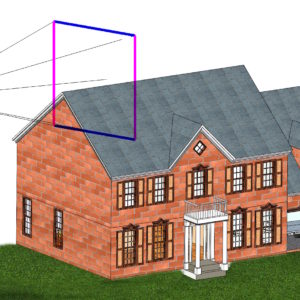
In Solidworks, generally, if you enlarge a 3D object, you always see its external wall. Let's consider a closed tank, warehouse hall or device housing. It is impossible to look inside without a cross -section or changing the display method. It turns out, that it is possible to penetrate the wall. This can only be done with a camera view! After ...
Document opened in detailing mode
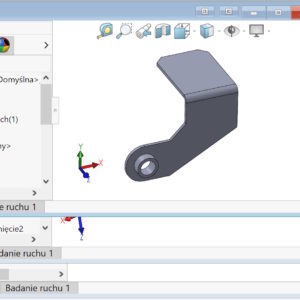
Do you know, that there is a mode, where you can perform limited actions with your drawings, But it opens the most advanced drawings in a second. To open documentation in this way, select the mode of describing the details. Almost all tools are available on the Annotations card. On the other hand, you can do two things on the drawing card – view...
Create a document group, i.e. combining files into packages
Create Document Group is a command available on the Window menu, which allows you to save selected files as a group. It still means this much, that you can link selected files and open them simultaneously. Unfortunately, the names of the selected files are not visible in the saving window – I assume though, that this is due to the early version of SW 2025 SP0 and it will be fixed. Grouped...
Texture 3D, i.e. bump mapping from a graphic file
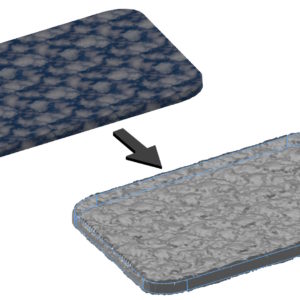
3D texture allows you to create bumps in a mesh model based on a graphic file. It works similar to mapping during rendering, In the case of 3D texture, a model with real deformation is created. See how to create such a deformation in three steps. 1. Replace the model with so -called. mesh. 2. Add look. 3. Utwórz Teksturę...
Lofted bend with sketch division
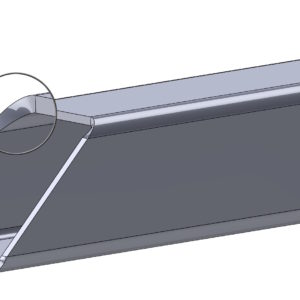
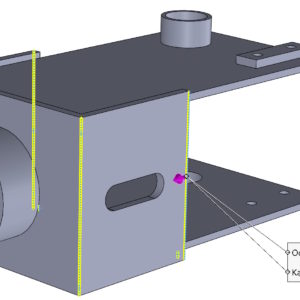
The bend drawn along the profiles provides great possibilities for forming sheets. There are two options in surgery, But I want to focus on the formed bend. The condition in this operation is the possibility of connecting two cut sketches with a straight line. There is one more condition in the case, When we want to display the bending line (Although formally such sheets are not bent). Well in both profiles ...
Show selection toolbar in Chamfer operation
For many years, SOLIDWORKS has had the option to automatically select edges during Fillet. With version 2025 this possibility also exists in Chamfer. It's about this, that after selecting the edges (not walls) the selection toolbar appears, where you can choose from the available options. Of course you can do this, what was automatically selected add other faces/edges/features etc....
SOLIDWORKS 2025 – part modeling | Assemblies | Drawings available for sale!
The latest SOLIDWORKS handbook 2025 now available>>>! https://solid-podreczniki.pl/produkt/solidworks-2025-modelowanie-czesci-zlozenia-i-rysunki/ SOLIDWORKS 2025 – part modeling | Assemblies | Drawings It's over 750 pages of exercise materials, dozens of examples discussed step by step, lots of tips and tricks to make your work easier. In addition, selected new features between versions were discussed 2020 (when I released the previous ebook) and the current one 2025. Fundamentals of modeling. Advanced modeling....
DimXpert dimensions based on sketches
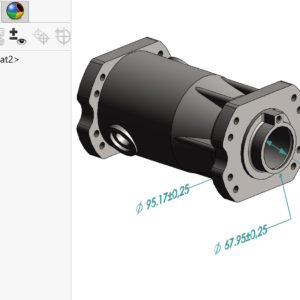
DimXpert is a collection of tools, used to insert dimensions and tolerances in parts and assemblies. It allows you to annotate models manually or automatically. Everything is based on predefined settings in the file properties. The inserted annotations can be used in the TolAnalyst add-in for analyzing tolerance chains. It is now possible to download the sketch dimension. To do this, you need to....