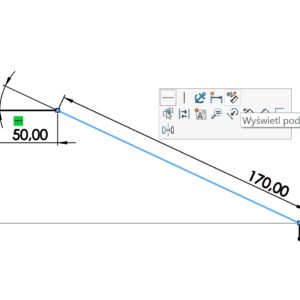
After drawing the outline, instead of enabling dimensioning, you can point your cursor at a sketch element. Please disable the tool used first (cursor visible in the form of an arrow). A gray transparent dimension will then appear, which, when indicated, turns into a dimension. After entering the values, confirm with enter. You can also mark e.g. two lines with CTRL, to add an angular dimension. This way, without....
Author: Paul (Paul Kęska)
Last chance to take advantage of the training this year
Dear users, I strongly encourage everyone to take advantage of my SOLIDWORKS training offer! What will you gain?? a wide range of standard training, individual approach – the possibility of composing your own course, the highest quality supported by 20 years of experience, practical advice resulting from cooperation with the industry. Last places, last opportunity to use the training budget. Check also: Reference
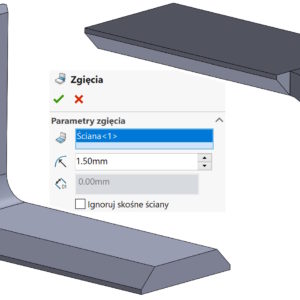
Ignore sloping walls when converting to sheet metal
If you are converting objects with sheared faces on the bends to sheet metal, a problem may arise. Depending on the operation used – and there are two to choose from – the result will be different. And yes, for the Insert Bends command, if you check Ignore diagonal faces you will get the following result: And if you uncheck the above option you will get: However, in the case of the Convert... operation.
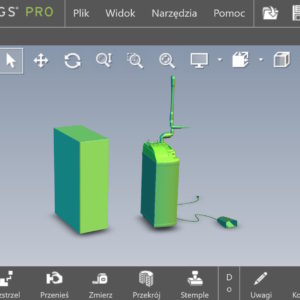
Use software OpenGL in eDrawings
Do you know, that it is also possible to enable OpenGL programmatically in the eDrawings application. What kind of option is this? Software OpenGL disables graphics card hardware acceleration, enabling software-only graphics rendering. This option is automatically enabled, if the graphics card does not support hardware acceleration or does not have the appropriate drivers (for the current resolution settings, colors, refresh rate etc.)....
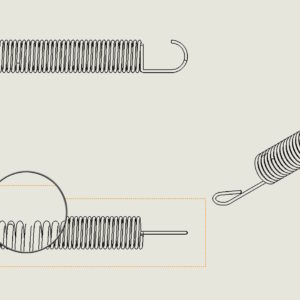
Increase curve quality with higher settings
While creating a drawing this may happen, that the elements presented in the projections do not look good. What I mean is that the geometry is not displayed properly, especially the complicated one. This happened to me several times when drawing springs or housings with very variable curvature. In this case, go to Document Properties > Image quality and check the performance of three....
Defining an orthotropic material in SOLIDWORKS
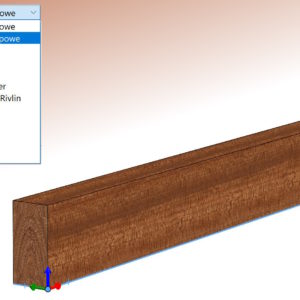
Can be assumed, that all default materials in the SOLIDWORKS material database are isotropic. Is it possible to define an orthotropic material?, that is, representing different physical properties in different directions? An example of such a material is wood, whose properties differ significantly in the longitudinal and transverse directions. Well, such properties can be described. However, the condition is that the Simulation i add-in must be launched first..
One of the methods of updating the Toolbox database
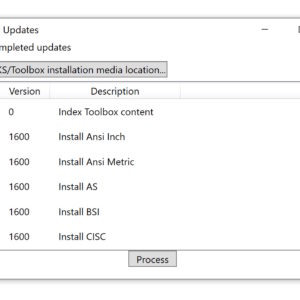
Toolbox is a database of standardized elements and, like other SOLIDWORKS files, is subject to updates. Similarly, the program does not read files from newer versions, and the older ones should be saved in the current one. About that, The following message indicates that the database is incorrect: One update method is to run an application located in the installation directory called sldtoolboxupdater....
Switching directions when dimensioning a 3D sketch
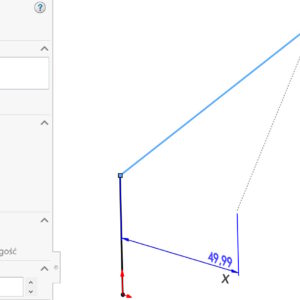
Dimensioning a 3D sketch, especially one like this, which does not lie on any of the X axes,Y,Z can be a challenge. There are a number of possibilities, including the use of auxiliary lines or dimensioning from the main planes of the system. Today I will show you how to do it even easier. Consider a sketch segment, which does not lie on any of the principal planes. If...
Sync settings across multiple computers
You can configure the synchronization of settings on multiple computers if you use SOLIDWORKS 2018 or newer. Settings synchronization is an online service, which requires logging in to the 3DEXPERIENCE platform! Also note, that in order to access the cloud storage service you need to make sure, that firewalls or proxy servers allow communication with *.solidworks.com. Sync settings may....
The section view: Planarne vs. Strefowe
The section view in SOLIDWORKS allows you to graphically cut a 3D model. Word “graphic” By default in SOLIDWORKS in, that the cut is not geometric, therefore, you cannot insert a sketch on a section face. In the location method you can choose between options: Planar and Zone. The latter is less known, even though it appeared already good 10 years ago, no less since the beginning of existence....