
Some SOLIDWORKS users believe, that surgery Flattening (available in the Premium package) can be used interchangeably with Sheets of metal.
Well can not – and that's what today's post is about.
And why?
Answer below.
A sheet of metal made using the loft method with the coefficient k = 0,5.
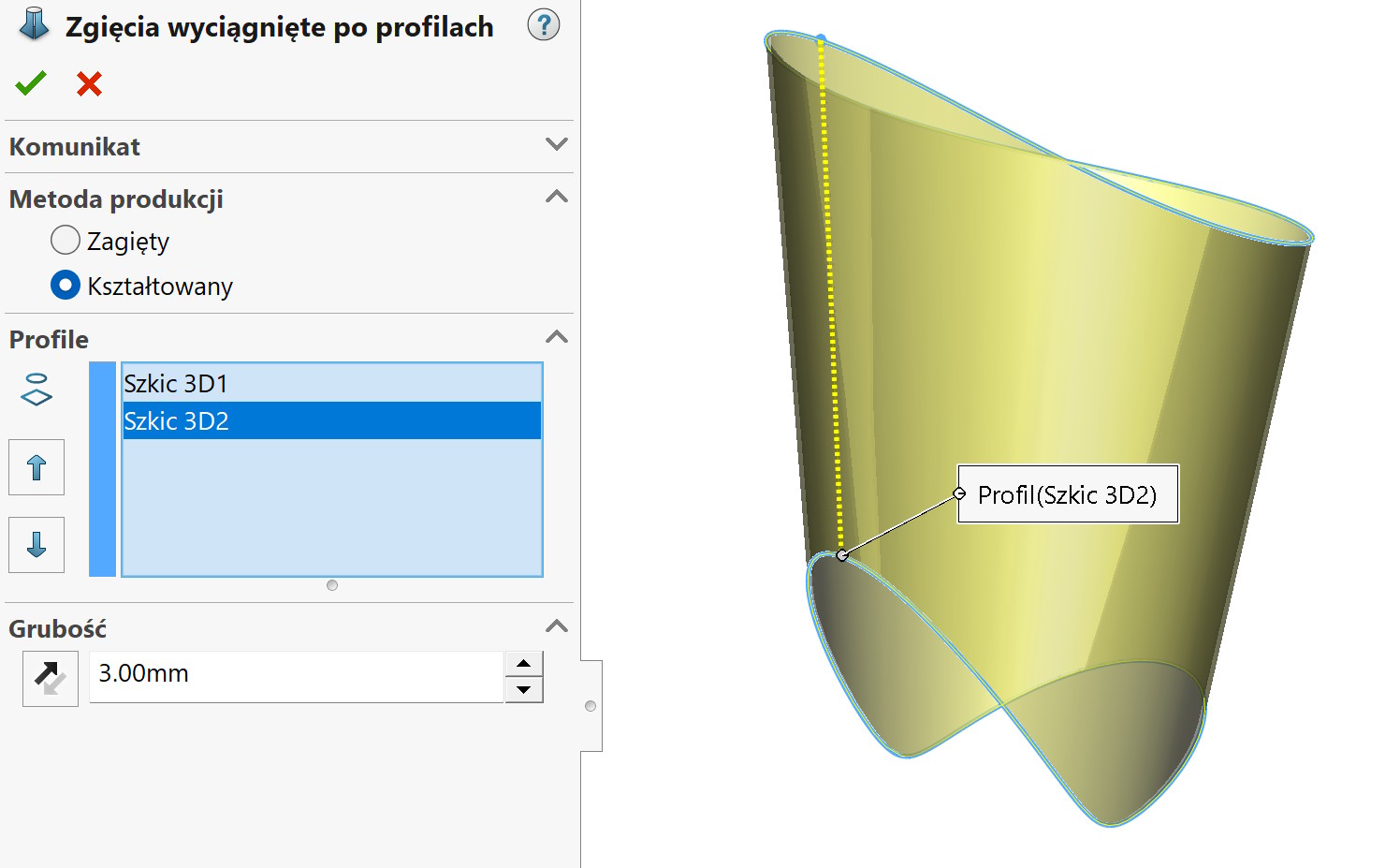
Surgery was then inserted Flattening the surface with default resolution parameters. The same edge was referenced, which is used in sheet metal as the so-called. motionless.
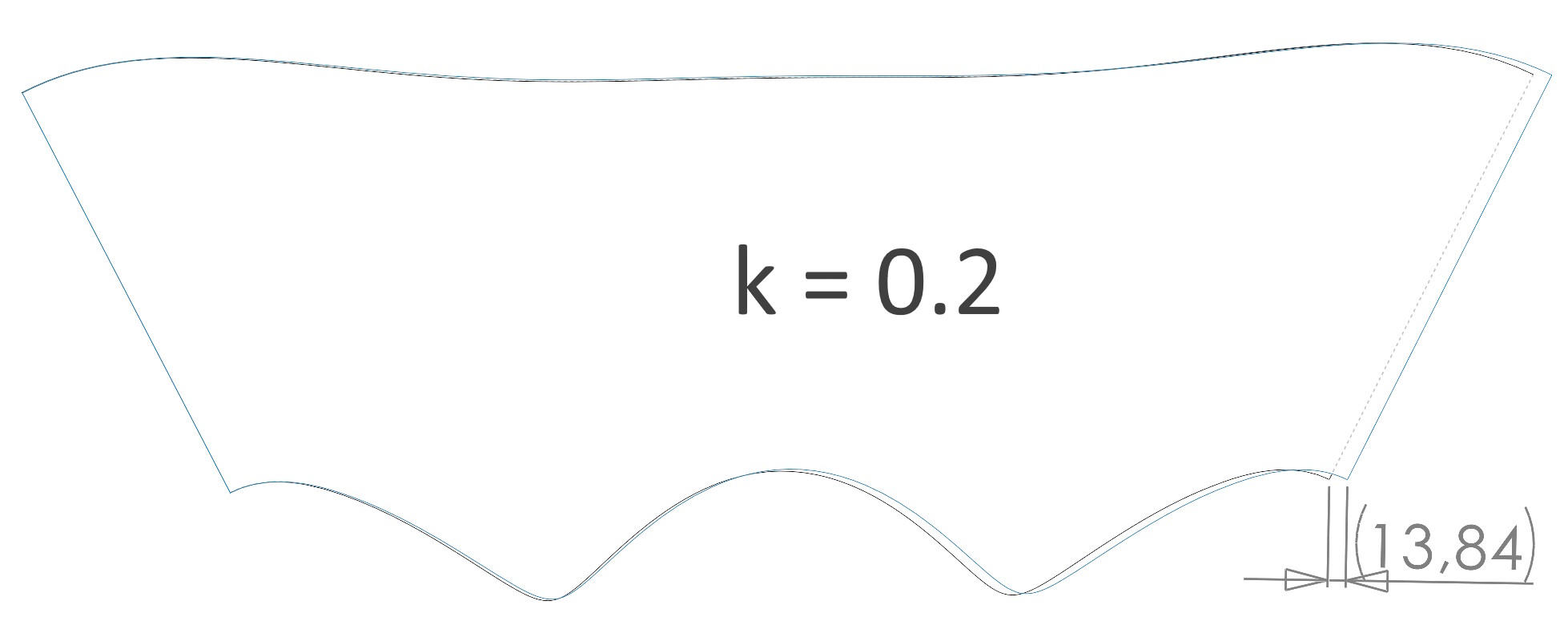
When unfolded, the alignment of objects turns out, that there is a shift.
ATTENTION! In the case of coefficient k=1 – the difference is just less than 1 mm. But if we use a realistic coefficient of k = 0.2 – the difference is almost 14mm!
Application.
Flattening generates a flat object from any surface (also casual), but the only control option “naddatikem” is the resolution slider. Recalculating the distribution involves appropriately moving the triangles – similarly to FEM calculations with a flat mesh (typu shell). There is no factor here that affects the level of flexibility/stretch, which allows you to compensate for deforming material, e.g. wrapped around a ball.
In case of Sheets of metal we have several options for controlling the change in the length of the unfolded sheet in relation to the folded one. The factor k is most often responsible for this, but you can also use the bend calculation table or enter the loss/allowance manually. A typical sheet is a rectilinear surface (the ends can be connected with straight sections), therefore, calculating the allowance is simple. The main limitation of sheet metal is the inability to unfold pressed or bent sheets in many planes. ie. it can be done, but in other specialized software (e.g. BlankWorks).
Summary.
These operations are not interchangeable, although having no other option, you can flatten a surface that is not suitable for unfolding as a sheet of metal. but remember, that you have no control over the excess material.