Miejsce zapisu pliku importowanego ma znaczenie
Post

Where the imported file is saved is important

Working with imports comes naturally to most of us. I have written about various aspects related to this many times. The examples below. Inserting an imported file into a SOLIDWORKS part Direct editing in imported files 3D Interconnect with new opening options Today I will pay attention to where the file is saved.   Well, when we download import files, we often save them....

26 November 202526 November 2025by
Spłaszczenie powierzchni vs. arkusz blachy
Post

Surface flattening vs. sheet metal

Some SOLIDWORKS users believe, the Flatten Surface operation (available in the Premium package) can be used interchangeably with sheet metal. Well, you can't – and that's what today's post is about. And why? Answer below. A sheet of metal made using the loft method with the coefficient k = 0,5. Then the Flatten Surface operation was inserted with the default resolution parameters. Like...

16 November 202517 November 2025by
Utwórz wiązania tylko wtedy, gdy nazwy są zgodne
Post

Create constraints only then, when the names match

If you are using Mate References, you can select one new option. Let me remind you, Mate references are predefined mates defined in parts (e.g. Toolbox lub Routing), that operate when you insert a component into an assembly. However, they can only be defined in the inserted part (as in Toolbox) or also in this one, into which we insert (some in Routing). Binding Reference...

12 November 202512 November 2025by
Kolory wymiarów – znasz je wszystkie?
Post

Dimension colors – you know them all?

Dimensions may have different colors – worth knowing, what do they mean?. Of course, these are the default settings. And yes, within a part or assembly outside of sketch editing – the blue dimensions are the dimensions of the operation, and black are the dimensions of the sketch. When editing a sketch, you may encounter the following colors. Purple indicates dimensions, which are not marked for the drawing....

8 November 20259 November 2025by
W jaki sposób namierzyć komponenty złożenia z odniesieniami zewnętrznymi?
Post

How to target assembly components with external references?

Just to check quickly, which parts in the assembly have external references, you can use Assembly Visualization. Select an additional column called External References. The appearance of Yes means, that the reference exists.

28 October 202528 October 2025by
Szybkie rozcięcie szkicu pod kątem wyciągnięcia po profilach blachy
Post

Quickly cut the sketch at the angle of lofting the sheet metal profiles

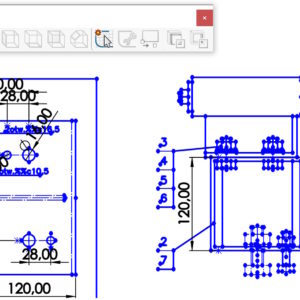
A lofted bend in Sheet Metal requires two split sketches. So how to cut a sketch quickly? My solution is to draw a circle in the middle of a line or arc. I then apply the Trim command with the Advanced Trim option and Save Trim Features as Construction Geometry. In the case of a rectangle, we need to add the Equal Length relationship after trimming (or other....

10 October 202510 October 2025by
Niewydajny szyk? Tego możesz nie wiedzieć…
Post

Inexhaustible? You may not know that…

As you know, Chic with a large number of repetitions can hardly load the computer. I wrote a while ago, what is the preferably preferably. Efficiency in the ranks – you may not know it! Today, supplementing the information, I will share a certain trick. Well, selecting the magic geometry option drastically increases performance! The database is just pulling the addition, which was duplicated on the wall 1441 times....

20 September 202521 September 2025by
Czy można w jednej operacji obrócić i przesunąć obiekt?
Post

Is it possible to rotate and move the object in one operation?

Operation move/copy is used to move or rotate objects. Depending on your choice: Transfer/rotate or connections, you can use different options. The connections are used to change the location of objects with bonds – similar to assemblies. We have only the basic ones at our disposal. The limitation so far is the inability to copy objects in this mode.   On the other hand...

16 September 202516 September 2025by
Nie możesz pogrubić powierzchni? To nie pogrubiaj
Post

You can't thicken the surface? Do not thicken

The command of the thickener on the surface card does not always work. This is a consequence of the curvature, and more precisely the minimum radius of the curvature. In case of, When the thickening does not work, then give up this tool.   If you must receive a block, then you can use a certain trick. Copy the surface with a transfer/copy, and then create a block by pulling the profiles between the surfaces.

24 August 202524 August 2025by
Krzywa przez punkty XYZ odniesiona do nowego układu współrzędnych
Post

Krzywa by XYZ points referred to the new coordinate system

The curve through XYZ points is not a popular operation, And yet in the SOLIDWORKS version 2025 has gained a new functionality. Well, now you can put curves in relation to a chosen one than the default coordinate system. It matters so much, that such a curve cannot be moved. So you can immediately put it in the target place indicating a new one ...

20 August 202520 August 2025by