
Settings in SOLIDWORKS can be divided into global and local ones. By global I mean the settings in the system options, that concern the entire program and not a specific document.
Such settings belong displaying tangible edges. Such edges will be visible everywhere between adjacent walls. Long ago, when I studied technical drawing in college, Of course, such edges were not drawn on paper. But what else in 3D programs – these edges are always always, we can only show them or not.
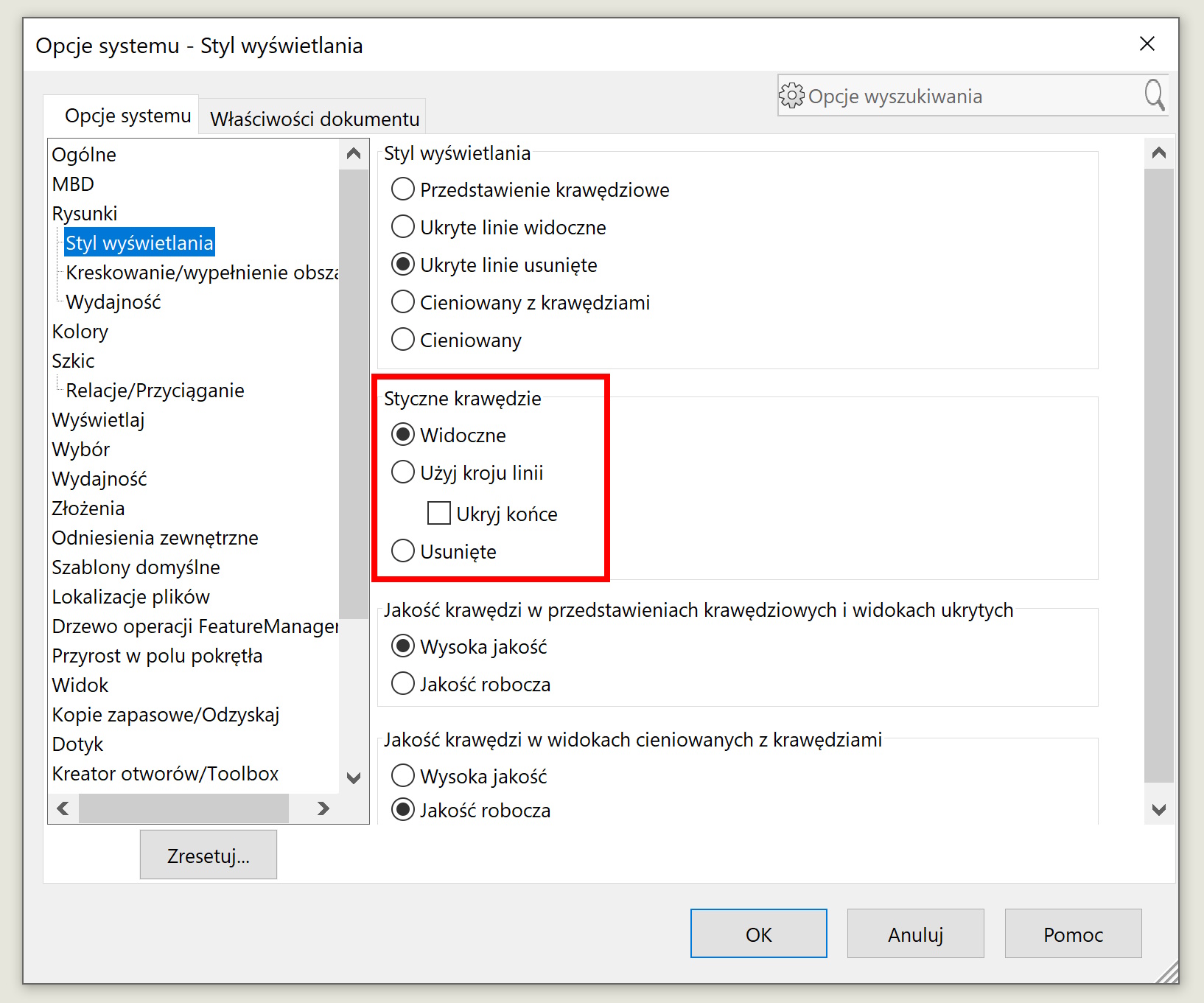
So option number one is a global change in the default display mode in the system options > Drawings > display style.
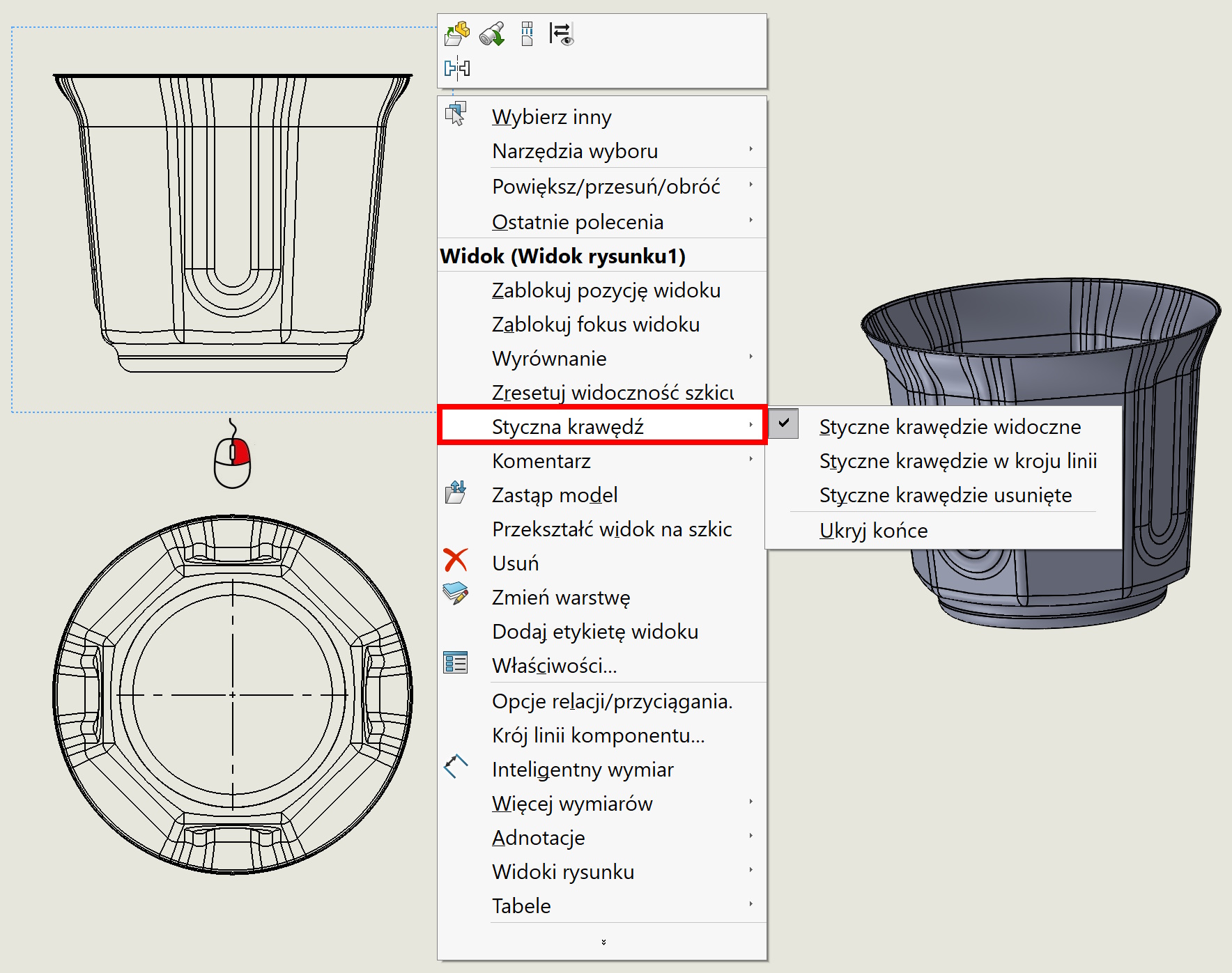
Local option, and even more than the local one because not about the whole document but the view, This is a change under the right mouse button.
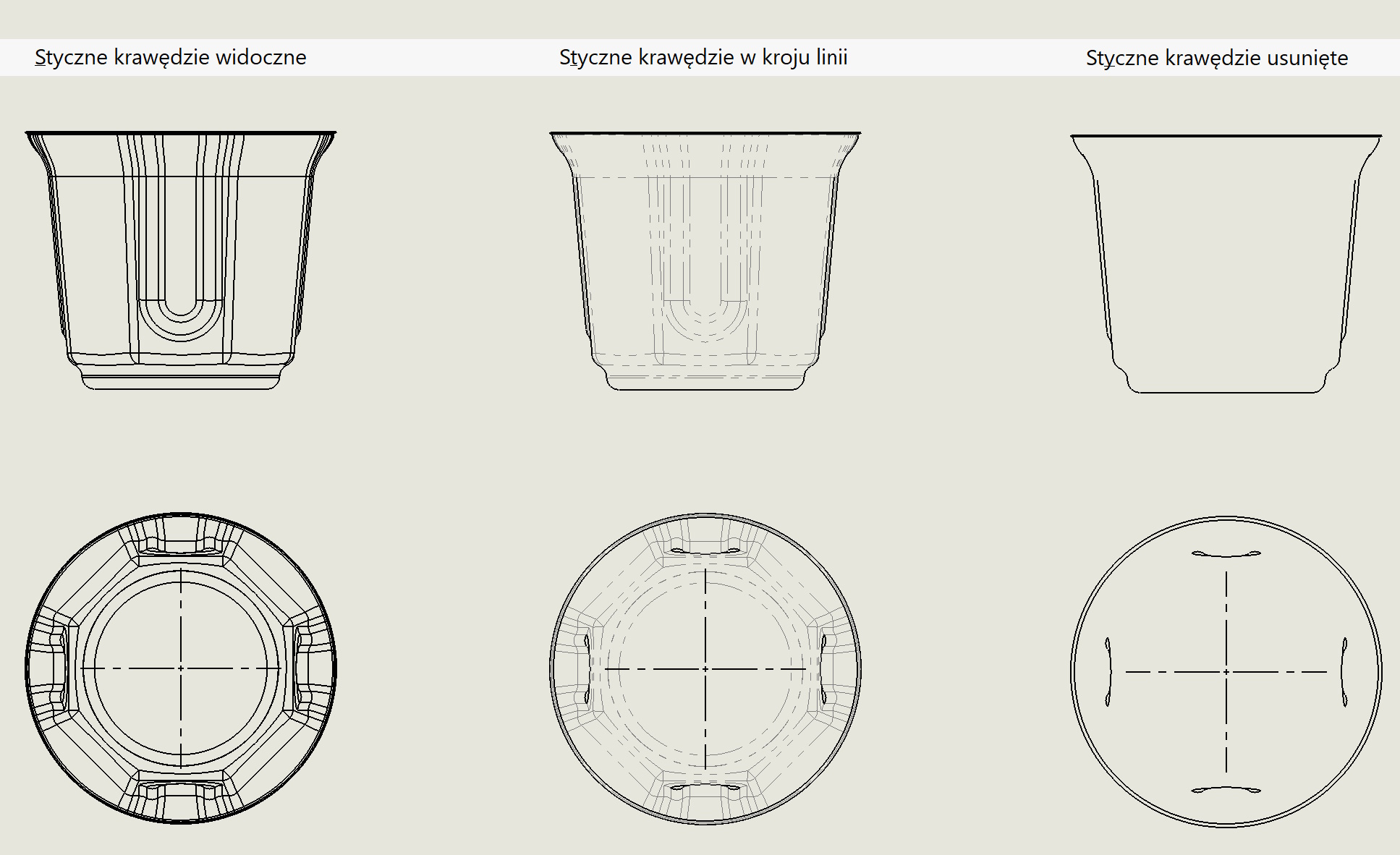
Comparison of individual options is presented in the picture below.
Leave a Reply