
Each element can be stretched using selected operations. They are especially useful for imported files.
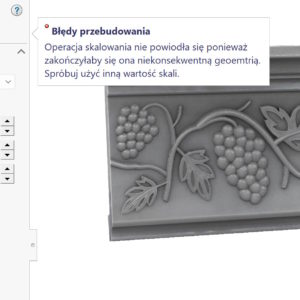
Each element can be stretched using selected operations. They are especially useful for imported files.
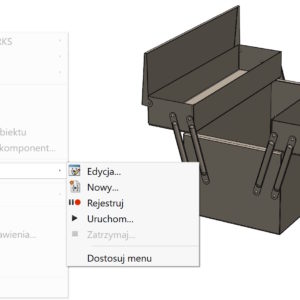
Many people run macros each time they select Run and point to the *.swp file. Apparently ok, but it can be done better. To do this, go to the Customize tab > Commands: Select New Macro Button and drag it to the selected tab. Then attach the *.swp or *.swb macro file and select the image – thumbnail. SOLIDWORKS software provides bitmap images...
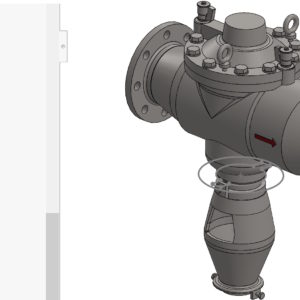
The command called Create a sketch from selected elements creates a sketch from selected segments. Especially in my opinion, this is useful during 2D to 3D conversion. Create a sketch from selected elements when converting 2D to 3D But today I will show the difference between this command and the Convert elements operation. When converting, you must first be in the active sketch,...

Many people dealing with the conversion of scans to BREP models know the problem perfectly, How do these programs generate models. There are no problems with simple shapes, but complicated geometry can cause difficulties in reproduction. Today, however, I want to present an alternative conversion method “simple shapes” Na Modele 3D CAD, which are useful. Mesh models can of course also be....

I wrote many times about performance. Of course, the so -called. large assemblies, but also complicated parts. However, very often users perform unnecessary operations, like perforations in sheets or bosses. In the case of perforation, a certain trick can be used. It involves visually visually visually visually visible. However, this requires a graphics card with support for RealView mode. On the card ...

If you dimension bent elements from bow to arch, Depending on the angles, it may happen, that the dimension will not be parallel to the edge. The solution is the option available under the right button. Align to the edge.
Some processes in SolidWorks require significant RAM resources. For example, when calculating SolidWorks Simulation Solver Direct Spars, it requires 1 GB for each 200 000 degrees of freedom (DOF). What to do, When we have too little ram physically? You can define the so -called. virtual memory. To do this, select Advanced system settings. Then choose the advanced tab > Memory...
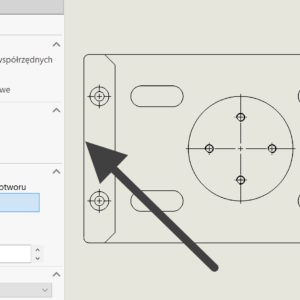
In DimXpert, you can dimension drawings based on the vertex or center of the hole/cylinder. But what about the situation?, when we want to dimension symmetrically, and you cannot indicate the center of the edge? Of course, you can divide the wall with a division line, but this is the so-called method. invasive, resulting in a change of wall IDs. Hence, existing dimensions will be out of date and if the wall...
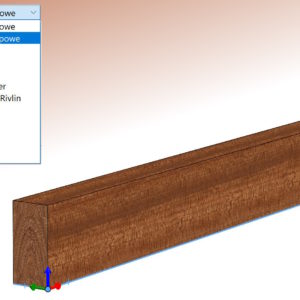
Can be assumed, that all default materials in the SOLIDWORKS material database are isotropic. Is it possible to define an orthotropic material?, that is, representing different physical properties in different directions? An example of such a material is wood, whose properties differ significantly in the longitudinal and transverse directions. Well, such properties can be described. However, the condition is that the Simulation i add-in must be launched first..
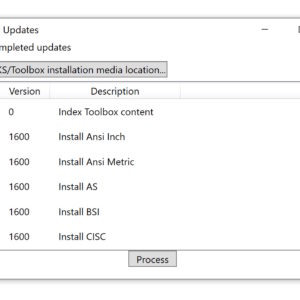
Toolbox is a database of standardized elements and, like other SOLIDWORKS files, is subject to updates. Similarly, the program does not read files from newer versions, and the older ones should be saved in the current one. About that, The following message indicates that the database is incorrect: One update method is to run an application located in the installation directory called sldtoolboxupdater....