
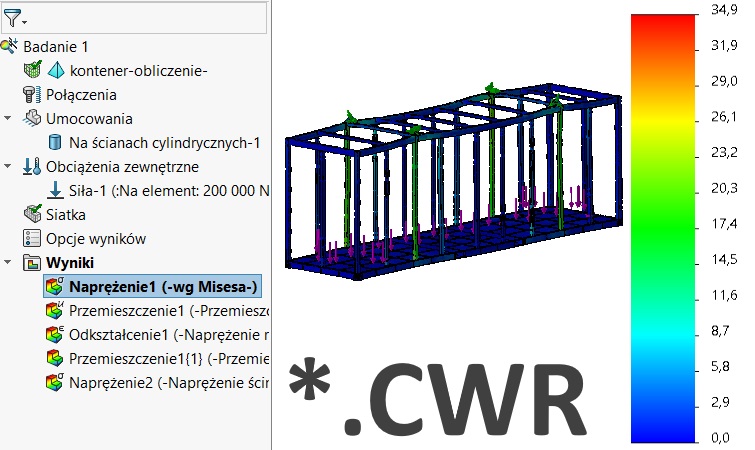
Czy wiesz, że… ?
Wykonując w SOLIDWORKS SIMULATION symulacje metodą elementów skończonych, program zapisuje wyniki w pliku *.*CWR. Plik ten jest niezbędny by otworzyć wyniki np. po przesłaniu do innego użytkownika.
Jeżeli pliku nie ma, został przeniesiony itp. program wyświetla informacje, iż nie można odnaleźć bazy danych wyników i trzeba przeliczyć wszystko od nowa.
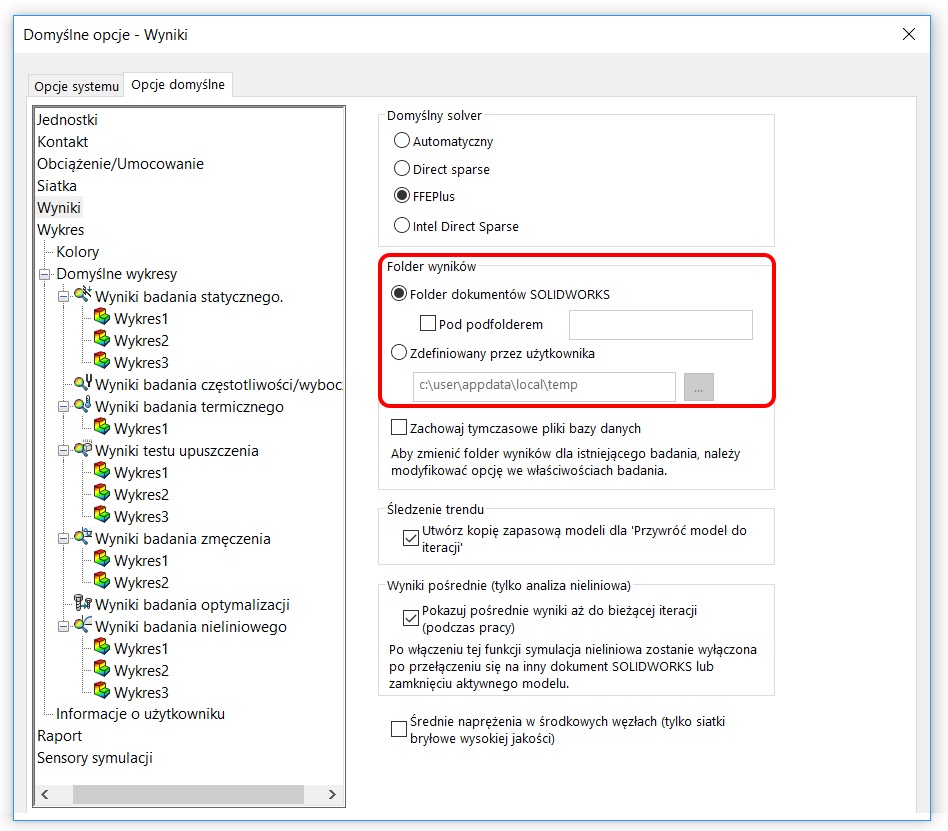
Po pierwsze, ustawienia związane z lokalizacją zapisu znajdziesz w menu głównym Simulation > Opcje > Opcje domyślne. Tutaj należy zwrócić uwagę, że wyniki mogą być zapisywane w katalogu zdefiniowanym odgórnie (domyślnie temp w lokalizacji zalogowanego użytkownika) lub w miejscu zapisywania plików.
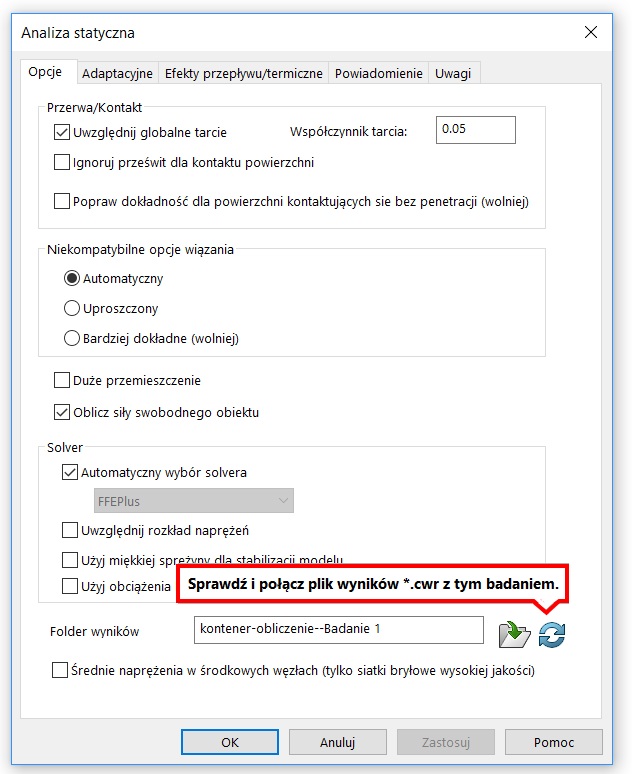
Z kolei w ustawieniach badania – po kliknięciu prawym przyciskiem > Właściwości > Opcje, masz możliwość zdefiniowania lokalizacji wyników dla bieżącego badania oraz połączenia z istniejącym plikiem *.*CWR.
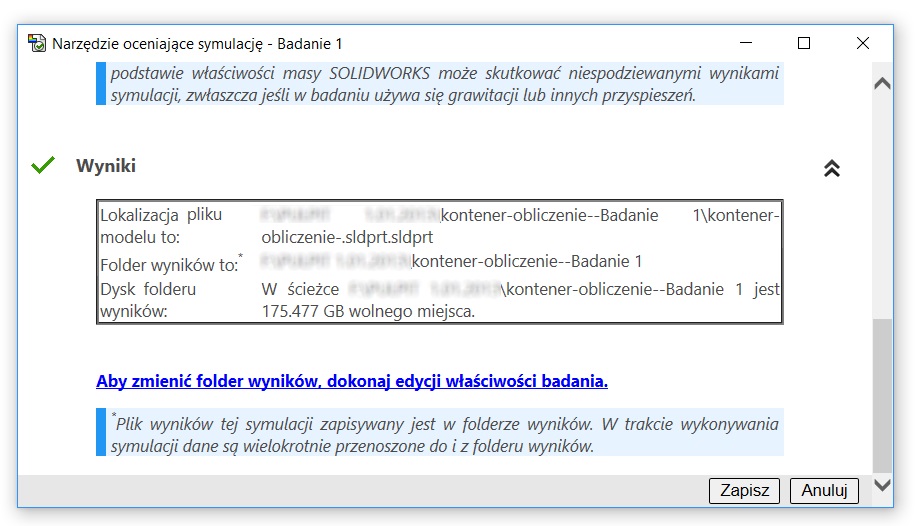
Zawsze też możesz w Narzędziu oceniającym symulację szybko sprawdzić, gdzie jest zapisany plik i gdzie są przechowywane wyniki.
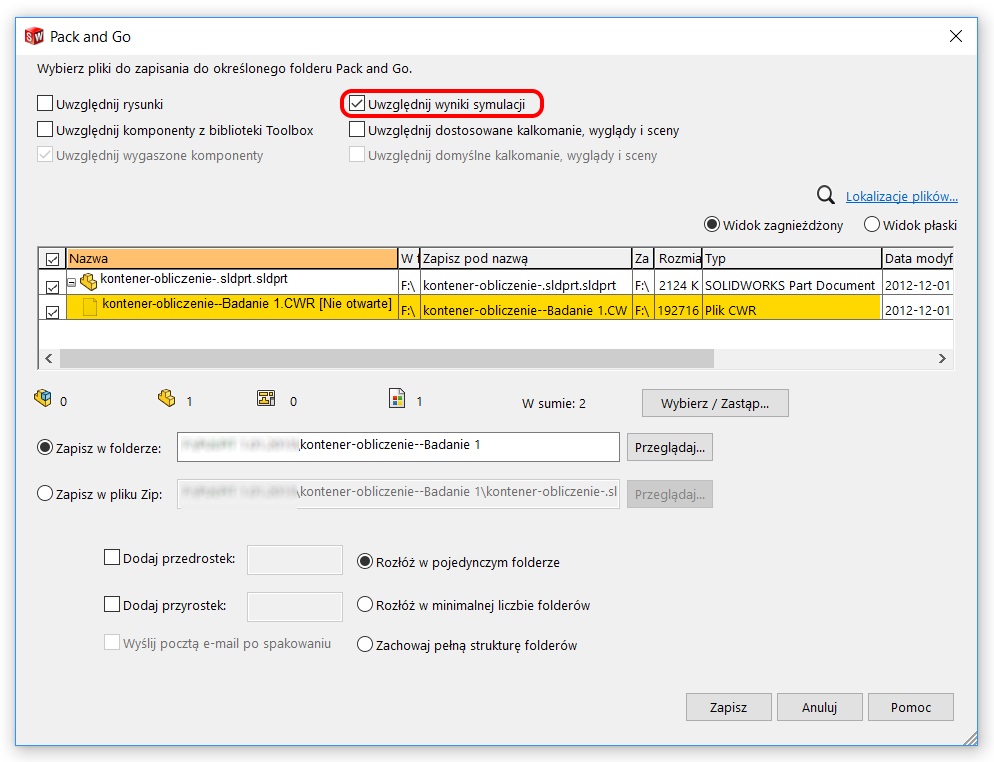
Pamiętaj też, że plik przenośny (pack&go) umożliwia zapisanie plików SOLIDWORKS wraz z wynikami Simulation w celu przeniesienia do innej lokalizacji czy wysłania e-mailem.




Hi Pawel,
Thanks for the blog and information above. I am having problems with SW Simulation (2020 SP.3) because the simple static study fails, saying that the results files are not accessible. I have set all of the file paths to local paths on my PC, but still it will not work
Hi Frank
Check the paths again. Do you have write permission? If there are files, check if they are not zero size.
I know, in SW 2021 was a bug, but not sure if in 2020 also occurred.
Hello Frank,
I have a SW .CWR file in the model directory which was created in 2016. Now the model has been updated in SW 2020 and when I try to open the .CWR file, I getting error msg „The following file names entered were invalid, not found, locked or of an incompatible type:”. May you please suggest some advice for opening the file? Thanks.
I think you should recalculate becasue file structure could be different. If SW version is the same, it doesn’t have this problem.
Thanks for the reply. Will there be an option to bring the file to SW 2020 if I get a chance to open it in SW 2020?
Yes, you can do it. Best would be reopen in SW2016 and save all files using pack&go (all, it means with simulation results).
I have the same, if study was created in previous version, must run it agian after open in newer one.
please could you help out, am try to run a solidworks simulattion, but i keep getting the error, result files unavailable, even though thos models ran initially
Please check file path to the results (read/write option). the Simulation results should exist on and write to the local internal drive rather than cloud storage (like dropbox, google drive) and you must have write permission.