
W 3D sketch, just like in flat, we strive for complete redefinition (black sketch). Of course, there are exceptions to this, e.g. drawing wires with a spline, etc.
To make drawing and parameterization easier, you can use a 3D sketch on a plane. Despite, there is a separate command for this, You might as well get the same effect by marking the sketch tool or a flat wall before choosing a sketch tool.
Today I will show one simple trick. It involves choosing the right type Rectangle from the inside.
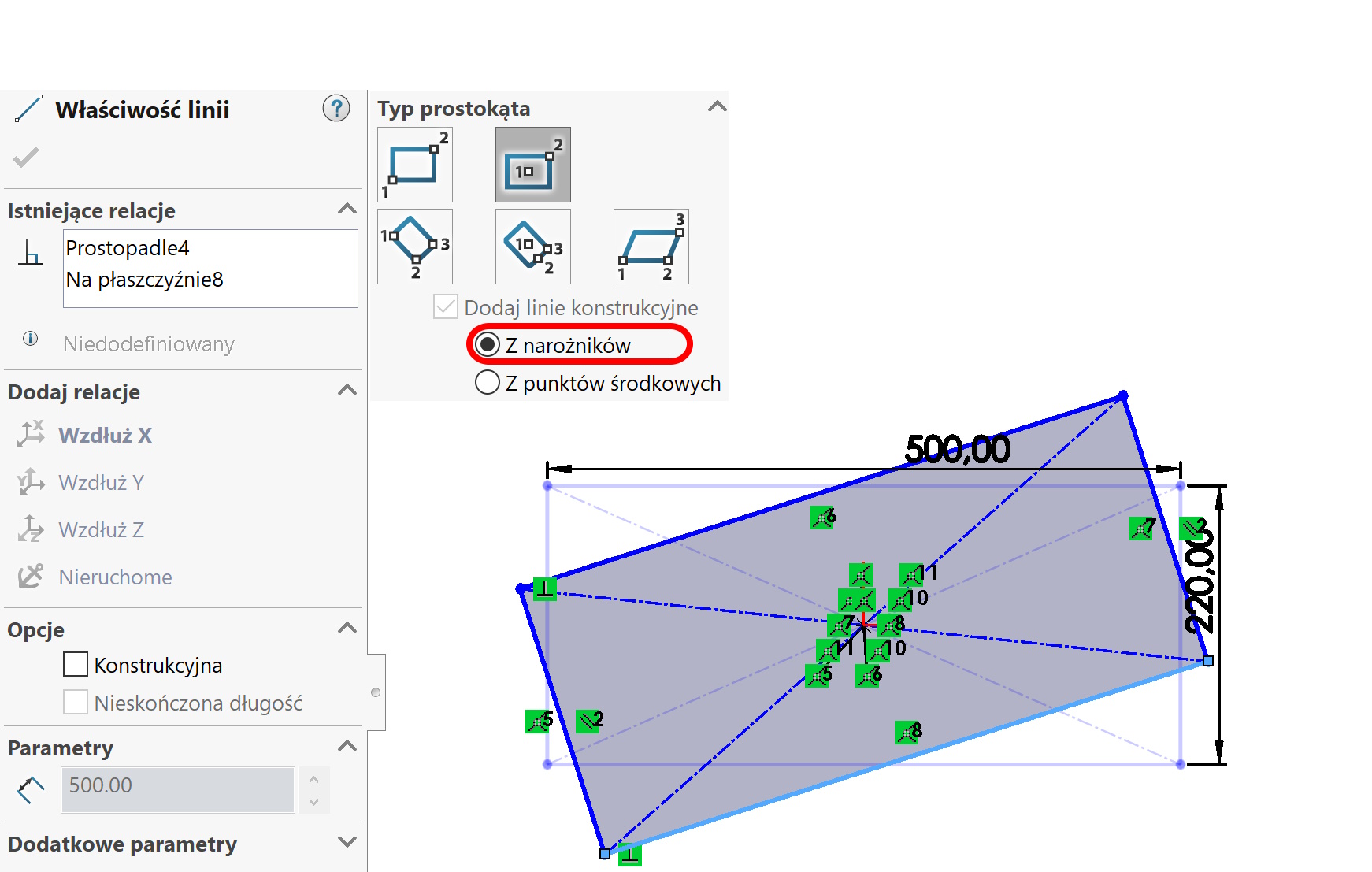
If you draw a rectangle with lines on the plane from the corners (by default) – The 3D sketch will be uncomfortable! You need to be in addition to dimensions add an additional relationship, I usually add lengthening one of the lines on the appropriate axis.
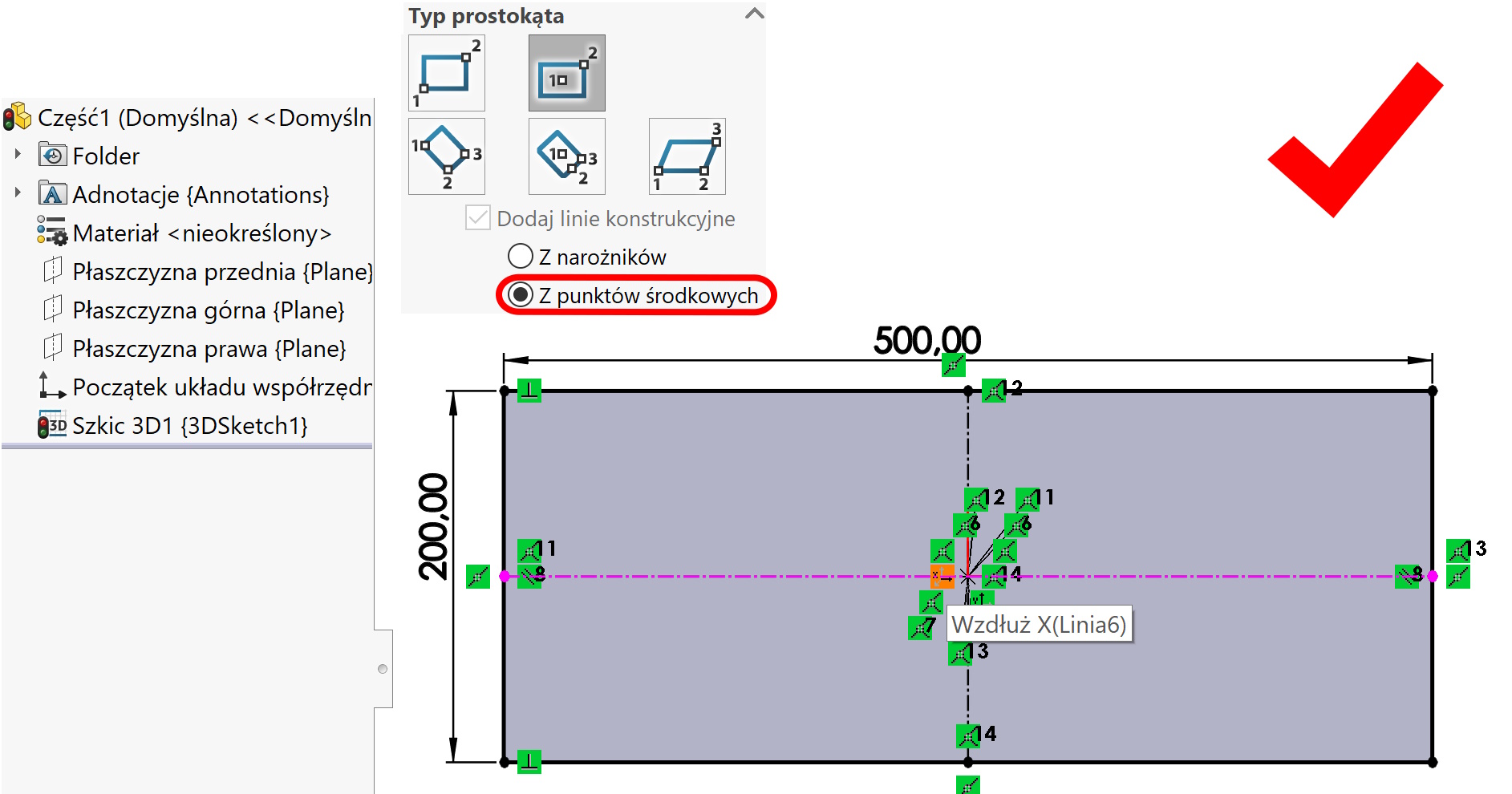
If you draw the same type of rectangle with Middle points, The sketch will be dimensioned after dimensioning! This is a consequence of this, that the program automatically adds an extension on the axis to the middle lines.
Leave a Reply