
Drawing a grille can cause some problems. Of course, you can and should use various available tools, In this style.
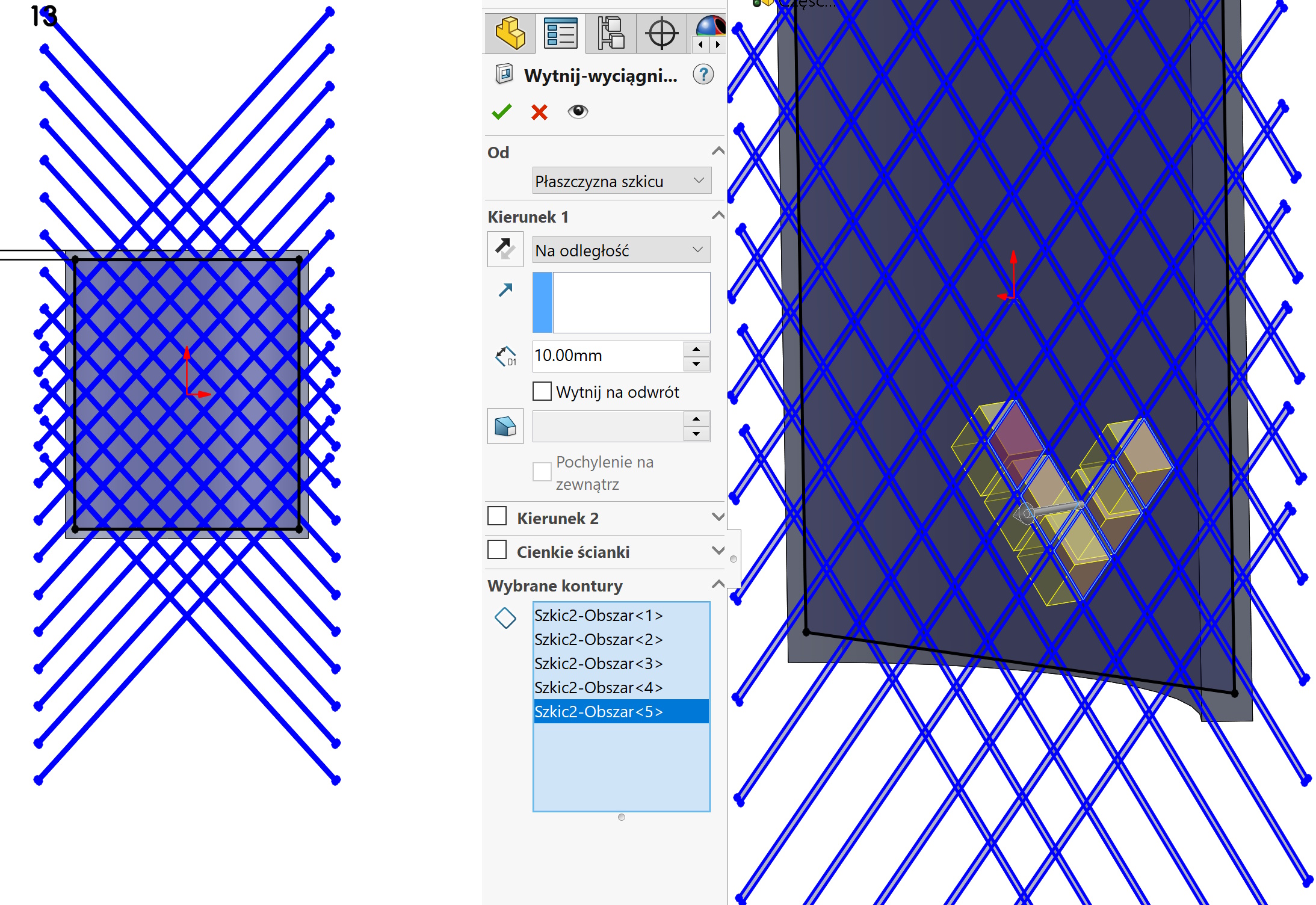
Let's consider the target element in the shape of an arc. To cut dozens or cheese of holes in the shape of a diamond or square, You should draw a lot of mutually intersecting lines. It is simple…
But the cut will not be so easy, because in this case it should be marked with Selection of contours Dozens of areas. It is possible, but very laborious.
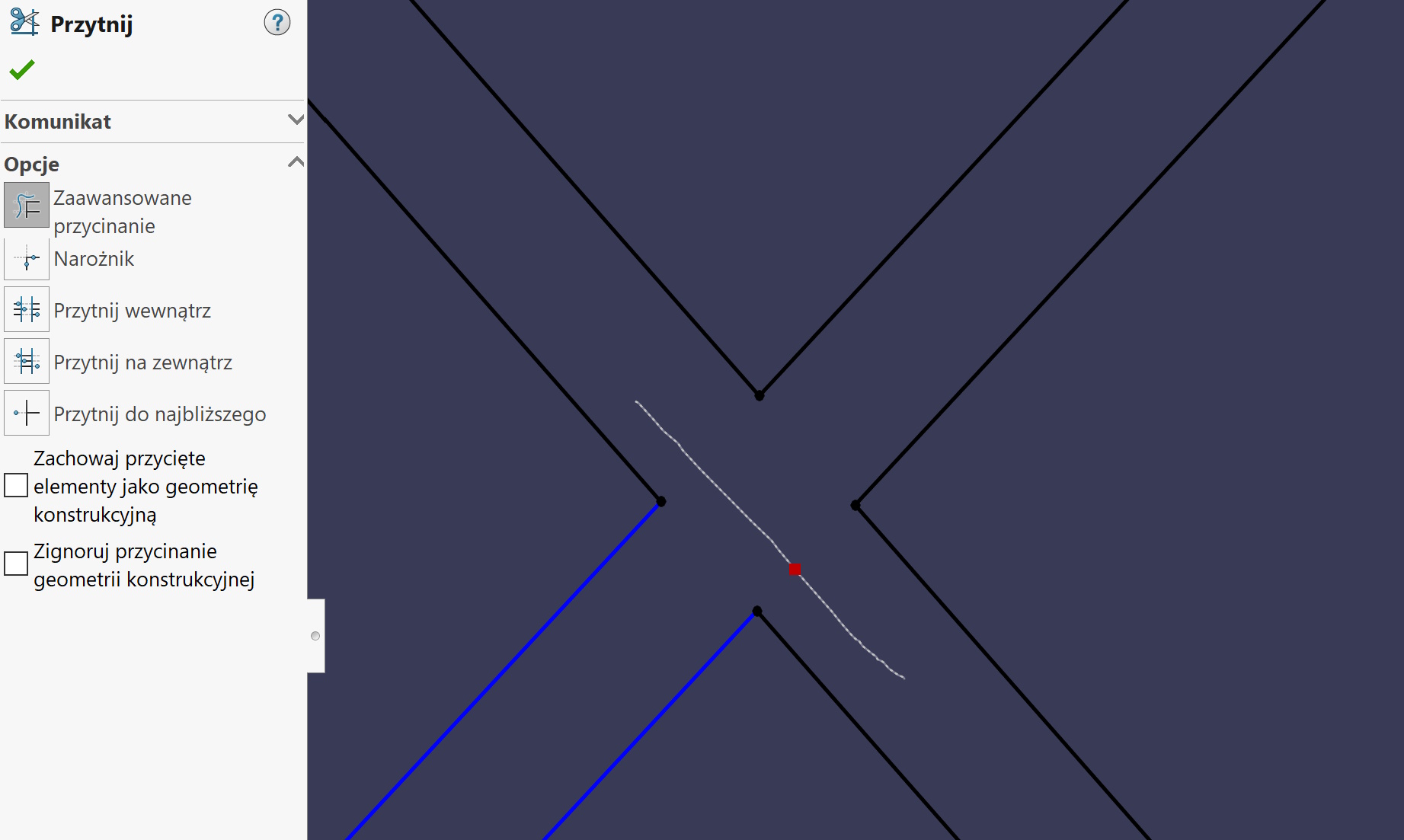
The second possibility also (or maybe the bucket more) labor -intensive is the cutting of each intersection in this way, so that there are no intersecting lines. Falls off.
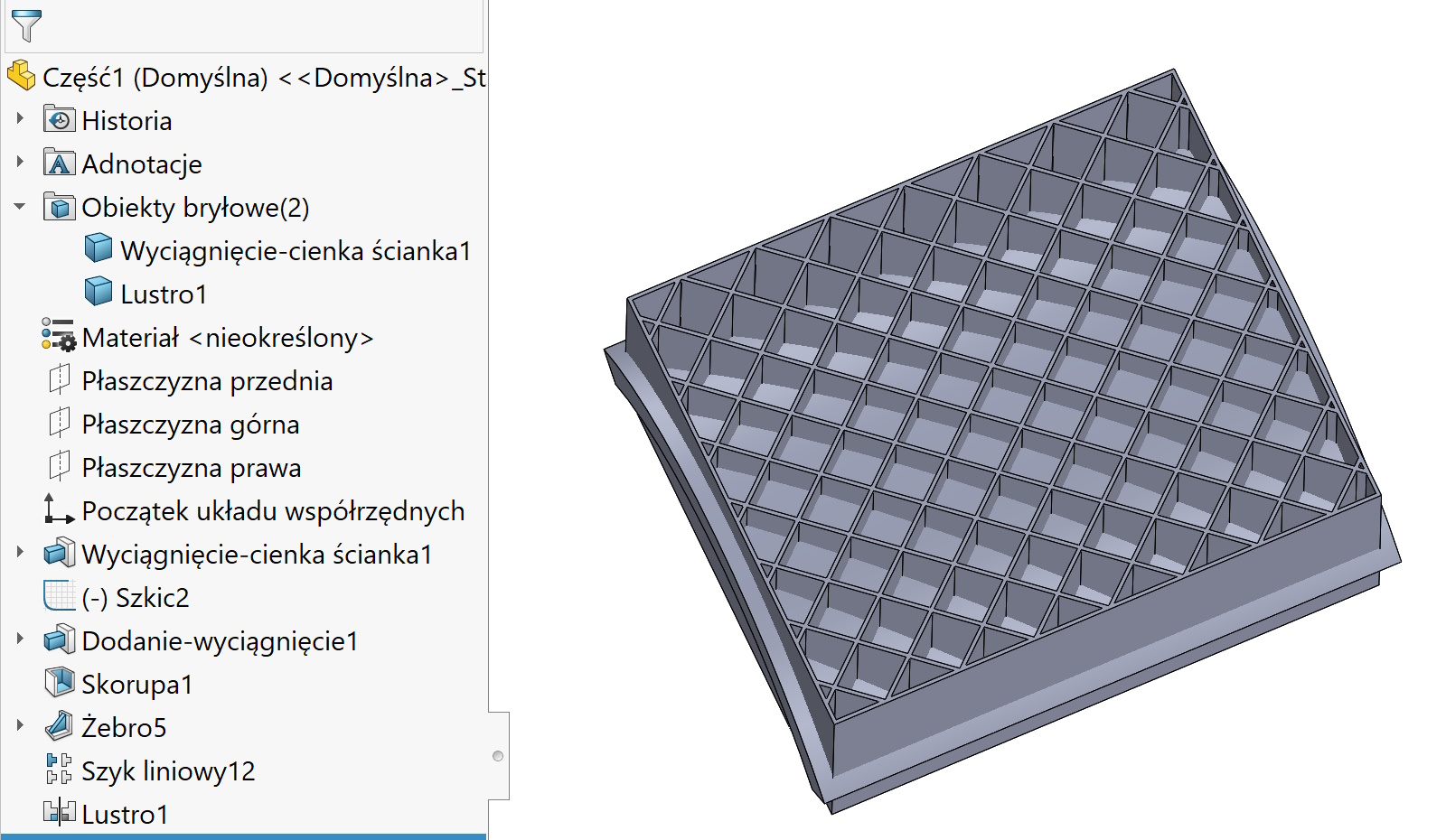
The third recommended option is to draw a second hollow (e.g. shell) detachable block. Then we draw a grid in it, e.g.. rib and we duplicate.
The last stage is the command connect with option Common. What you see below is the grille from the intersection of two lumps – True, the clever? 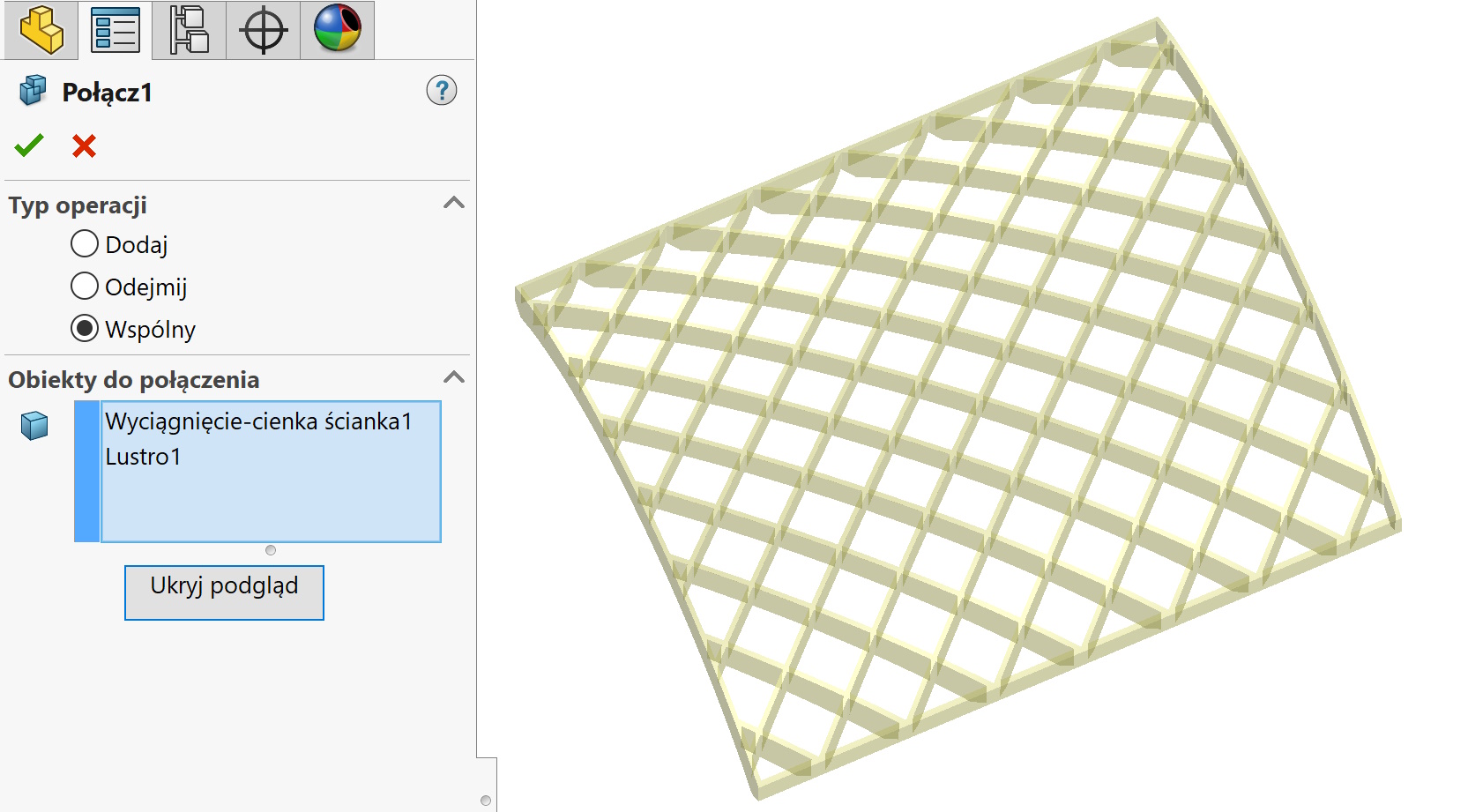
TIP.
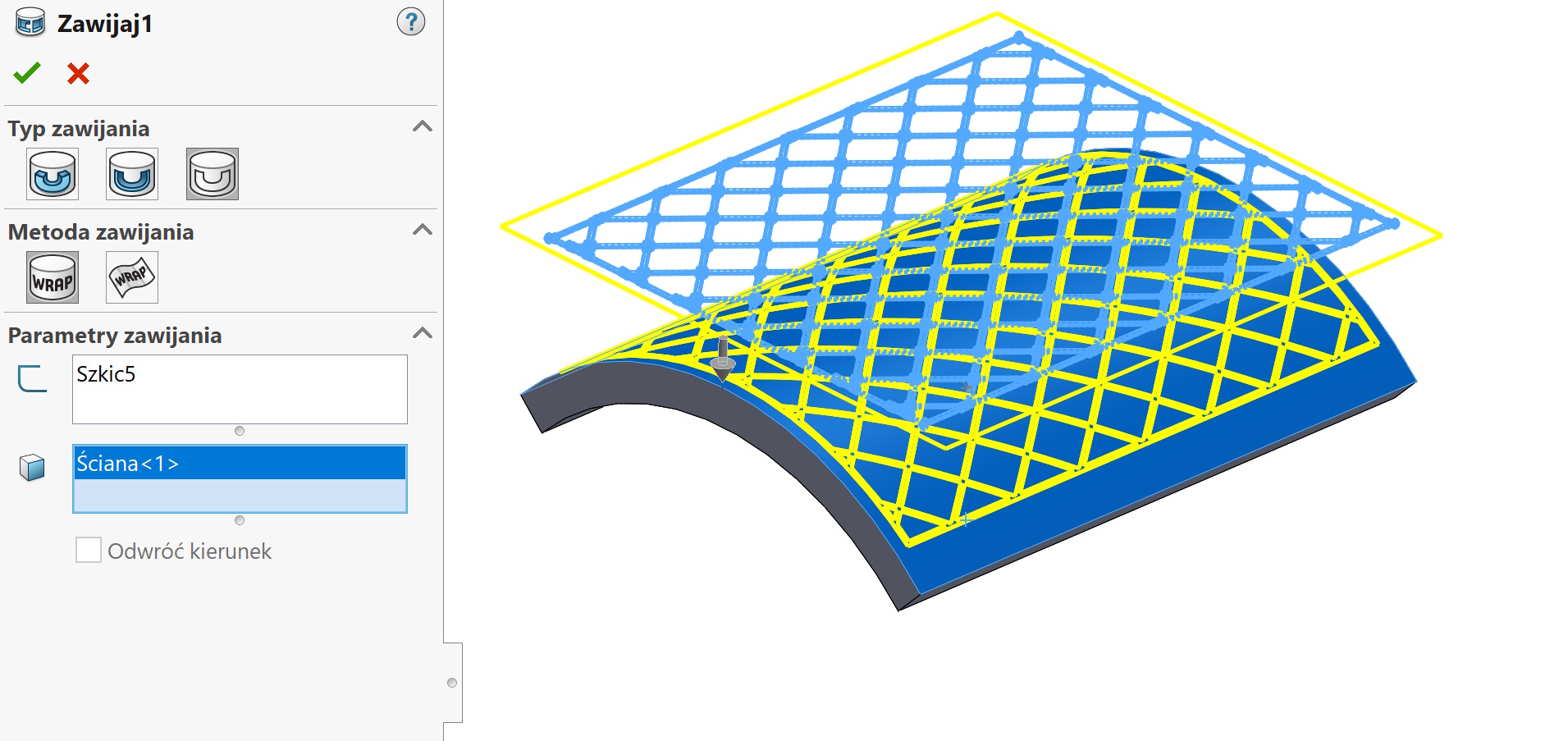
If you need to be wrapped (not perpendicular excision) – from the resulting block, convert all edges and wrap this sketch.
Leave a Reply