
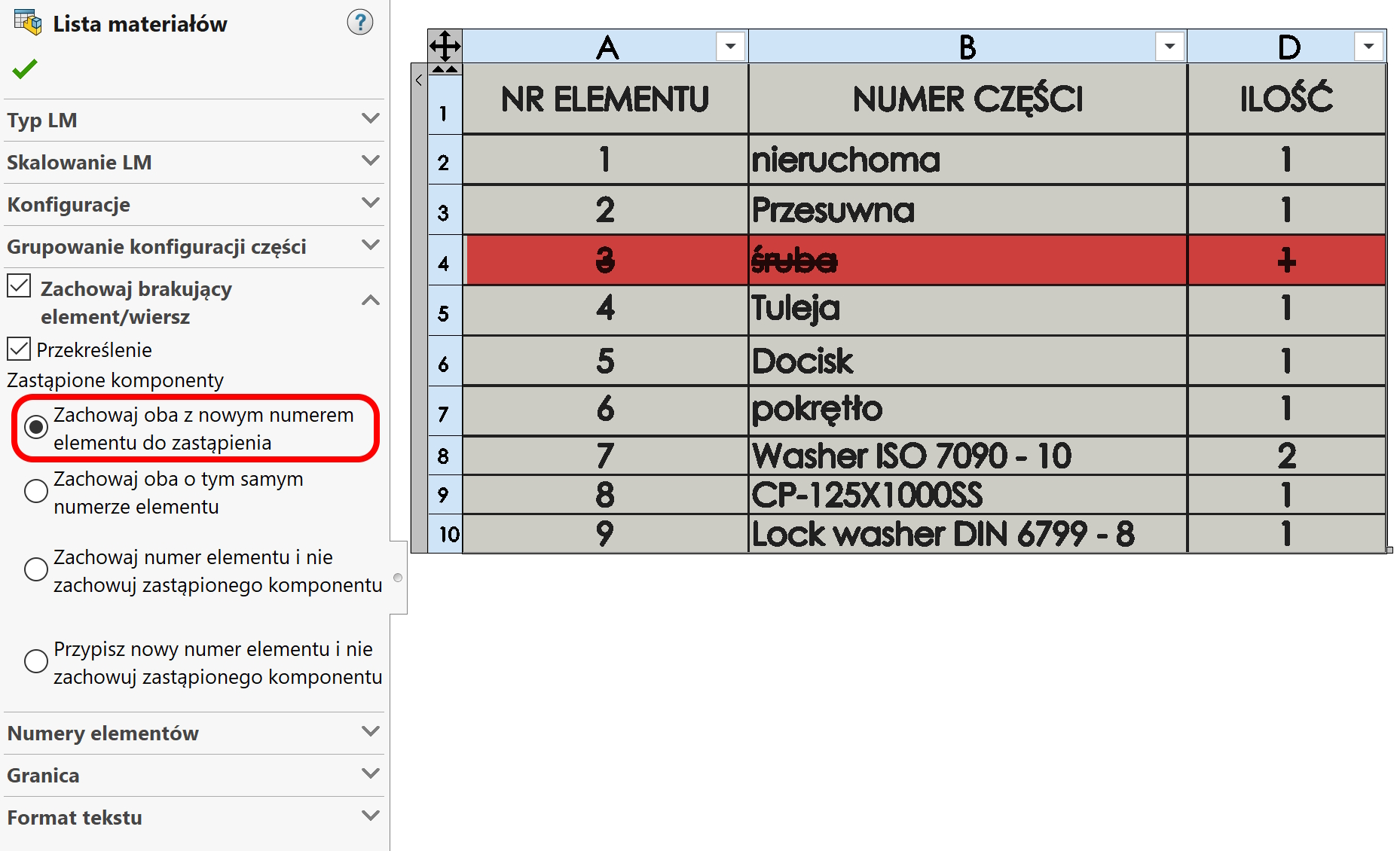
In the BOM table, both in assemblies and in drawings, you can choose to strike out the missing item in the material list option. It works this way, that the element removed from the assembly will be visible in the table with a strikethrough. Select the appropriate option when inserting the BOM table.
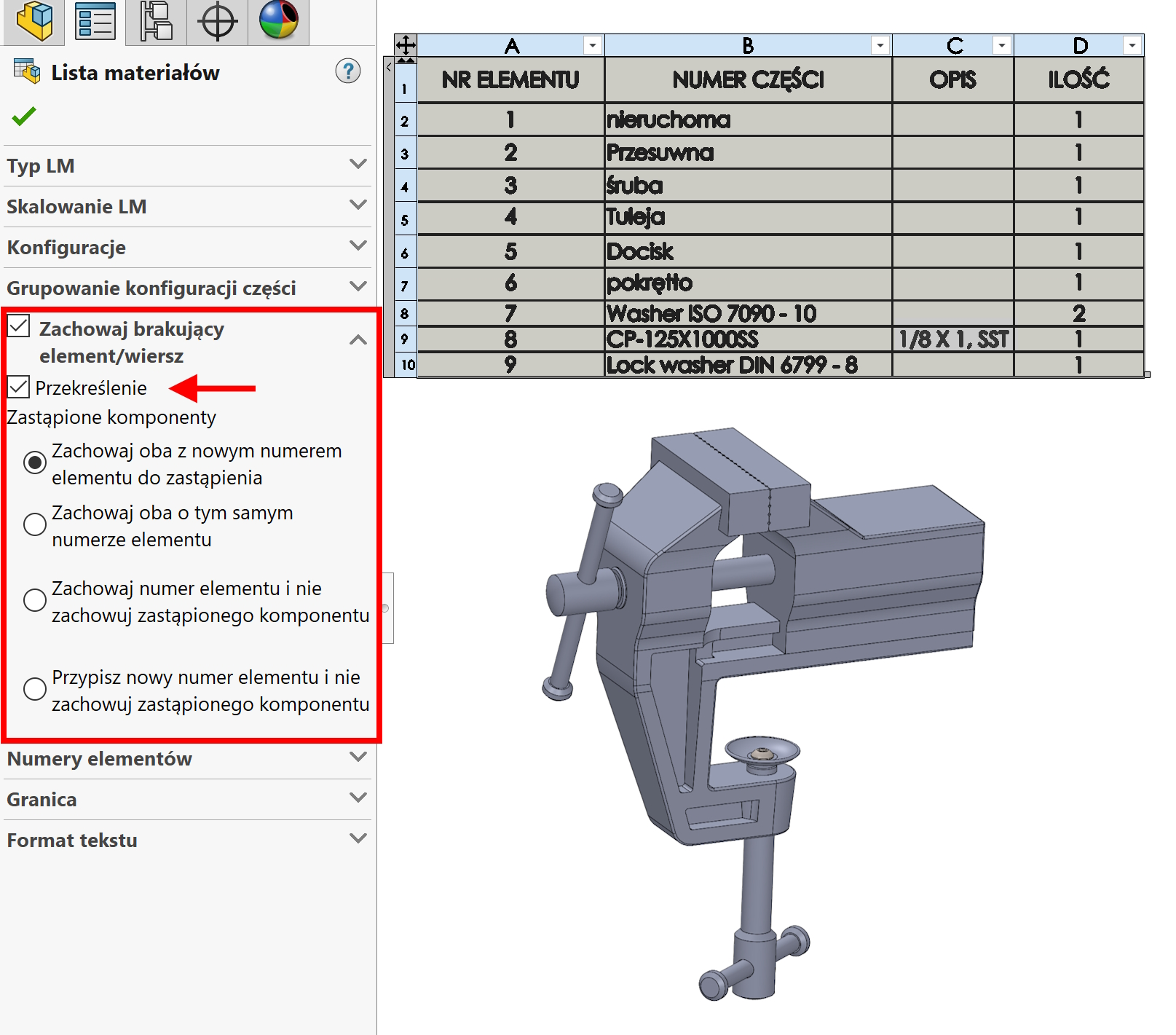
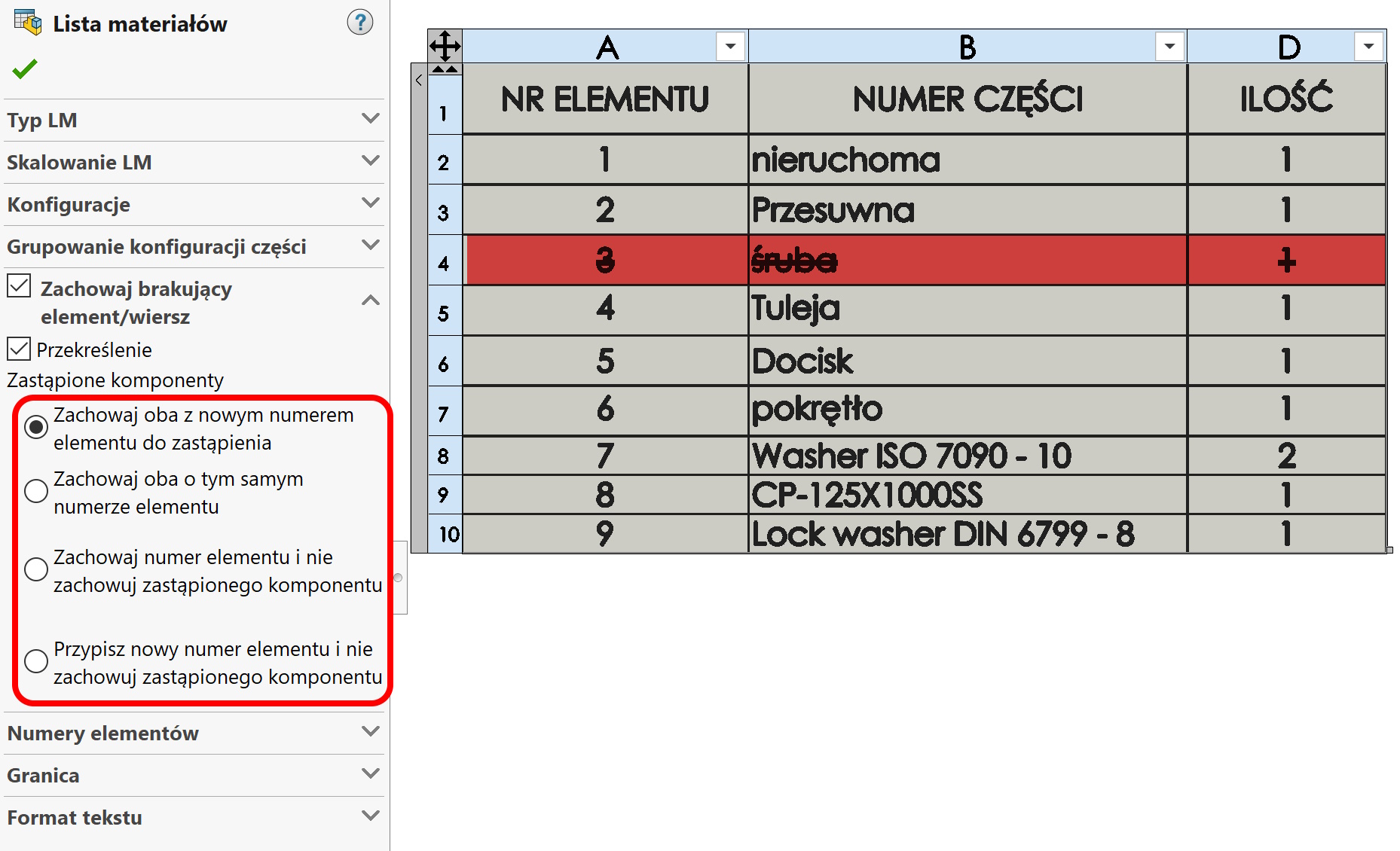
Detailed options include:. numbering, whether it should be continued or replaced, etc..
Leave a Reply