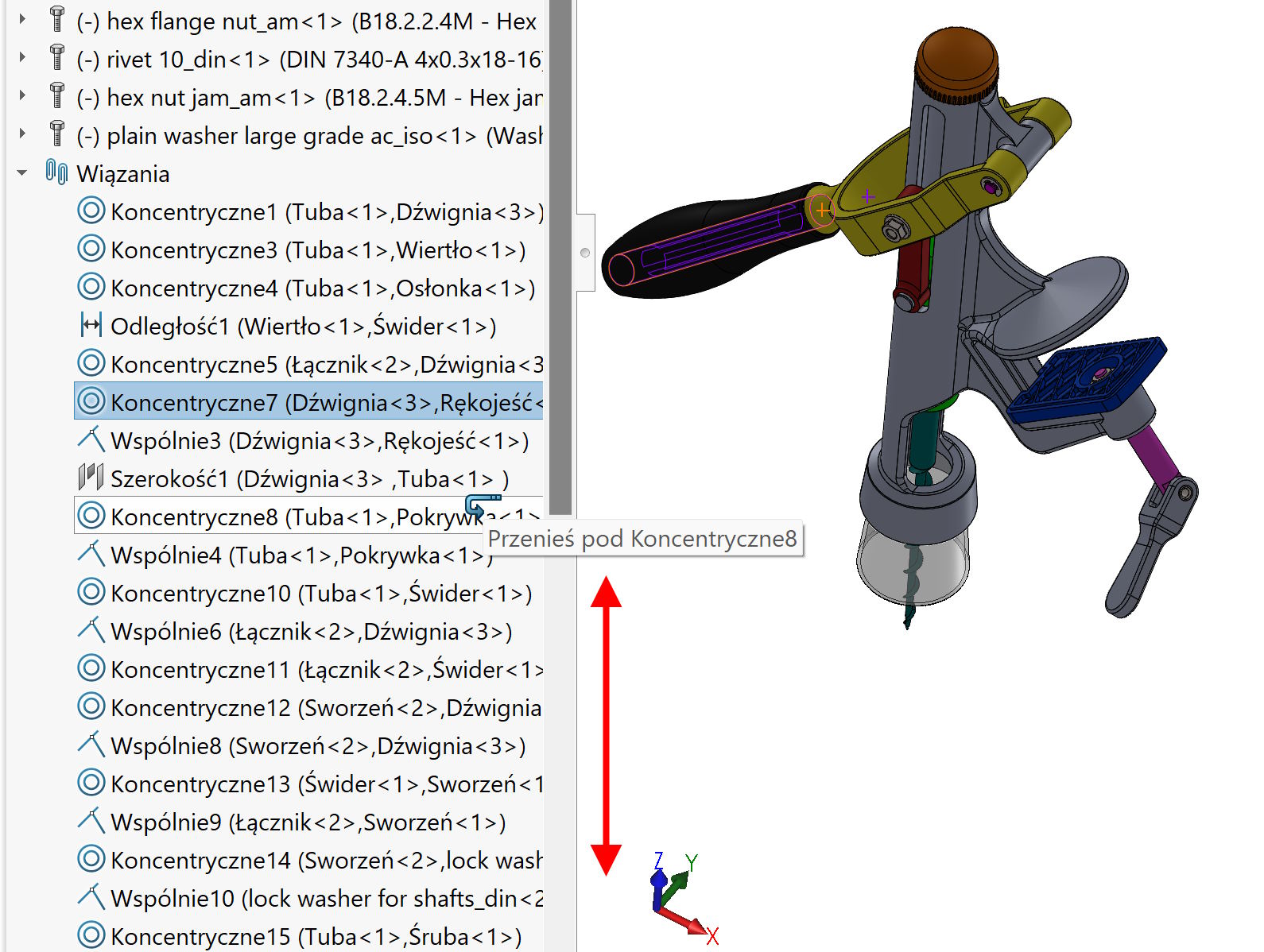
I have already written about sorting bonds, About editing, about the exchange and about the outdated repair.
Today a few words of reminder and supplementation.
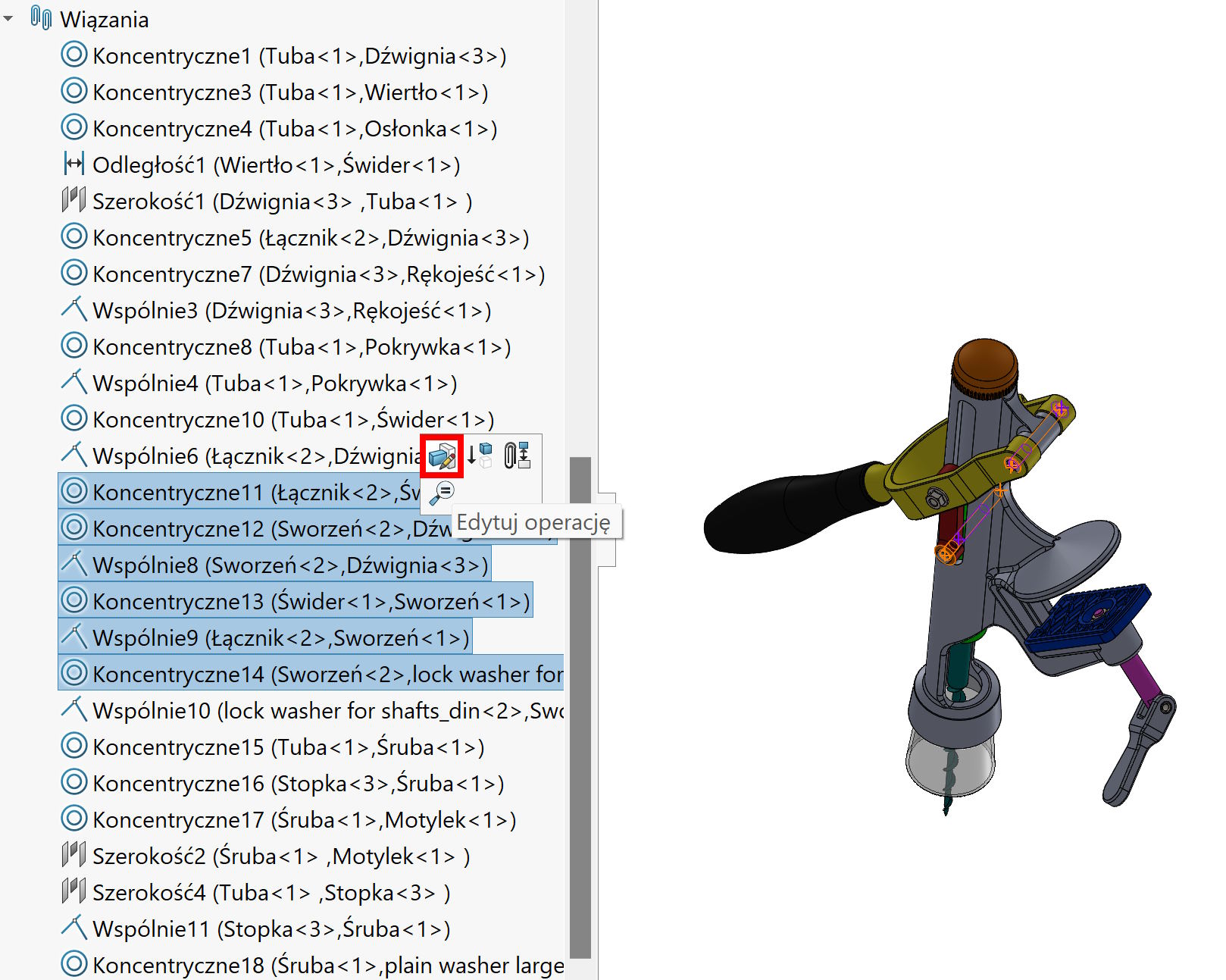
You can edit the selected bonds at the same time.
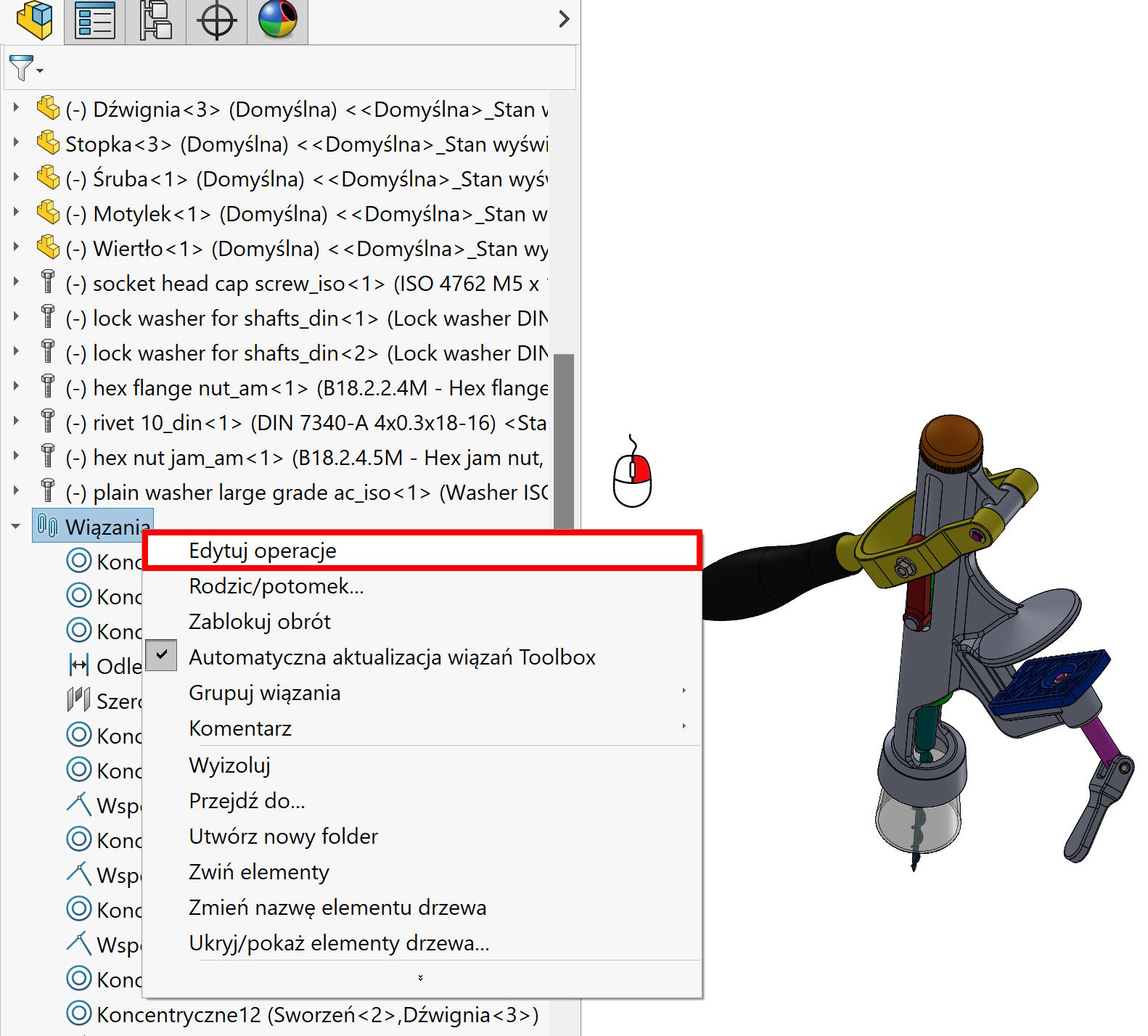
Or all after clicking on the bond folder.
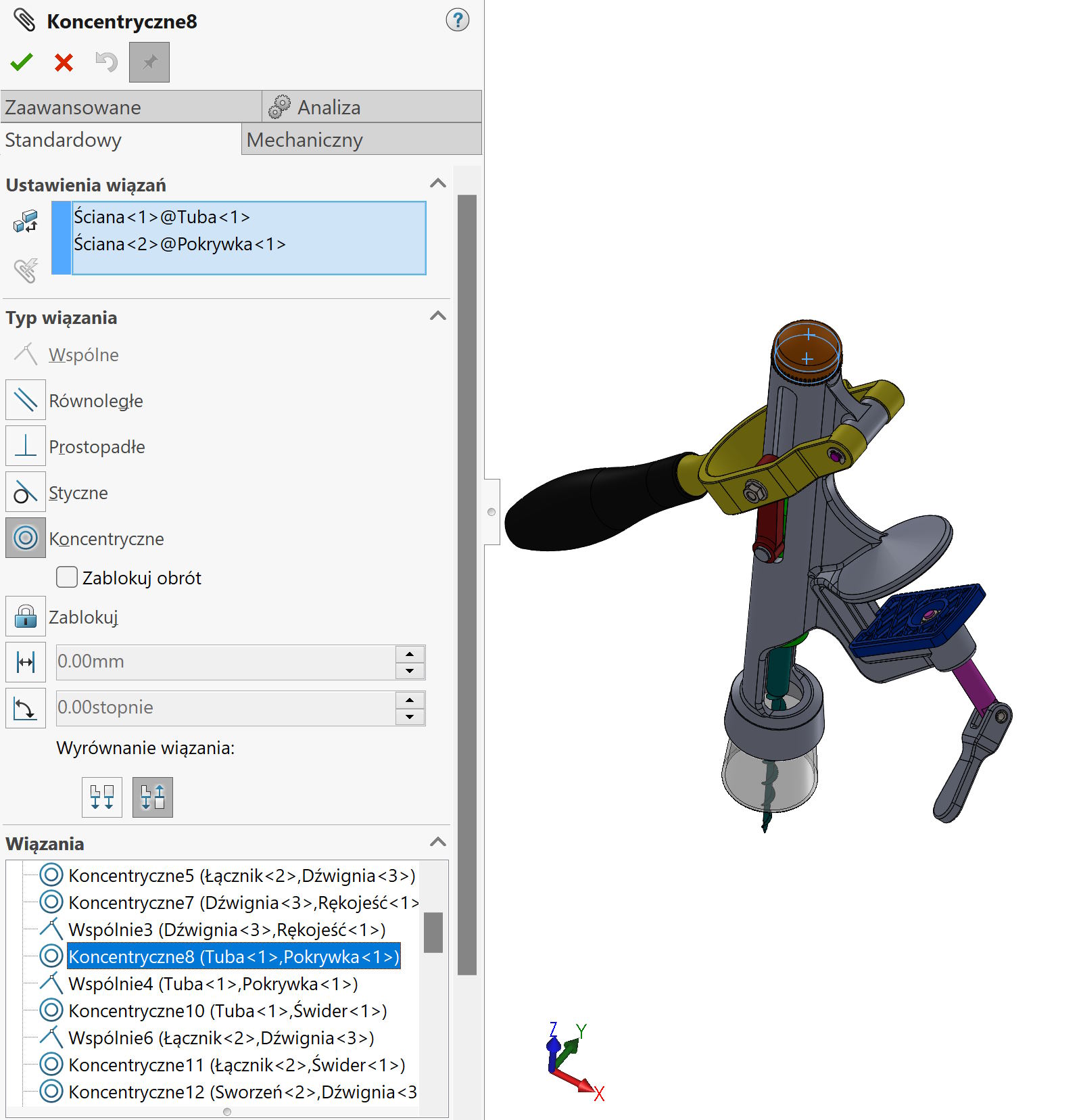
Why do it? This may be useful during modification, because it is the same situation, As we add many bonds in a given session. They are all lined in the window Constraints and before you confirm the whole thing, You can quickly go back to the selected edition.
Please note, that editing in this way must be approved.
You can also add bonds to the folder, whose name can of course be changed. Here the benefits are such, that bonds can be grouped by shortening the surgery tree. You can also massively extinguish folder (At the same time, extinguishing all bonds inside), You can also Isolate folder. Interestingly – The isolation of the folder results in visualization of only these components, whose bonds are in the folder!
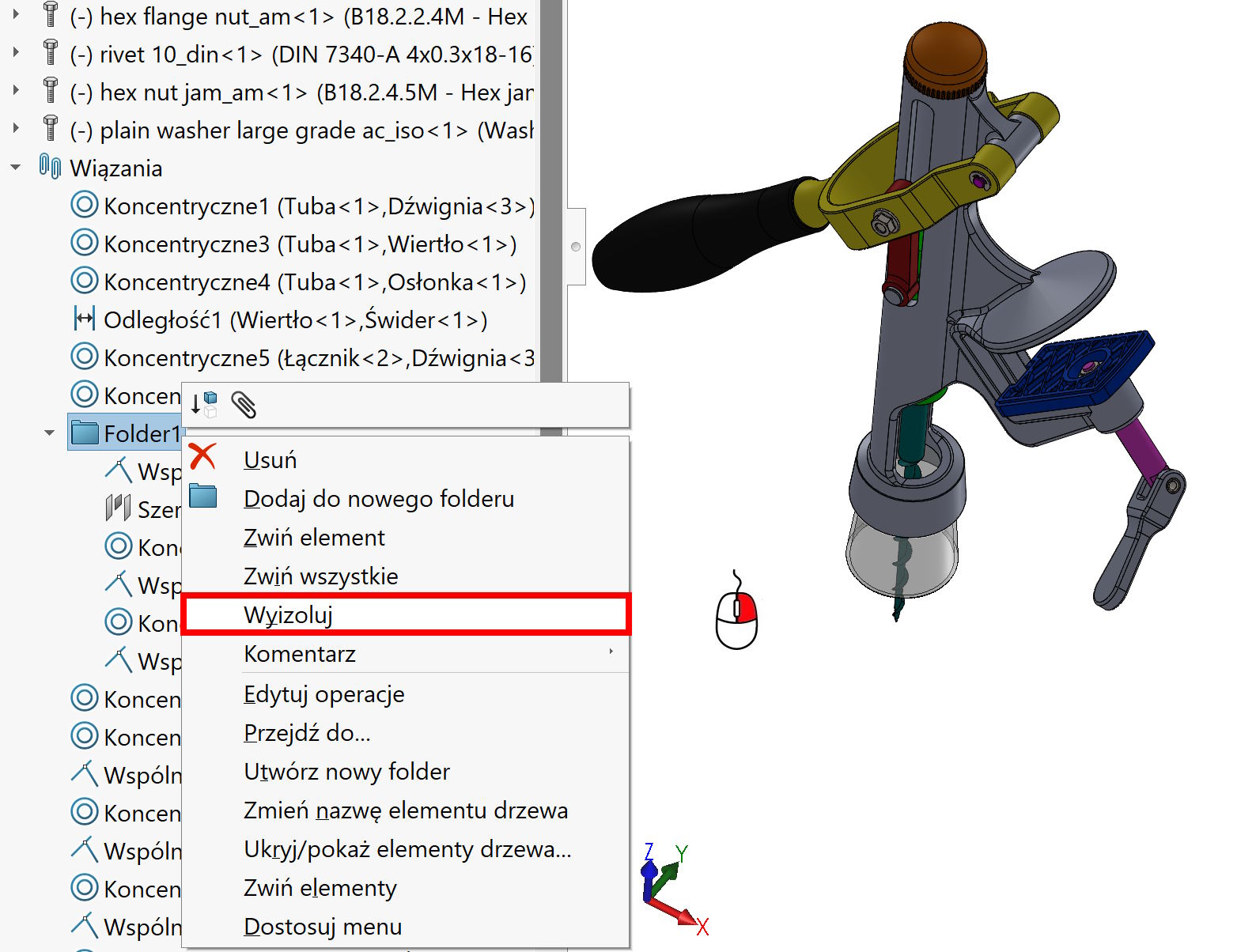
And finally the option transfer – It works identically to changing the order of part in the assembly. Just drag and drop anywhere.
Changing the order can also be useful during modification. Let me remind you, that the order of bindings does not matter formally from the program point of view, out of the situation, where the binding data makes it difficult to add another. But in practice, many people add bonds like this, How the assembly will be mounted in reality. And I will say honestly, ma to sens, because you can catch some design errors.