The feature modify sketch Available in the Tools menu > The sketch tools allow for: transfer, rotation, scaling and sketching of the sketch.
I wrote about turning using the above command here:
To change the type of operation, move the cursor to the right place.
Left mouse button:
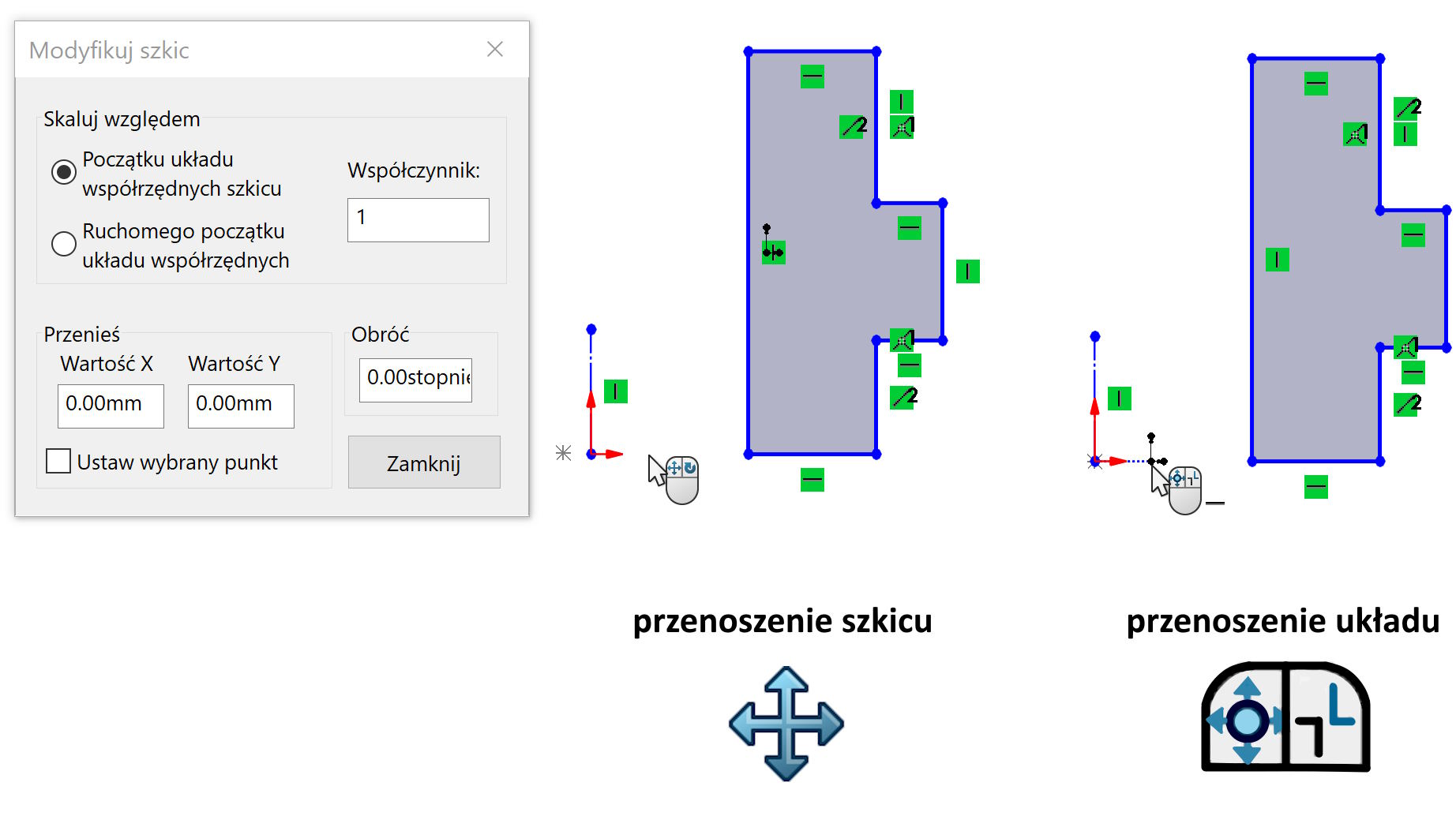
attention! Moving the sketch will only be possible in a situation, When there is no external relationships.
Right mouse button: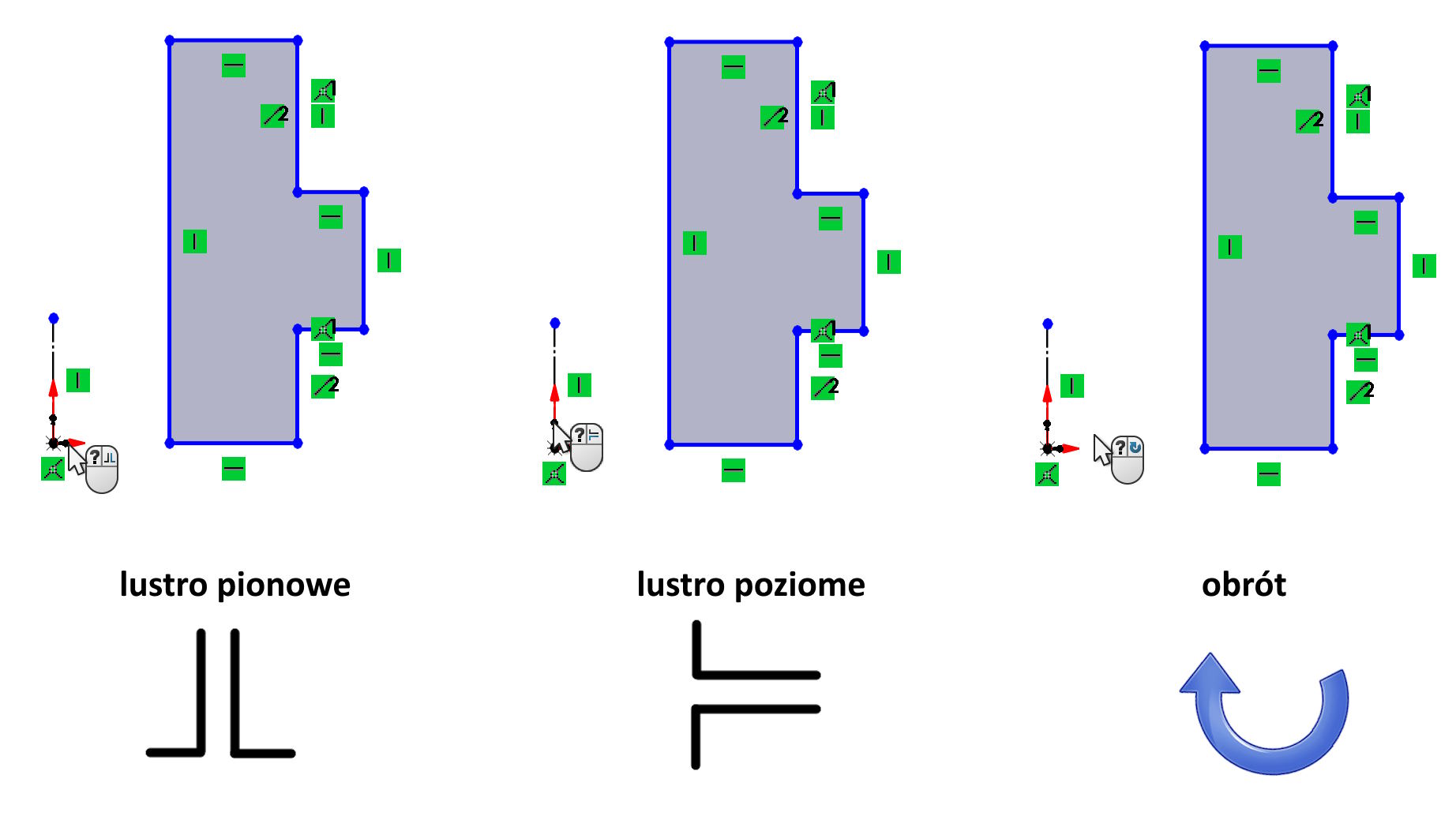
note, that by lustrating or turning the sketch It rotates with the coordinate system!
Curiosity.
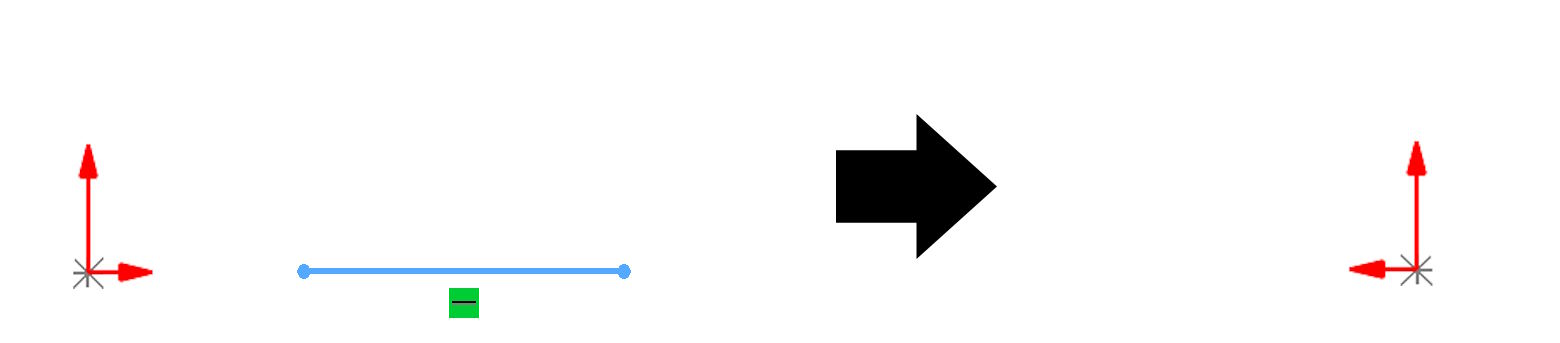
Using a command modify is the only way to change the orientation of a flat coordinate system. You must draw the sketch segment for this purpose, use modify turning the system and remove the sketch.
Some people migrating from other systems ask about this option, However, I am not fully convinced, what do they need it for…