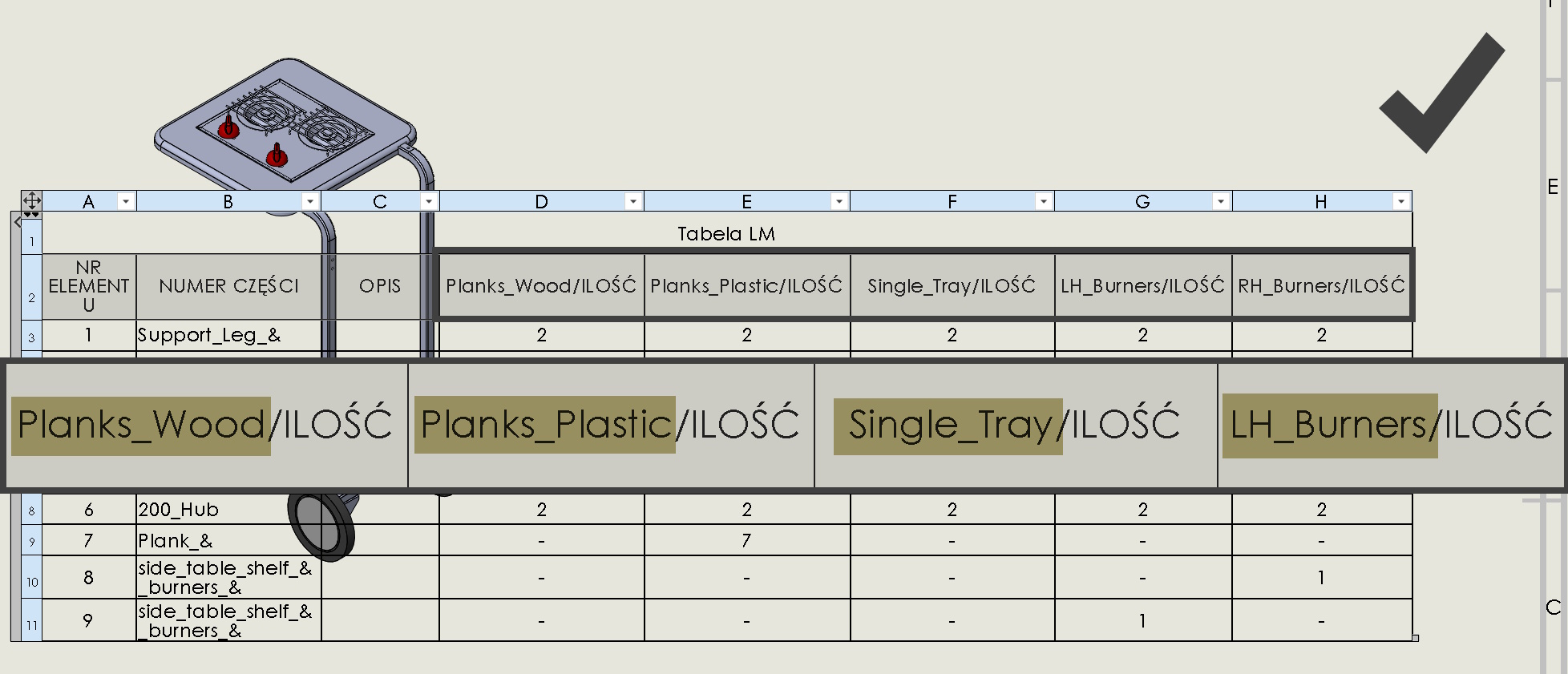
It is possible to show selected configurations in the BOM element list.
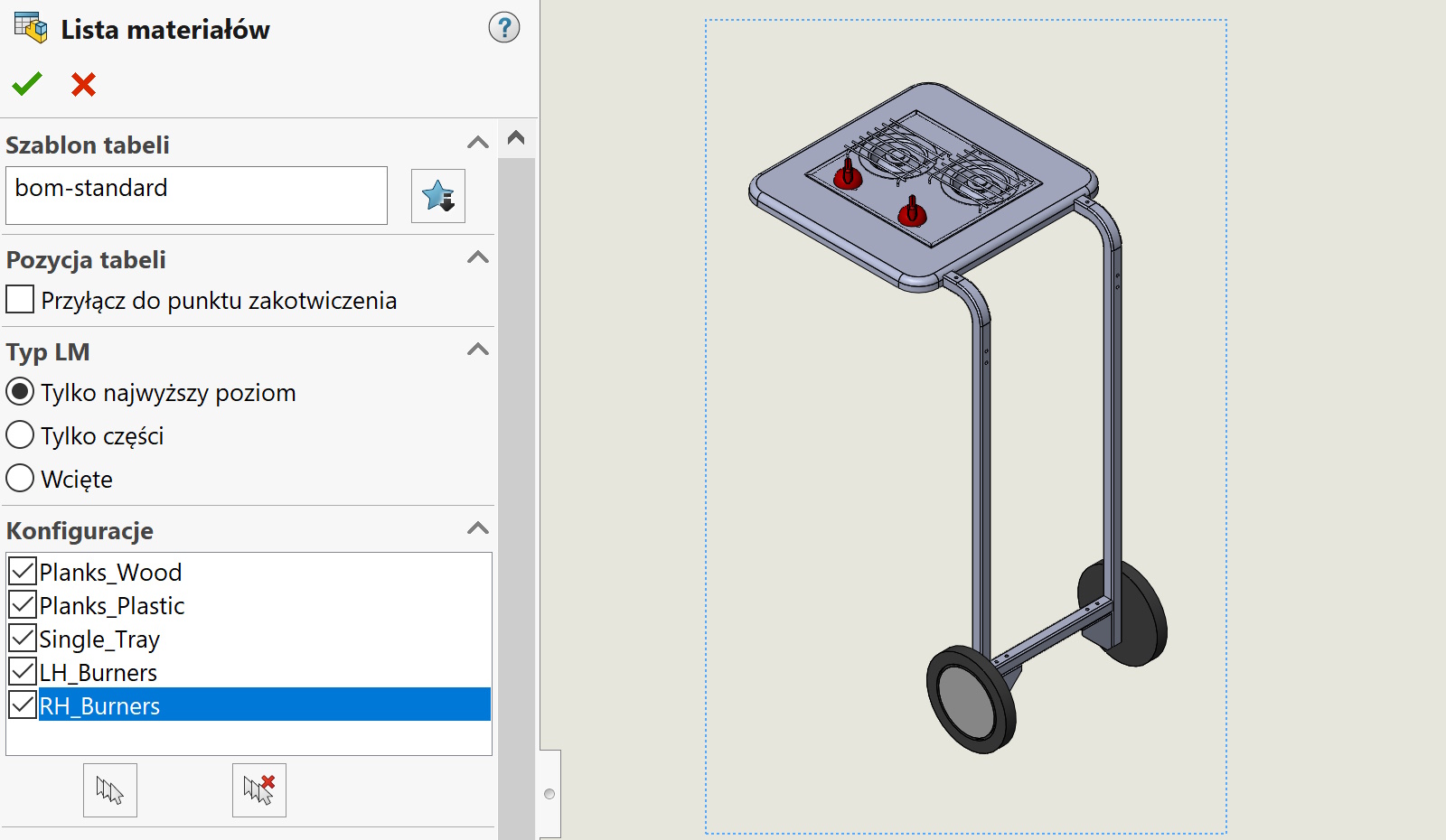
Of course you can see, which components are present in a given configuration. However, the problem is this, that you can see the QUANTITY column, but it is not known which configuration it applies to…
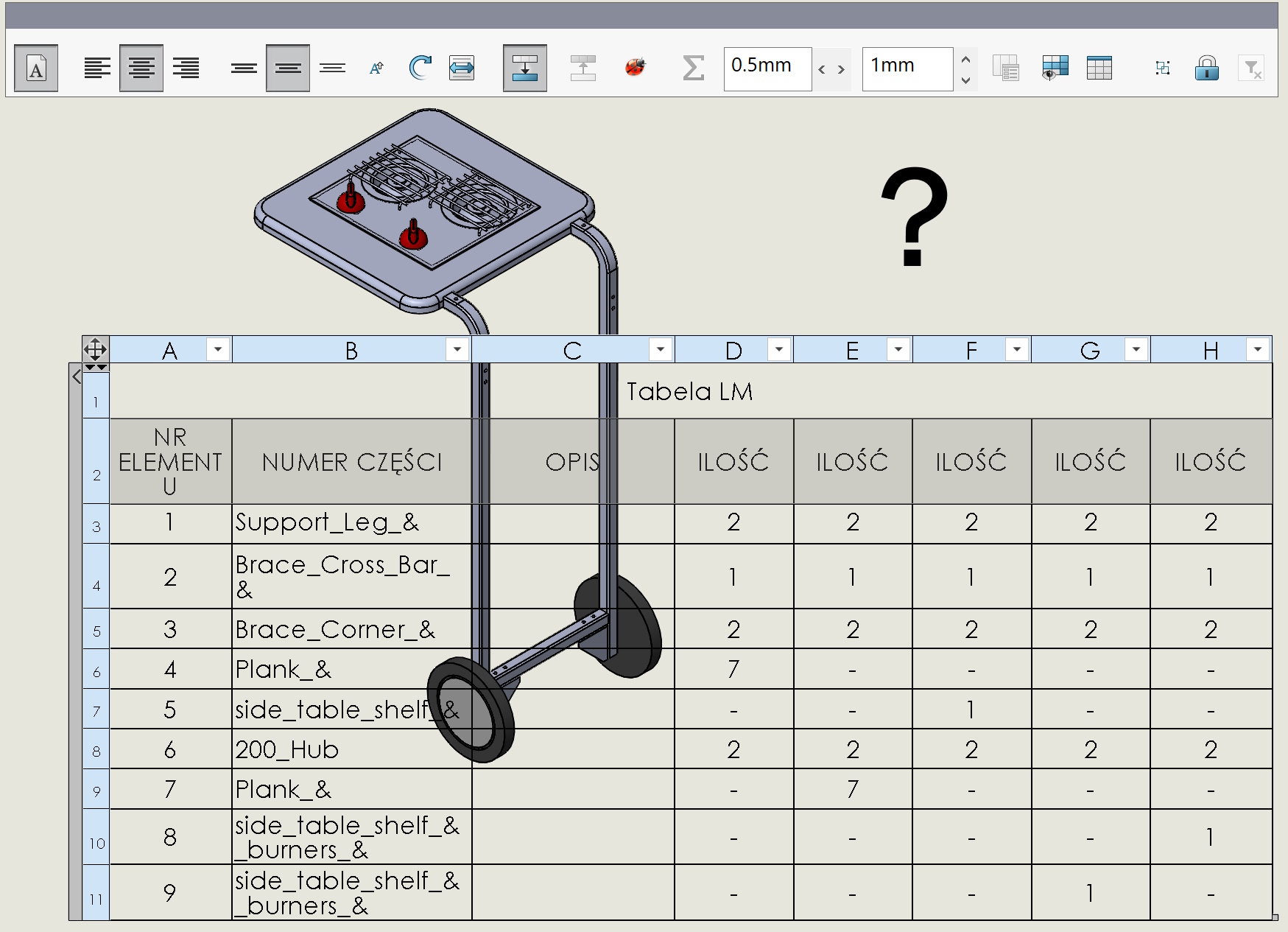
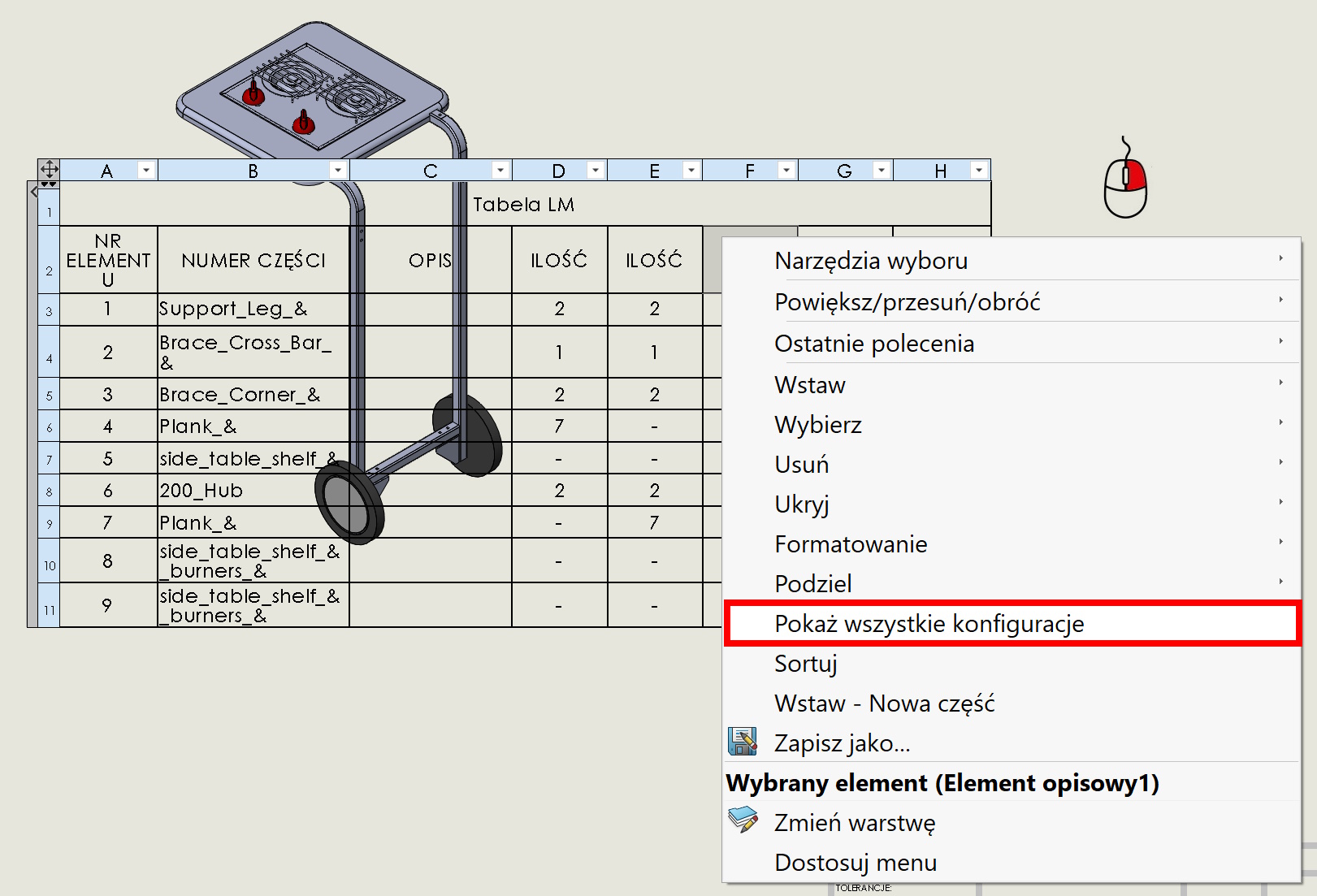
Therefore, a good solution is to turn on under the right button after clicking in a poem with quantity Show all configurations.
From now on, the configuration will be described before the quantity – i to ma sens.