
Grouping of welded elements – new useful option.
If the structure is welded (as a multi-body part) is part of an assembly, you can display it in two ways in the BOM table.
Option indented will create an identical solution as in the case of assemblies with subassemblies.
However, an option Unfolded will display everything flat, i.e. without an additional row in the table.
In case of choice Unfolded you can select Calculate quantity based on BOM Quantity – which will display the NUMBER of profile lengths in the column.
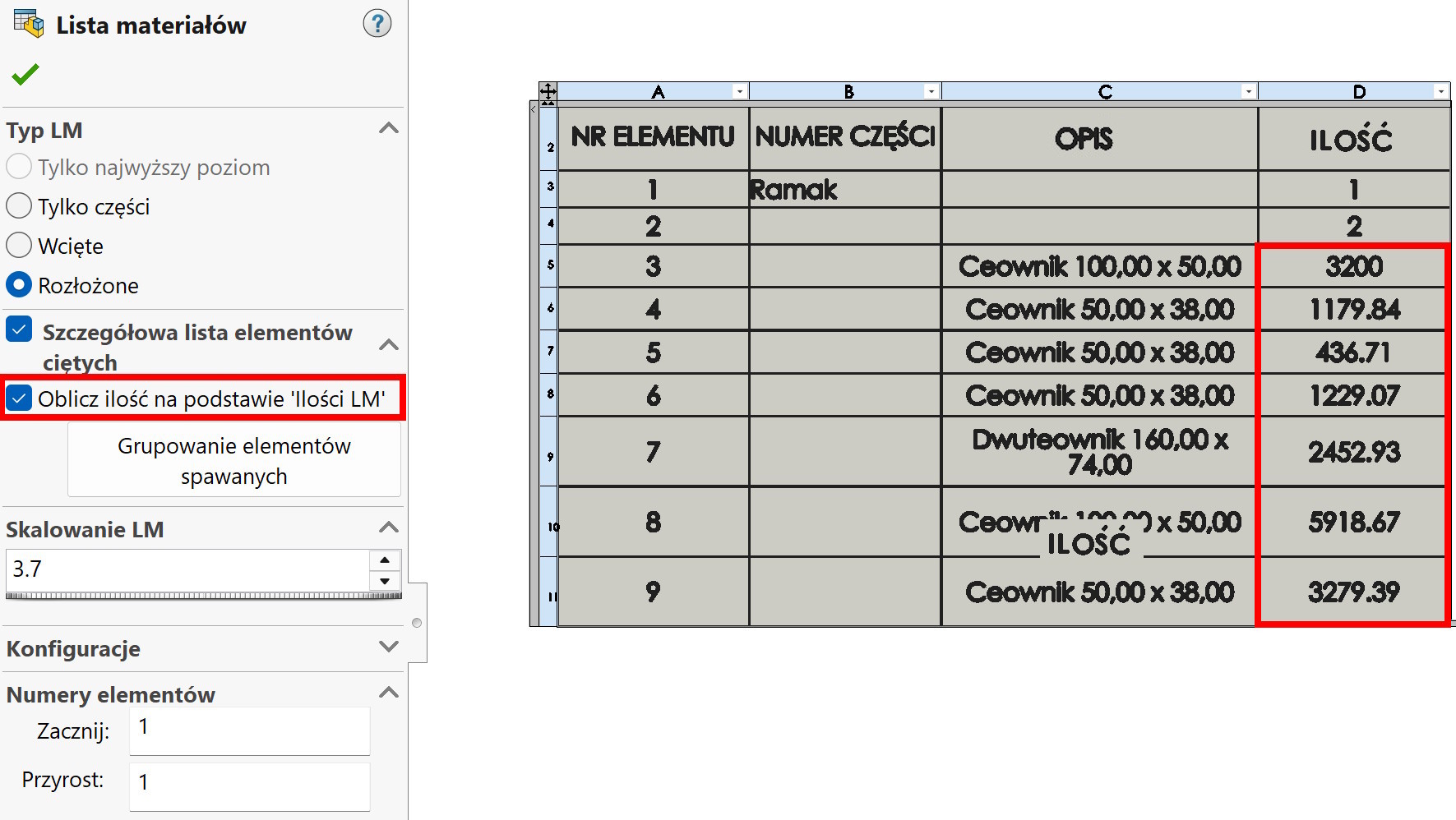
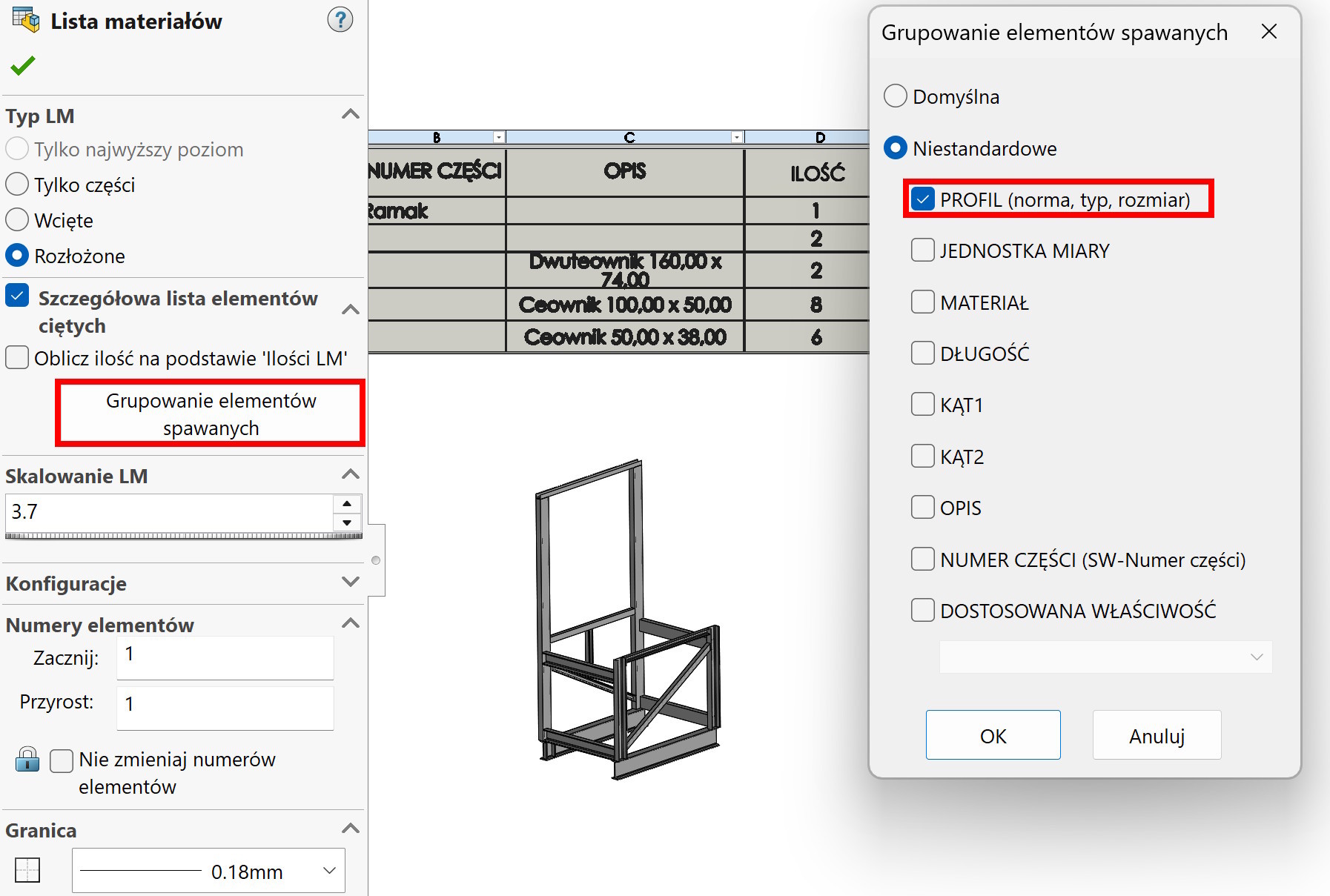
The new option is Grouping of welded elements.
It allows you to select a property, after which we group. And yes, if I check PROFILE or DESCRIPTION – the total number of profiles of a given type will be displayed. This is maybe slightly useless… but, if you also check Calculate quantity based on BOM Quantity – the program will display the total length of a given profile type!
I invite you to the upcoming training with Sheets of metal i Welded structures!
In addition to the standard material, as usual, lots of tricks and helpful tips. Link below ↓