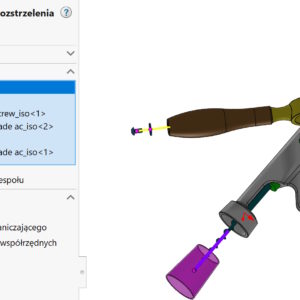
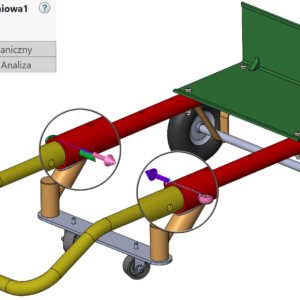
In assemblies, different components can have different orientations – it's natural. However, when we do the shooting, directions are related to the global 3D layout. In other words, clicking on the X arrow component,Y, Z will be set as indicated by the triad in the lower left corner of the screen. This may result in a collision when moving components. However, there is a solution! In order to...
Author: Paul (Paul Kęska)
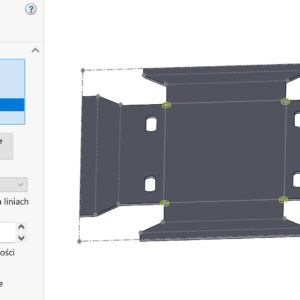
Corner undercut – if you don't have to, then do it in 2D
You can make undercuts in the corners of sheet metal sheets in two ways. you can tell, that everyone uses options, which suits him. However, there is one more aspect – performance! Today, using the example of a relatively simple sheet of metal, I compared two operations operating on a unfolded sheet and on a bent sheet. If you don't need to make the undercut visible in three dimensions – give it up! Of course...
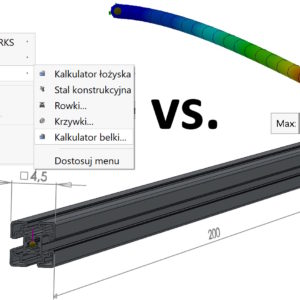
Analytical calculations vs. FEM calculations on the example of a beam
As is known, the FEM finite element method in calculations, is always subject to the risk of error. It results from many factors, from the given restraint and load, ending with an inappropriate mesh or incorrect interpretation of the results. Today I will try to compare two methods based on available SOLIDWORKS tools. The material used for calculations is Aisi Steel 304 z Re=206 MPa. Beam length....
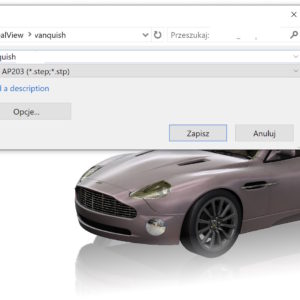
Is it possible to save a file from SOLIDWORKS in a neutral format with appearances?
Neutral format (sometimes called open) are mainly STEP and IGES files, sometimes Parasolid. Such files are mainly used to transfer 3D geometry. But in the file you can save, among others:. appearances (texture). Świetnie w przypadku SOLIDWORKS sprawdza się format parasolid (for SW native), which allows the transfer of appearances both in parts and assembly. In the case of STEP (both0 203...
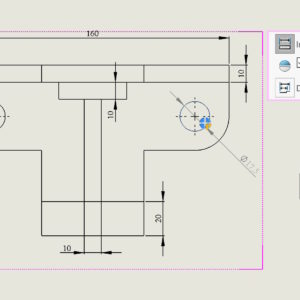
Toggle from the quick dimensioning keyboard
Quick dimensioning is a program functionality that automatically places a dimension on one side of the model. In the case of diameters, the program displays a manipulator that allows you to locate the dimension in one of the four quadrants of the system. You can also switch positions using the TAB key. Similarly, in the case of linear dimensions, you can switch the position using TAB.
Various options for displaying the virtual intersection point
A virtual intersection point is created by two extended edges/sketch lines that intersect at a point. Such points are mainly used in sheet metal to define the length or position of a bend. They are also used in documentation for dimensioning bending lines. This is not the only application. When creating a library of welded profiles, you can define snap points in the corners using a virtual intersection point. admit, that...
A 3D sketch on a plane completely defined
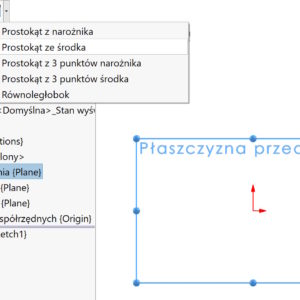
In a 3D sketch, just like in flat, we strive for complete redefinition (black sketch). Of course, there are exceptions to this, e.g. drawing wires with a spline, etc. To make drawing and parameterization easier, you can use a 3D sketch on a plane. Despite, there is a separate command for this, you might as well get the same effect by selecting the sketch tool before selecting it...
Smart explode lines in exploded views
After you create an exploded view in assemblies, sometimes there is a need to show the shooting line. The older line type called Explode Line Sketch works very poorly, In my opinion, it only makes sense after selecting cylindrical walls. In turn, a newer solution, i.e. Smart explode lines work much better, but not perfect. What do I mean?? Well, in the shot below....
Defining machining allowance in sheet metal
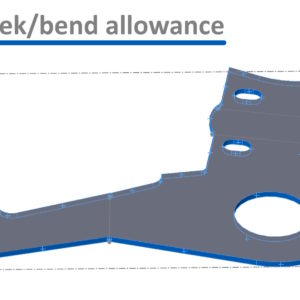
In sheet metal, depending on the cutting method (laser, wire, waterjet, e.t.c.) an appropriate allowance must be provided. Of course, it's not about the bending allowance (the so-called. coefficient k)m only additional material after the outline. How can you get this? Method 1. Move the walls away. Use the Move Wall operation to move walls away, after which it will be indented by the required....
Use of a binding called Linear/Linear Connector
From the series, the less known Advanced binding, which serves to give linear motion to two components. Linear/Linear coupler works like this, that we point to a component 1 and linear direction, on which it moves and the component 2 and direction of movement. What is important, the direction can be anything linear (edge, axis, sketch line etc.) and it doesn't have to belong to this component....