


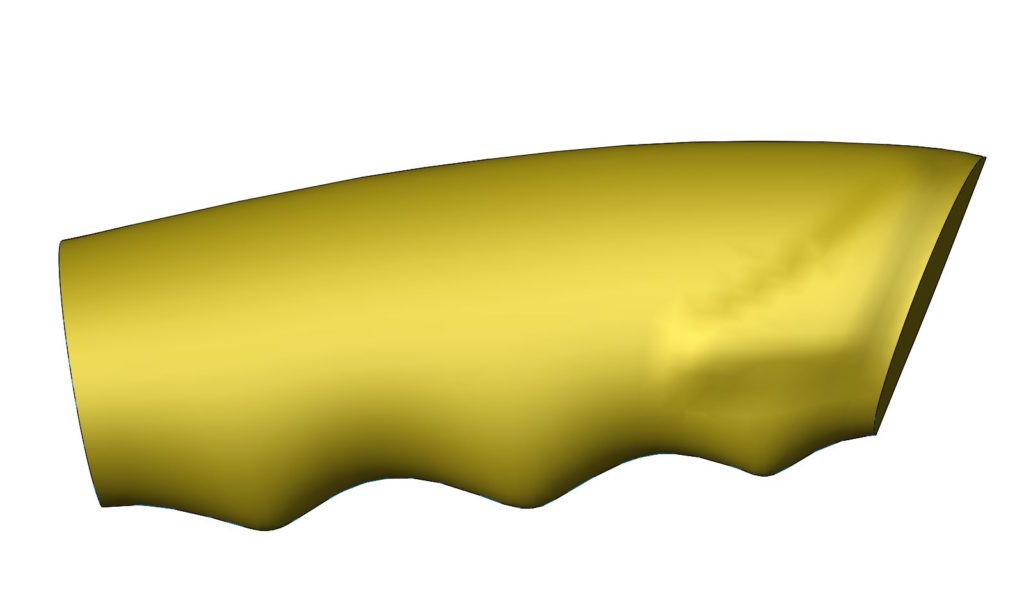
Very often, creating geometrically advanced models, we wonder, whether the quality of the resulting geometry is sufficient.
In addition to visual assessment, The command can be used to check the quality Zebra or Wall curvature.
The quality of this, What we observe on the screen depends on the settings in the document properties tab > Image quality.
Basically, it can be accepted, that setting the slider should be in the range 1/3 do 1/2. Sliding the slider to the right, Improving the quality of the displayed surface is insignificant, With a simultaneous logarithmic increase, file size.
In the case of 4K or 8K visualization, I think, that the slider should go to the right by stopping in front of the red field.


Examples.
Plik poddany deformacji obiektem – widoczne są lokalne zniekształcenia, which additionally highlights the tool switching on Wall curvature. The model then appears a specific color mosaic, showing from an emergency change of the radius of curvature.


Jeżeli jednak przesuniesz suwak jakości maksymalnie w prawo – powierzchnia zyskuje nową jakość. This is also reflected during verification with Zebras or Curvature.
In sum. What we see is not the result of a poor surface condition, only too low display quality settings!

The second example applies to the surface model, in which it was used Filling the surface. As before, Also in this case, the surface looks deformed.


Ale jeżeli przesuniesz suwak rozdzielczości do końca w prawo – jakość wyświetlania poprawia się zdecydowanie!

Curiosity.
I used to check for 4K visualization for the client, what effect will the slider shift to the end to the right to red field.
In SolidWorks I did not notice a significant difference in displaying the model. This difference was only visible after rendering in Visualize. The edges of the model in the resulting file were perfectly smooth even after enlargement of 300 whether 500%. Jeżeli suwak jakości ustawisz po prawej stronie przed czerwonym obszarem – uzyskasz efekt jak poniżej. During a significant enlargement, the edge breakdown will be visible, not smooth curves.
But something for something. The file in Solidworks at the slider in front of the red field was 5.6MB, and after moving to the maximum to the right, its size increased to 129MB! The file saving time was a few minutes. So you should ask yourself, was it a profitable process?
The answer is not, because in normal browsing mode no one will notice these imperfections.

