Do you know, że… ?
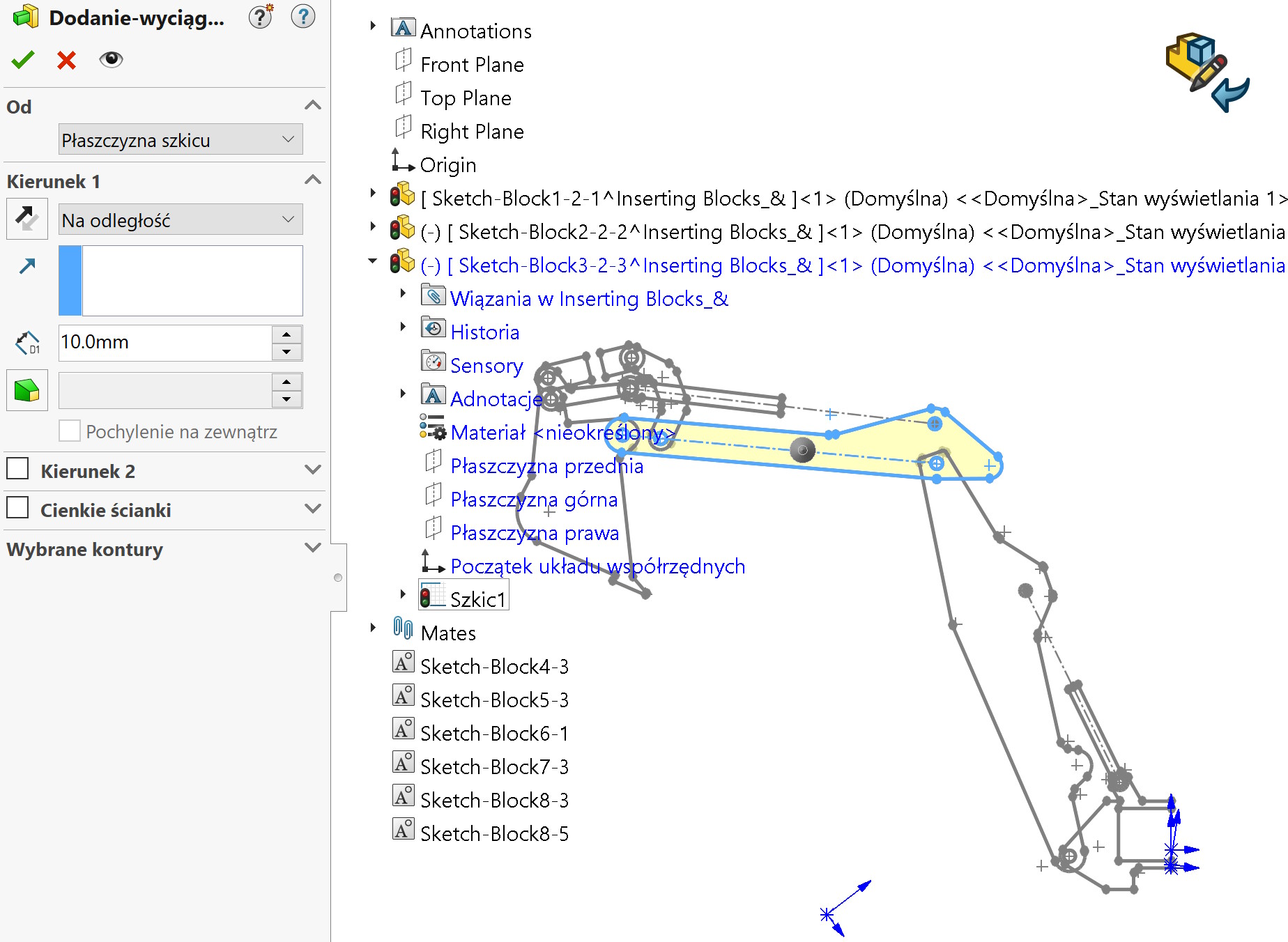
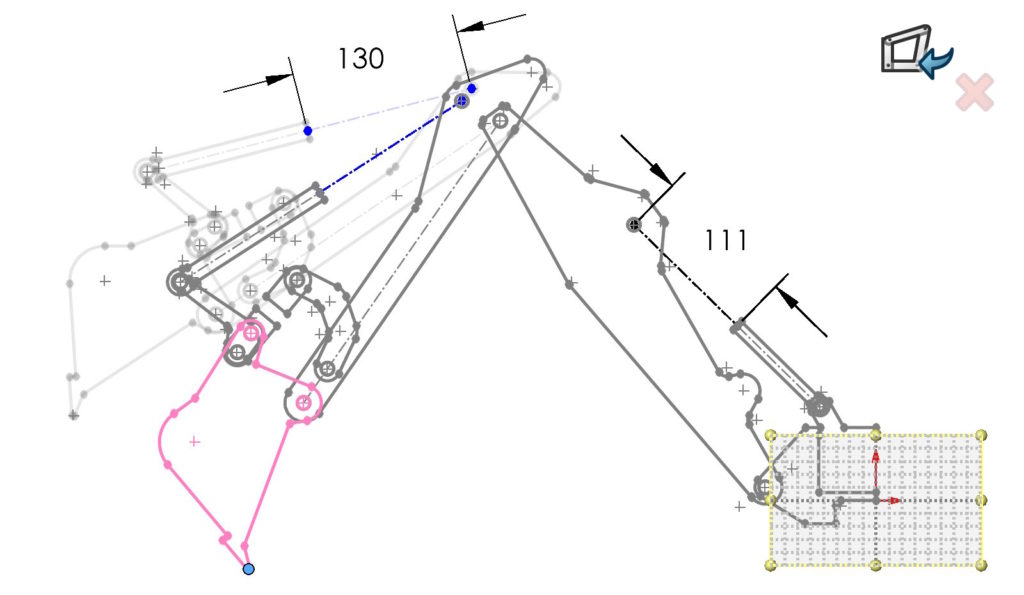
You can check the kinematic relationships of the system in the system. The resulting blocks can be used to create three-dimensional parts in two ways.
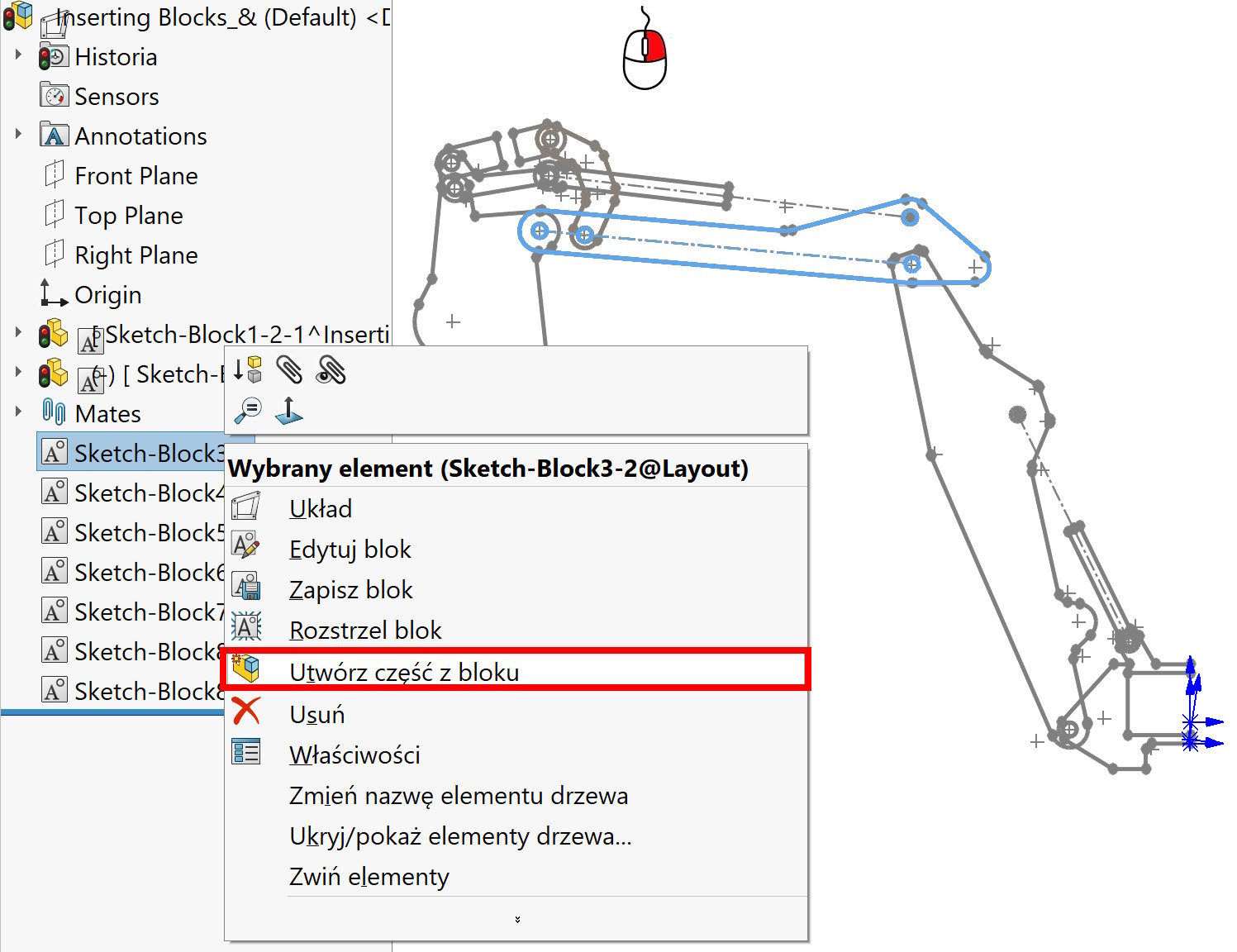

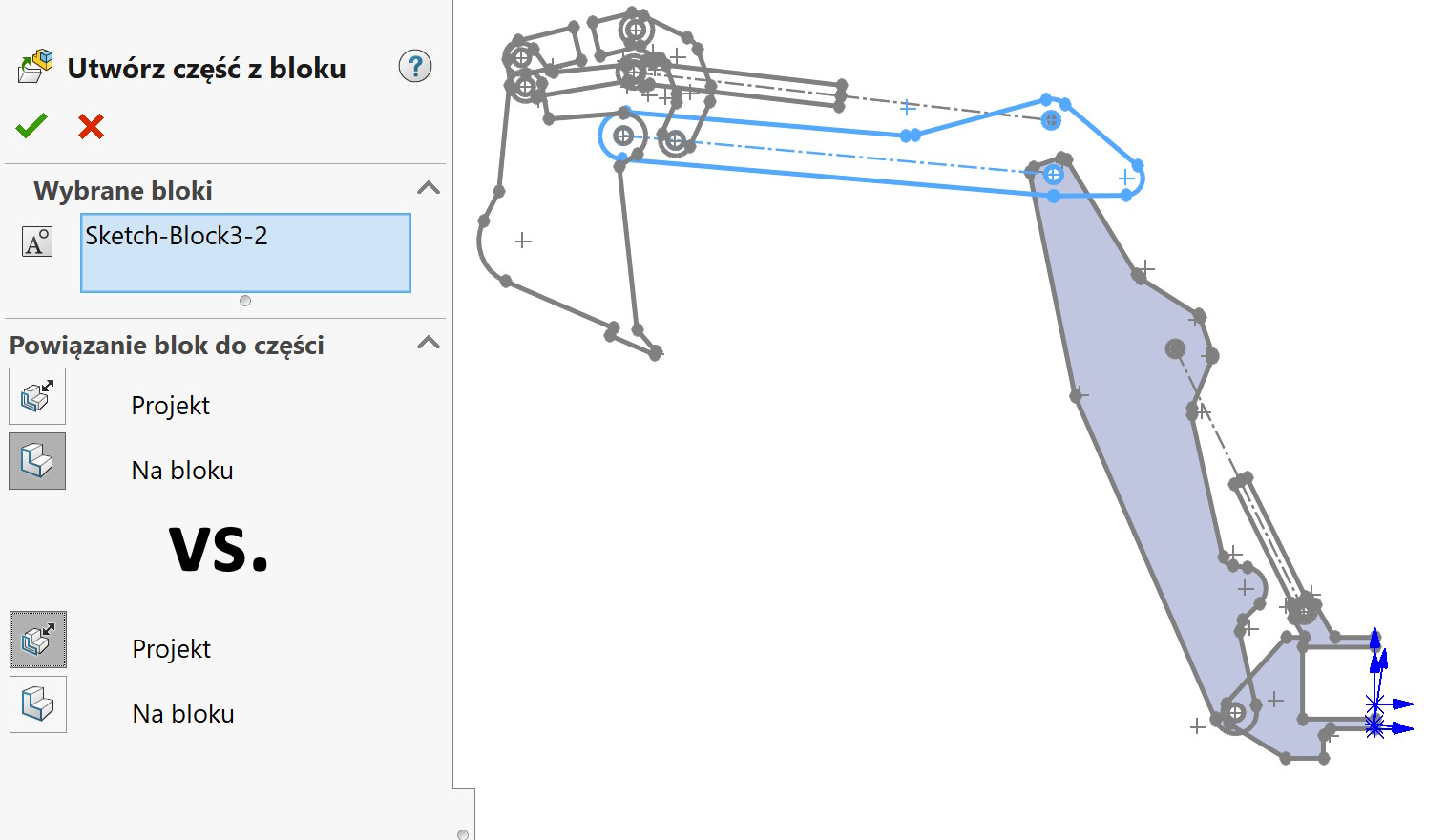
| Cast/Project | Creates a part, which is projected from the block plane in the layout sketch, but it is not coplanarly related to it. In an assembly, you can drag this part in a direction normal to the block plane. | |
| On the block | Coplanar constrains the part to the block plane in the layout sketch. |


You can edit the created parts in the context or open them in a new window and perform an operation, e.g. by drawing, rotation etc.