


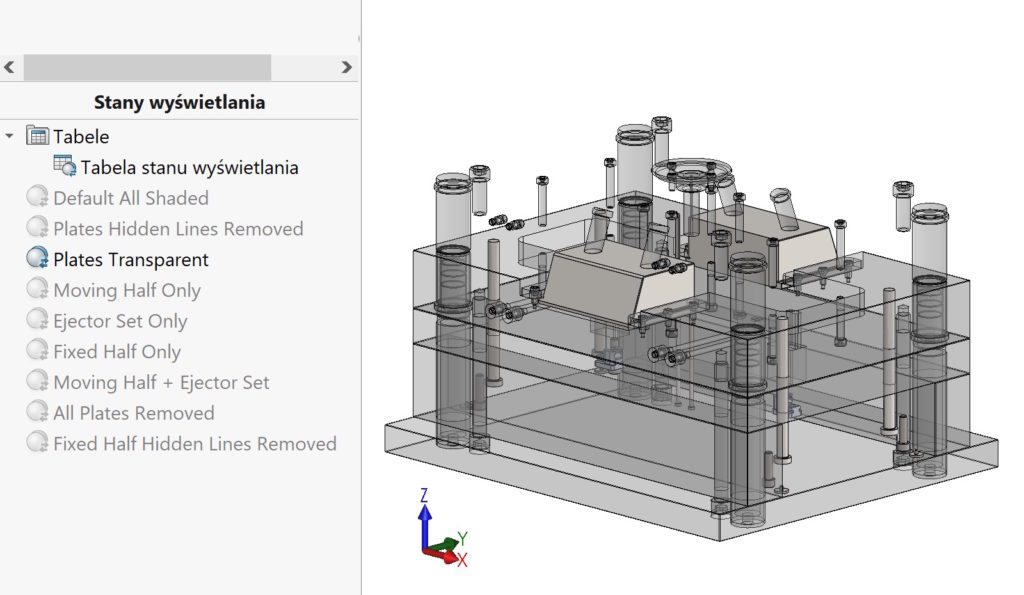
To better manage the display states, it has been created Display state. You can get access to it from the level of the configuration manager in the display state section > Show the table.


The display table allows you to get information about (hidden, transparent) highest level. Also from this level you can change the condition.


After enabling the option Show the displayed display You will see the associations of the states in the components of the assembly.


