


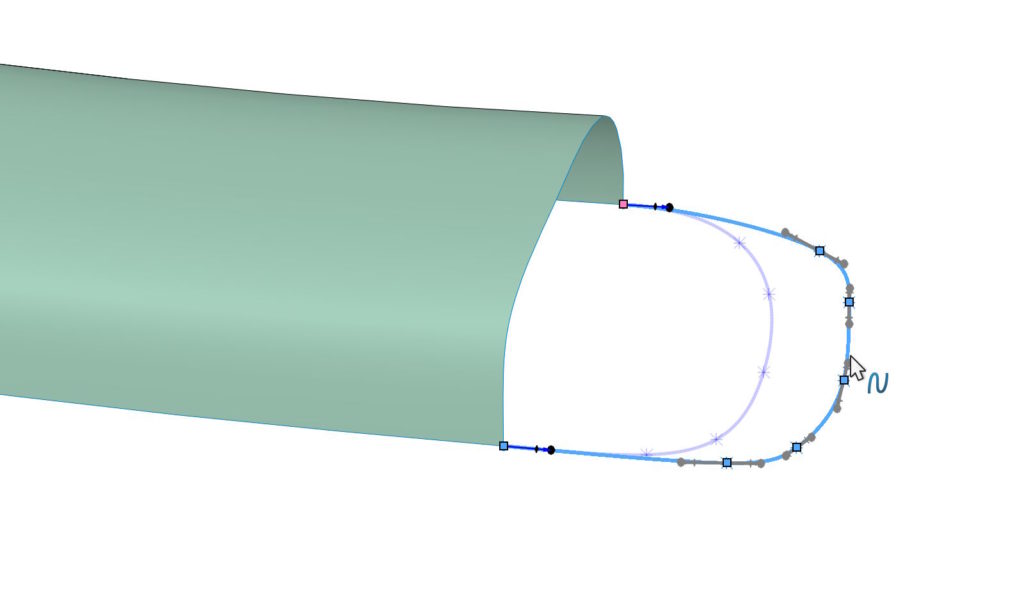
People who use splines in their work will certainly know, what I will write about today.
Splajn – szczególnie ten trójwymiarowy – potrafi sprawić problemy podczas przesuwania. This may be due to a large number of spline points being close together or to existing relationships (tangentially, curvature etc.).
If you grab the whole spline then you will move it completely! Of course, if he already had any relationships, this will deform depending on the influence of the spline handles. A gdyby nie był powiązany – po prostu się w całości przesunie (no deformation).


However, if you select with CTRL a few points i przesuniesz za jeden z nich – przesuną się wszystkie zaznaczone w określonym kierunku.

One more TIP.
After switching on Spline control polygon, jeżeli przesuwasz za wielobok – przesuwasz wiele punktów jednocześnie. But same as above, you can use CTRL to select several vertices of the polygon and move them en masse! It will certainly be easier for you to control the shape.

