


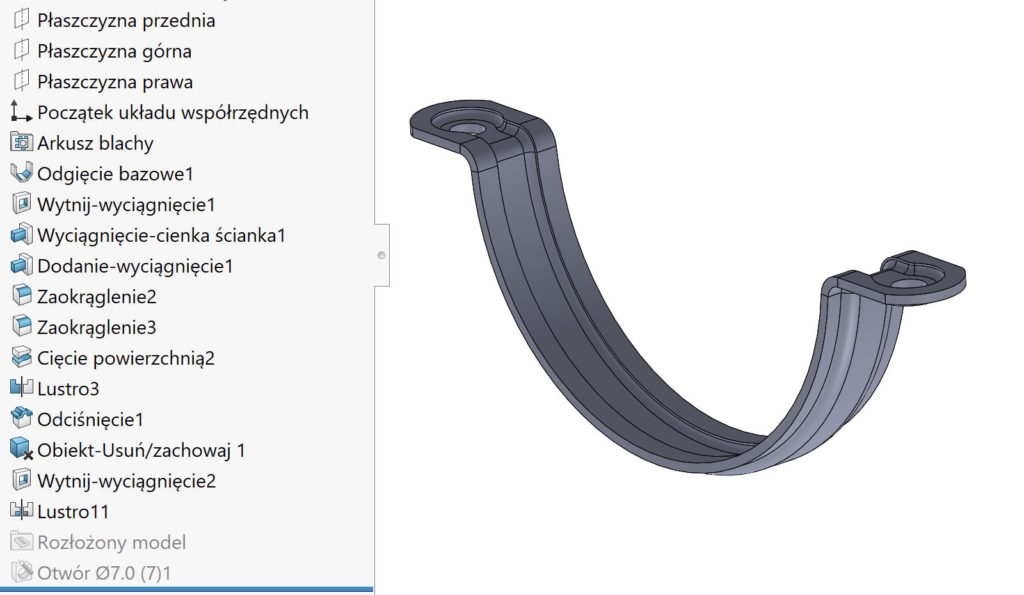
Sheets are specific parts, which contain two characters: bent and distributed. However, with more unusual sheets, it can happen, that additional activities will be required, so that the sheet could be unfolded.
What?
They certainly include the extinguising of the creases on the bends.
I will post two examples below, w których po utworzeniu konfiguracji jestem w stanie rozłożyć model z punktu widzenia SW “nierozkładalny”.
Example 1. Promise, in which press the embossing was made. Of course, the pressing occurs after bending, Therefore, the walls can be ruled out.


However, if you make a model, gdzie chcemy pokazać na płasko również przetłoczenie – należy utworzyć dodatkową konfigurację.
remember, że konfiguracja wyprowadzona “ROZŁOŻONY-MODEL” powstaje automatycznie podczas generowania rysunku. It cannot be used to manage the model in the above way!


Within this configuration, we recreate the impression in the unfolded model. These operations will be dimmed by default after bending (Because they are in a different configuration).


Example 2. A sheet of angle sheets, which is additionally bent in the second plane. You know, that this cannot be performed, But you can surgery bending. 

Then we create an additional configuration.


Within this configuration on a spread sheet we are extinguishing operations bending, because it would cause an error.

