


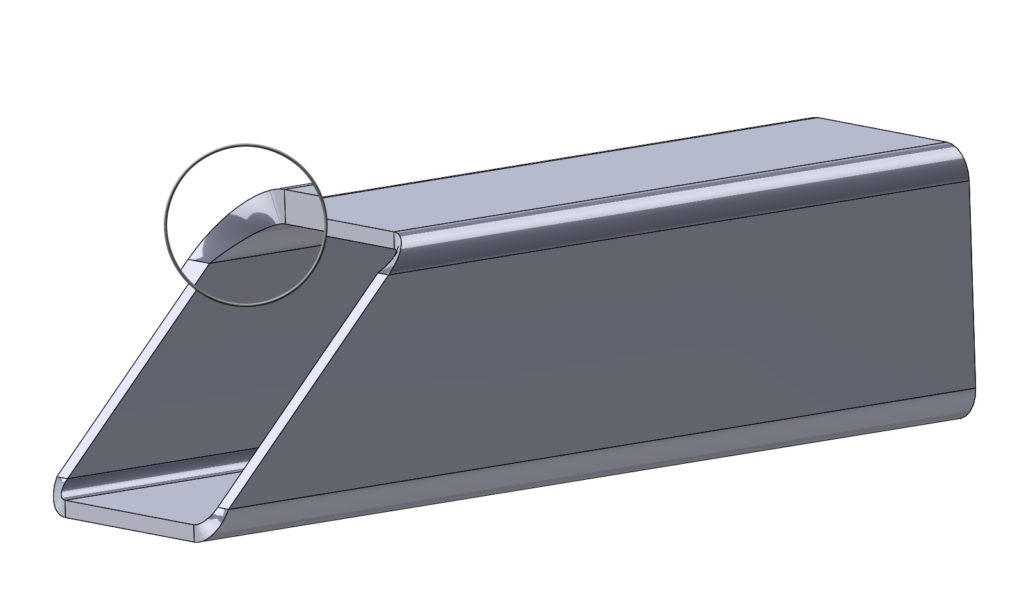
Pojęcie “cięcia prostopadłego” kojarzy nam się w z blachami – i słusznie.
However, there may be a need to achieve such an effect in parts, which are not sheets.
What then?
Weźmy pod uwagę profil kwadratowy 80x80x5 – jak widać podczas wycinania nie ma opcji cuts perpendicular.
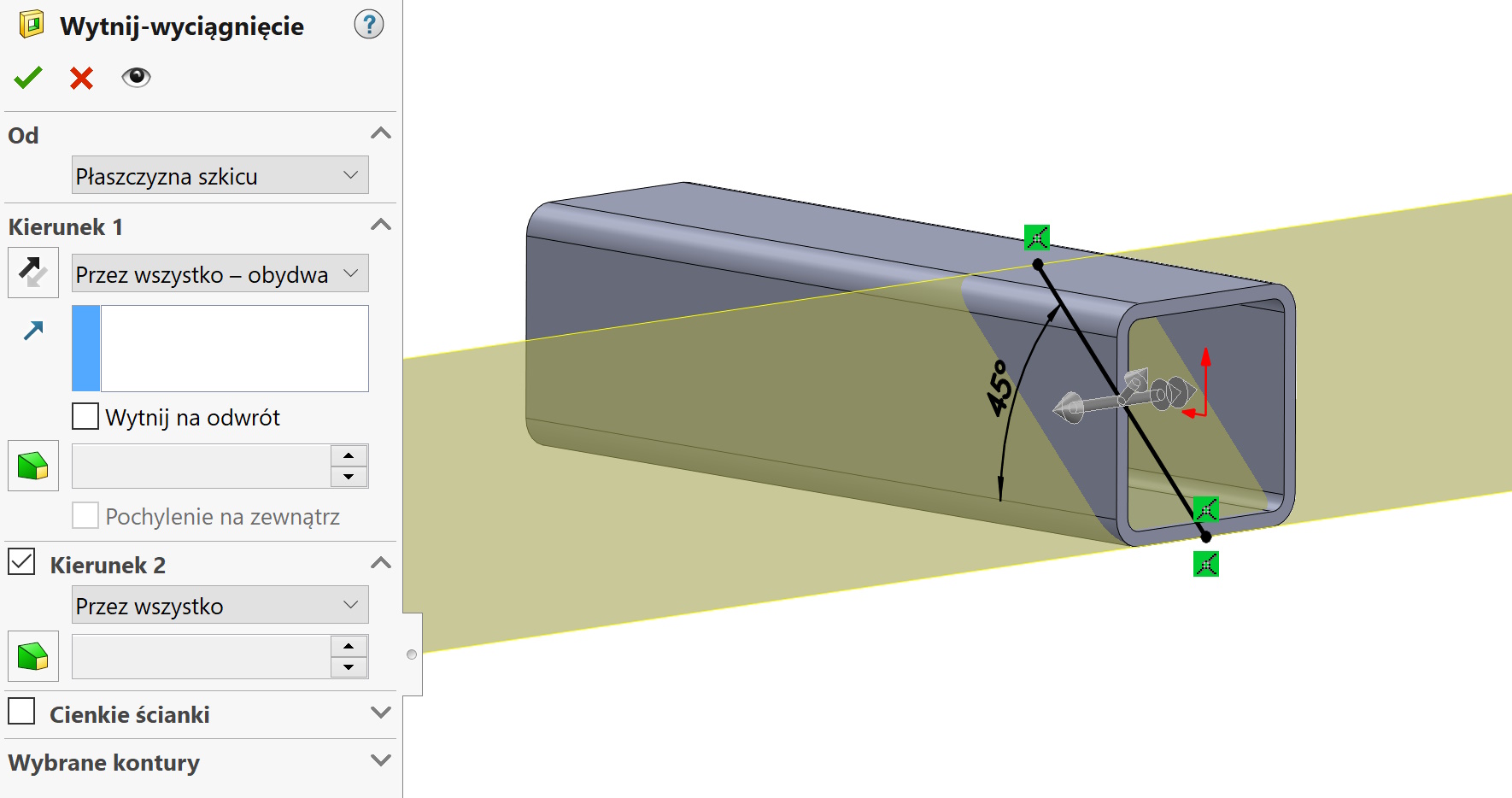

Perform the following steps.
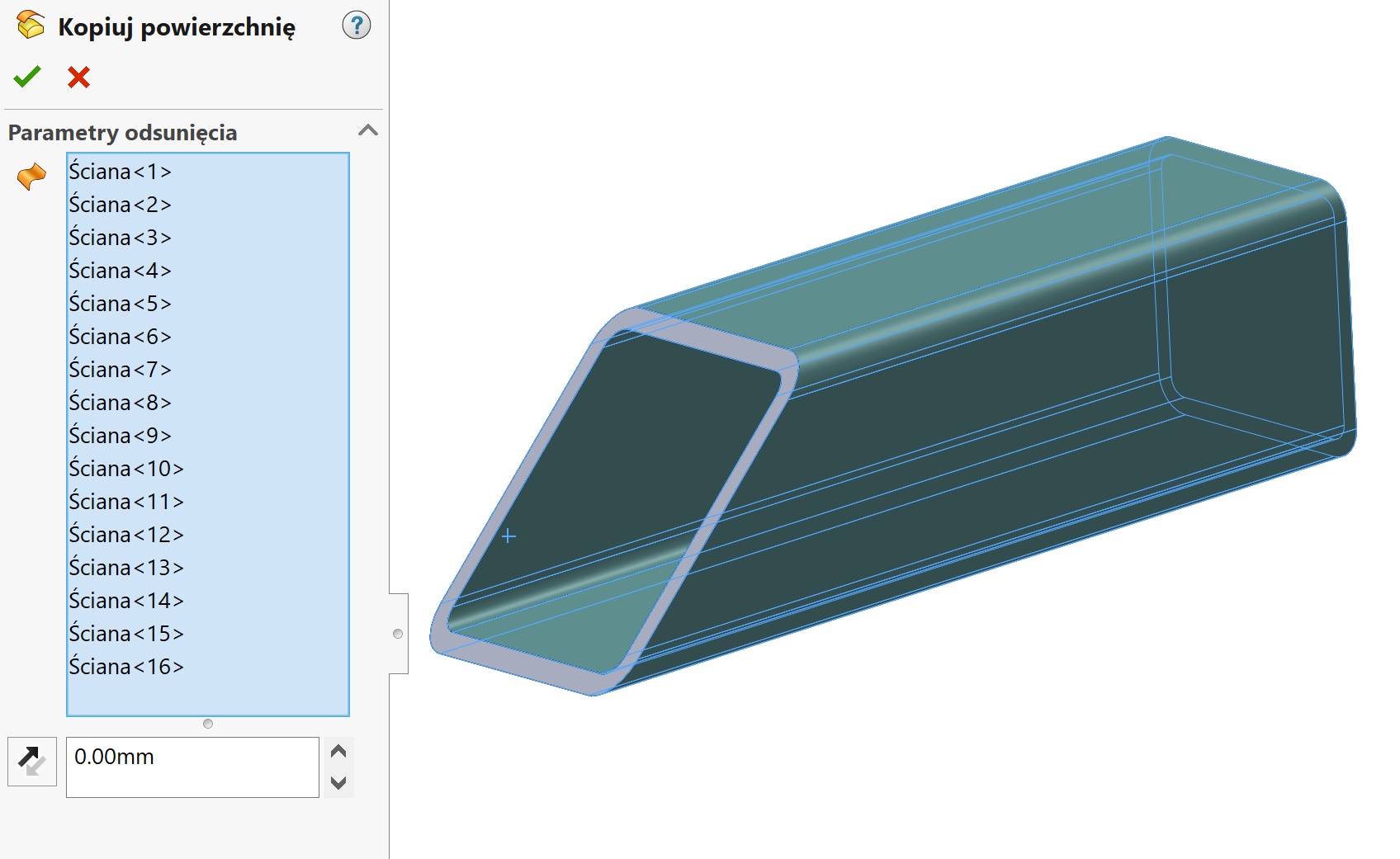
1. Move the surface o zero from the inner and outer walls of the profile.

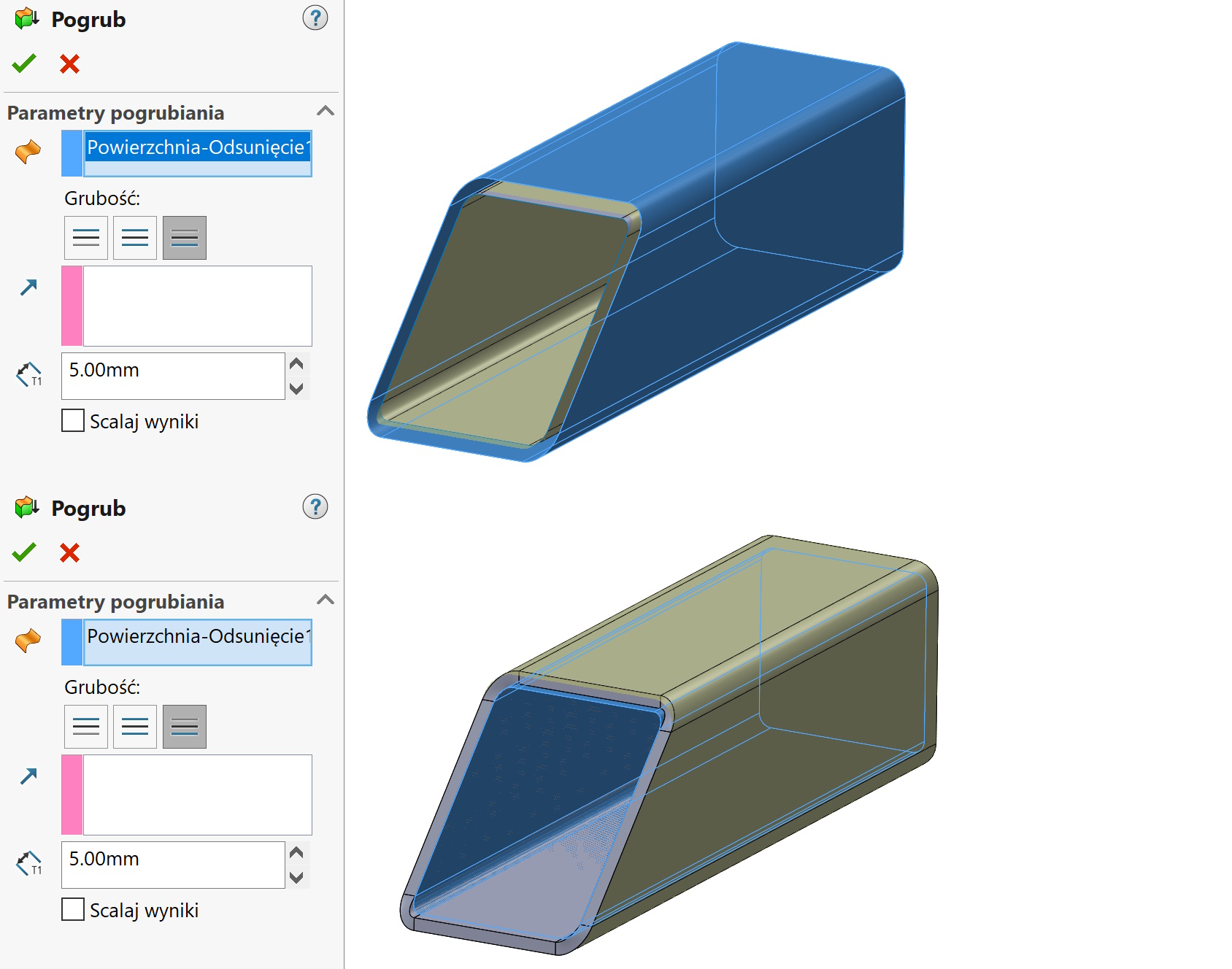
2. Remove the lump object leaving only two surfaces. Then do it twice thickening of the surface to the thickness of the profile (in this case 5mm). It is important, to thicken the inner surface outside, and the outer inside Without merging the results.

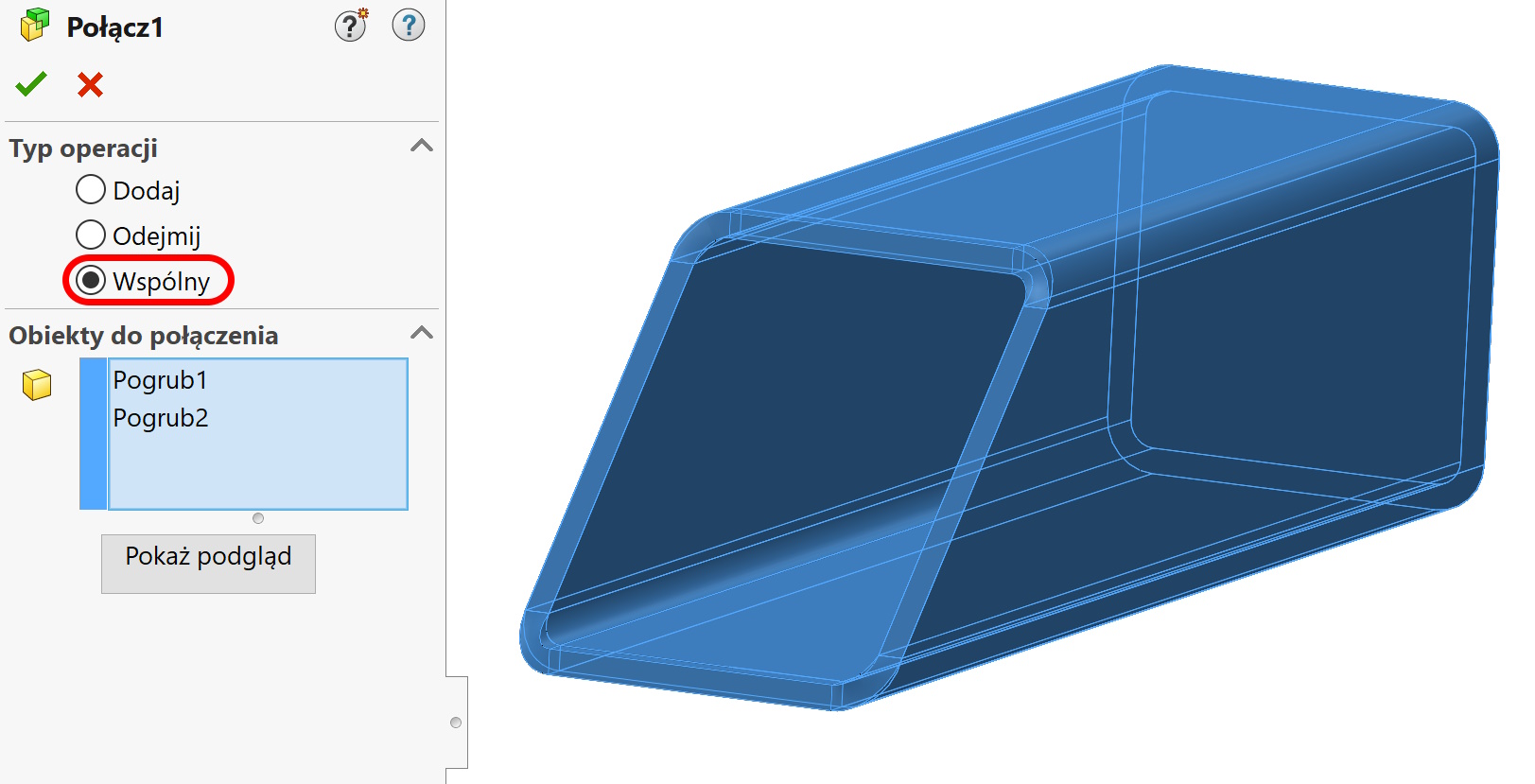
3. Turn on the operation connect and by choosing both objects, select Common. As a result, you will receive an object cut perpendicular to the thickness of the walls.
This type of process is called in the industry Normalization of the profile.

Do you want to know more tricks?
I invite you to my training: https://solid-szkolenia.pl/