


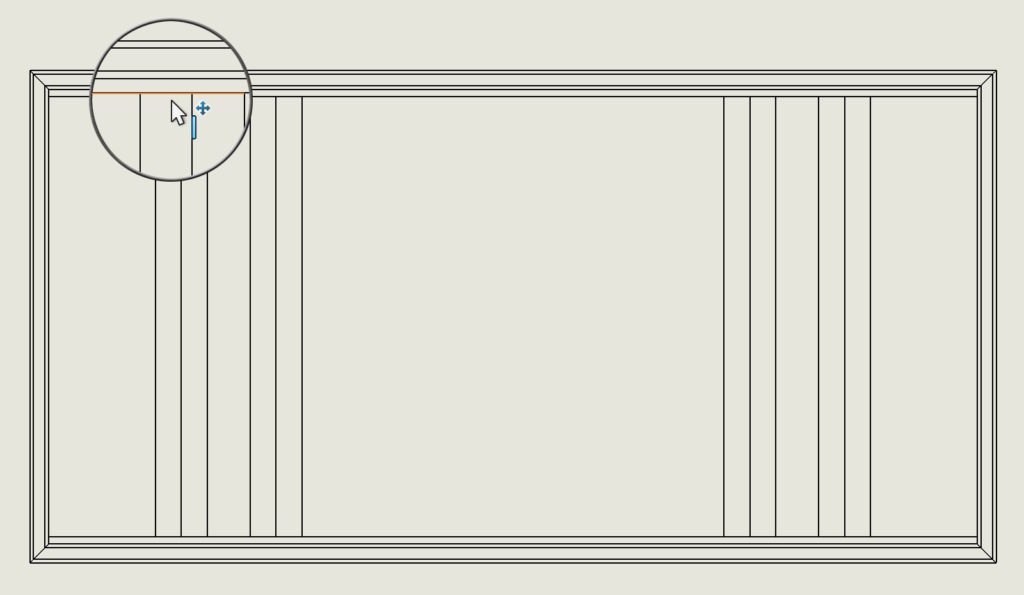
Dimensioning is one of the main activities performed in the technical documentation of parts. To illustrate, here is an example.


The dimensioning of the edges is somewhat problematic, które znajdują się “głębiej” i są zasłonięte dłuższą krawędzią znajdującą się bliżej.


Of course, these are several options, e.g. ability to hide parts/objects. Można używać filtrowania – to kolejna metoda. You can finally rotate the model in 3D to reveal the correct edge.
You can not insert the midline? Find out how to get around this
But did you know, that you can hold down the SHIFT key while dimensioning to get to an edge covered by another edge.

