


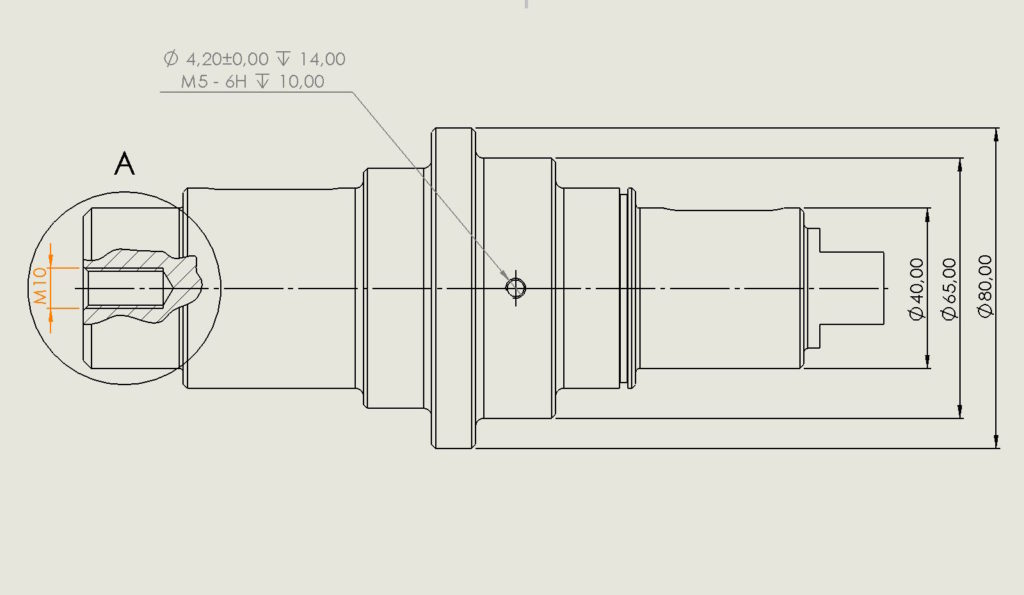
As you know after the creation Detail view There are no dimensions and other markings on it.
One of the options is copying annotations from the source at the view of the detail.


But this can be solved in another way.
Copy Source view and paste next. Change the scale według potrzeb – domyślnie widok szczegółów powiększony jest dwukrotnie.


Draw a circle (or other shape) and choose Cropped view. Ready!


Of course something for something. In this case, there is no description and view designation (e.g. A, B itp.) and sometimes you need to remove annotations outside the cut.