


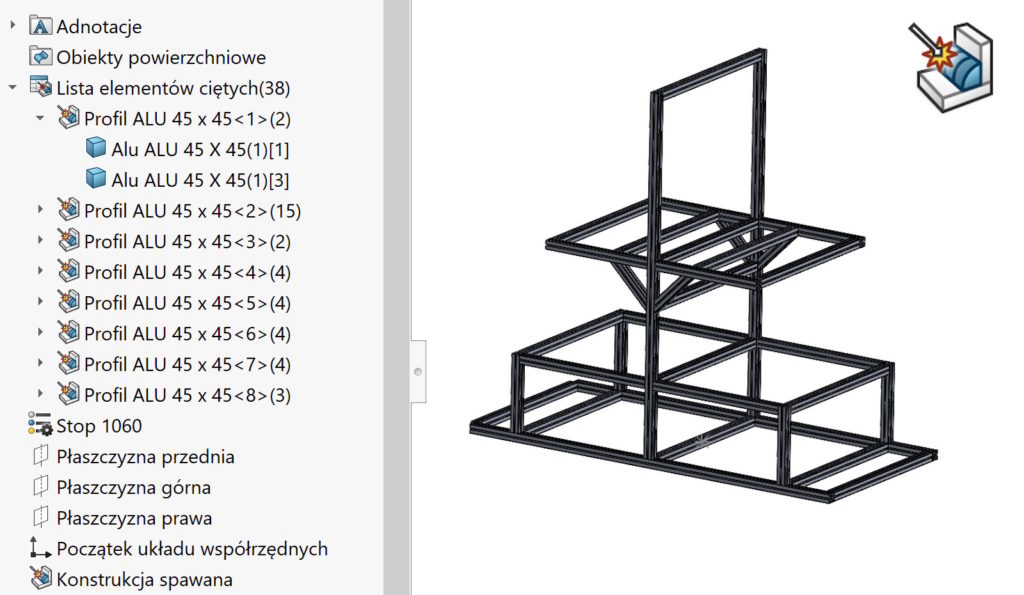
Welded constructions are a very useful tool. This module often speak about this, that it is such a simplified form of assembly, which of course is not the end of the truth. But many tools work similarly, Hence my term.
It certainly is not possible to insert a list of materials as in the assembly.
But are you sure?
Of course, that you can insert a list of materials, Earlier by adding such a command on the construction card (from the category commands).
You just have to remember to turn on the mode Indent or Unfolded.


What are the other possibilities?
By clicking the right on the selected profile > properties The window will open Properties of the list of cut elements.
Możesz w tym miejscu wybrać ostatnią zakładkę – czyli List of elements table .


Loading your own table template (The one used when creating drawings), You can view the table layout appropriate configuration.

