


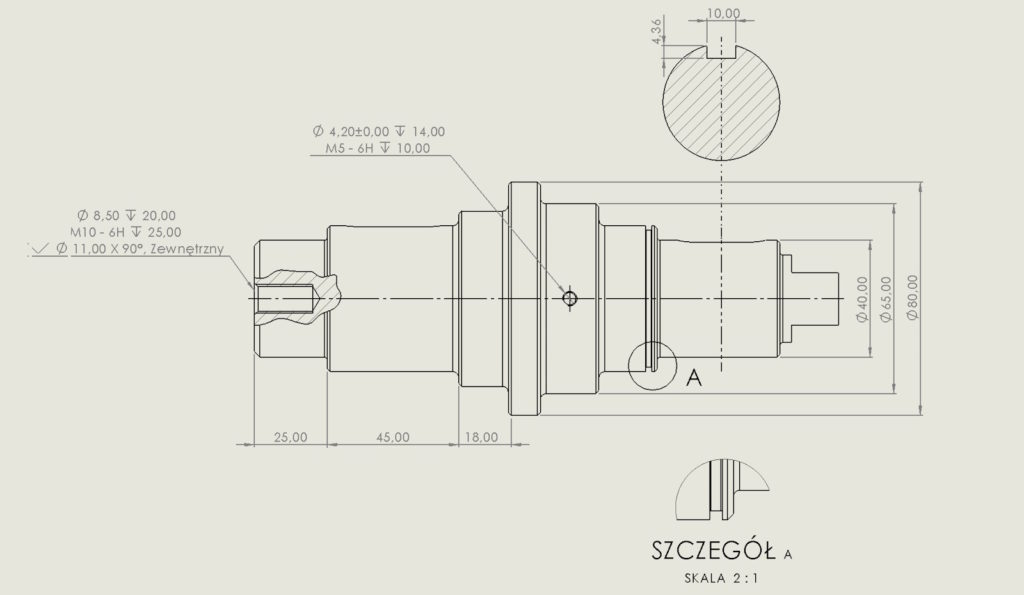
Aesthetics in drawings is, first of all, a relative topic, and secondly, you can write an essay about it. Personally, I like to keep my documentation in order, and I work best with this form of drawing.
Therefore, I will show you today, how to set the dimension e.g. diameter or radius, which is set to non-linear by default.
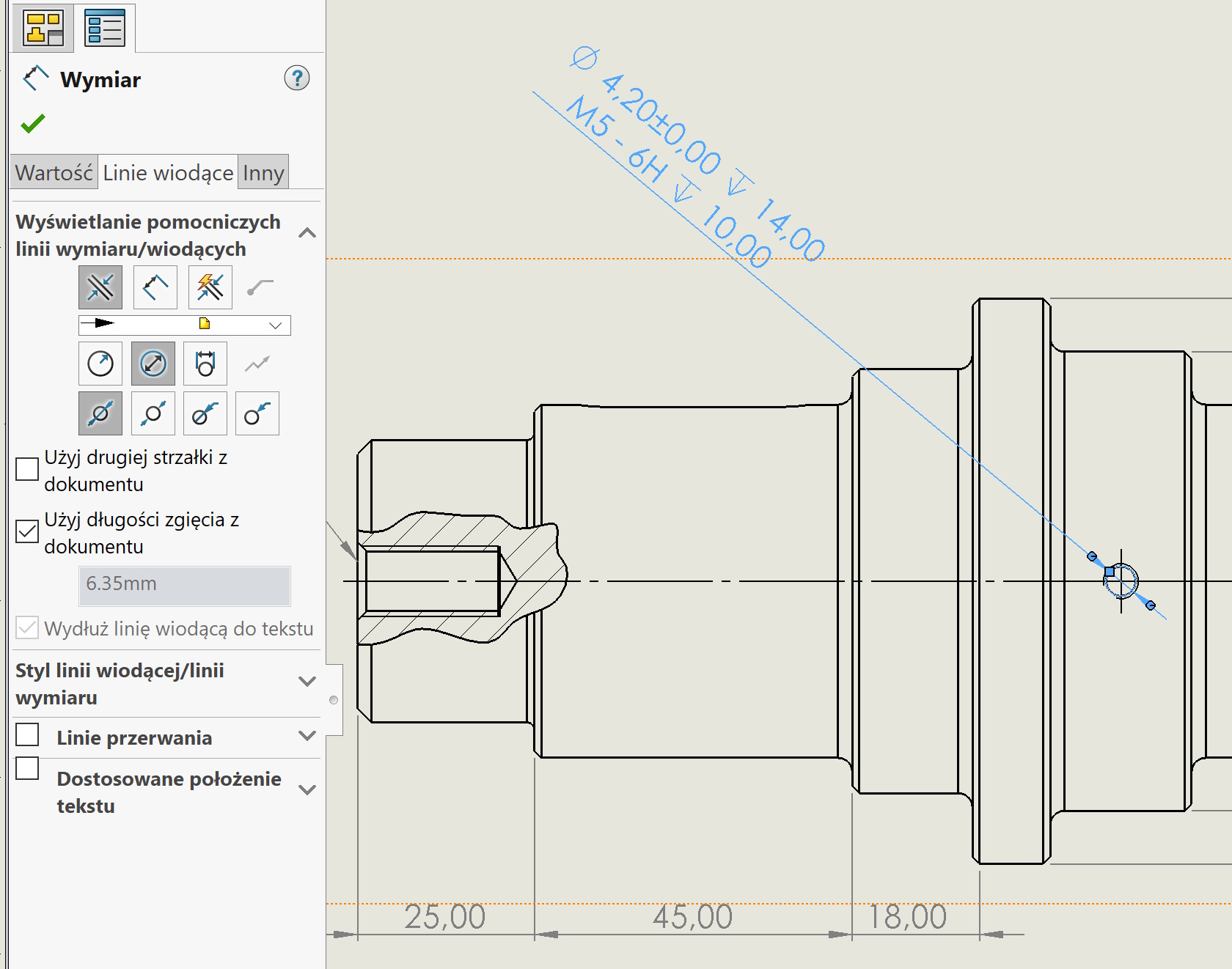

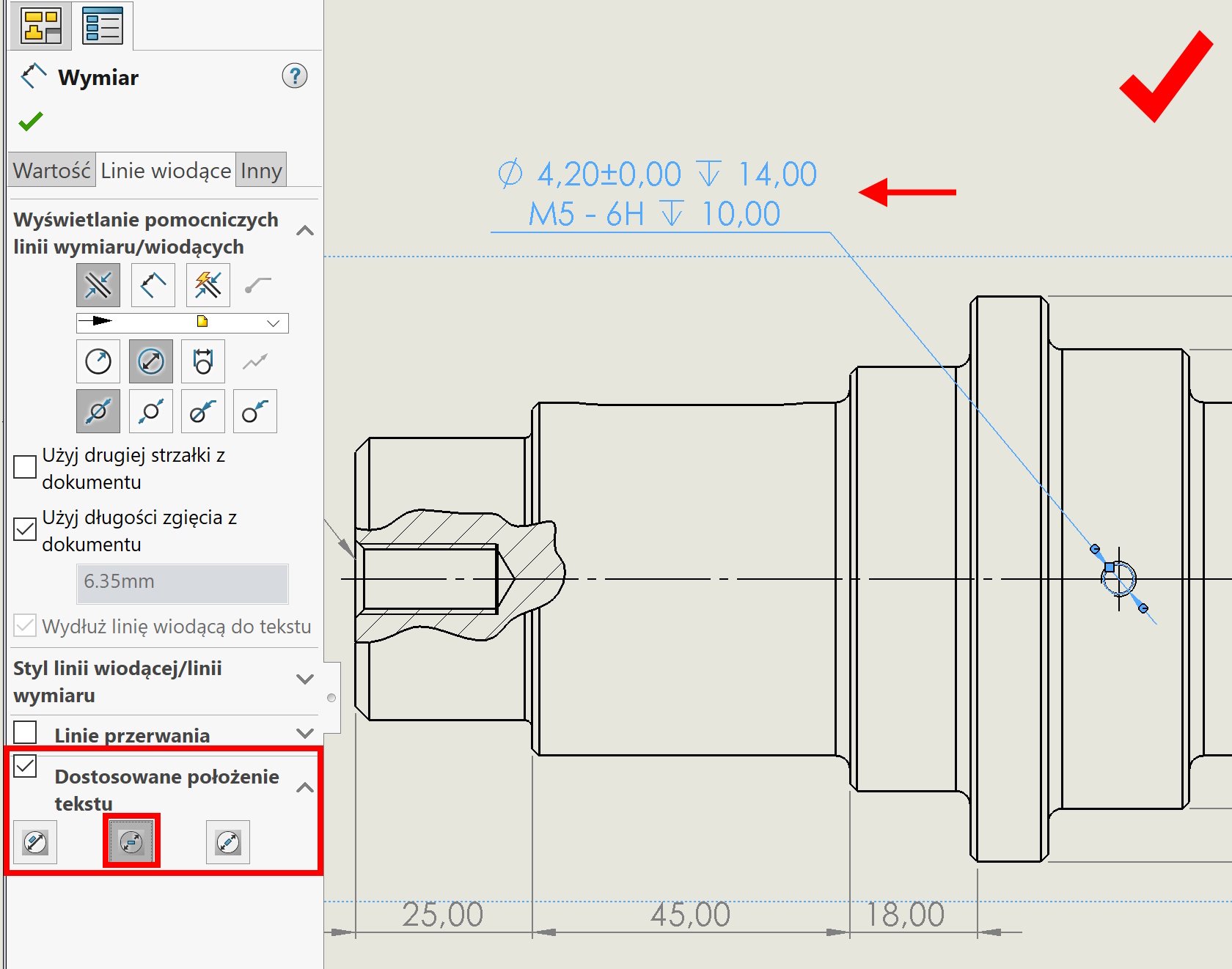
After checking the dimension on the left, the tab is activated properties. You should choose there leaders and further downstairs Customized text position.
Here depending on the selected type of dimension, it's best to choose: Interrupted lead line, horizontal text.
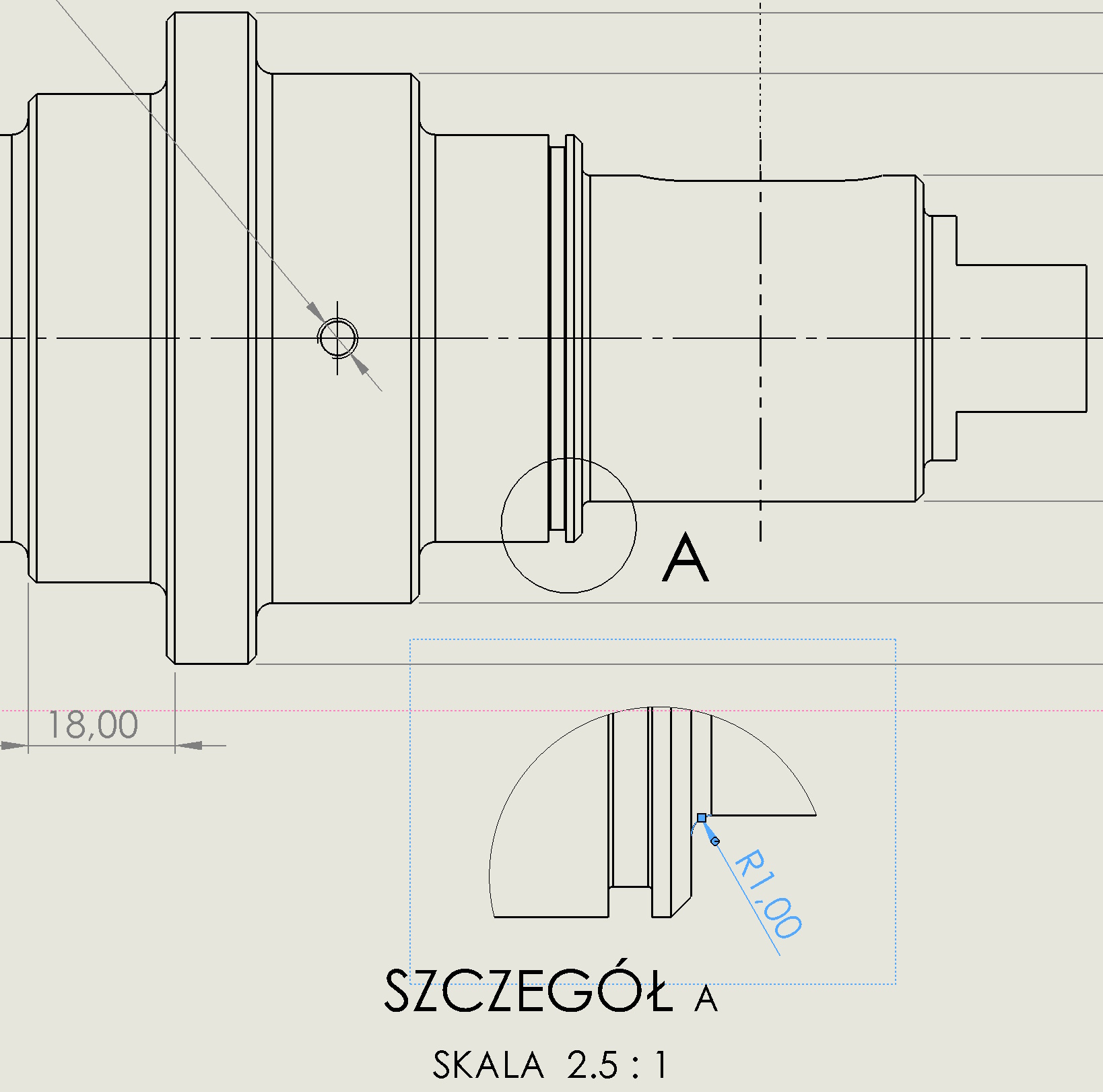
In the case of rays, we proceed analogously.

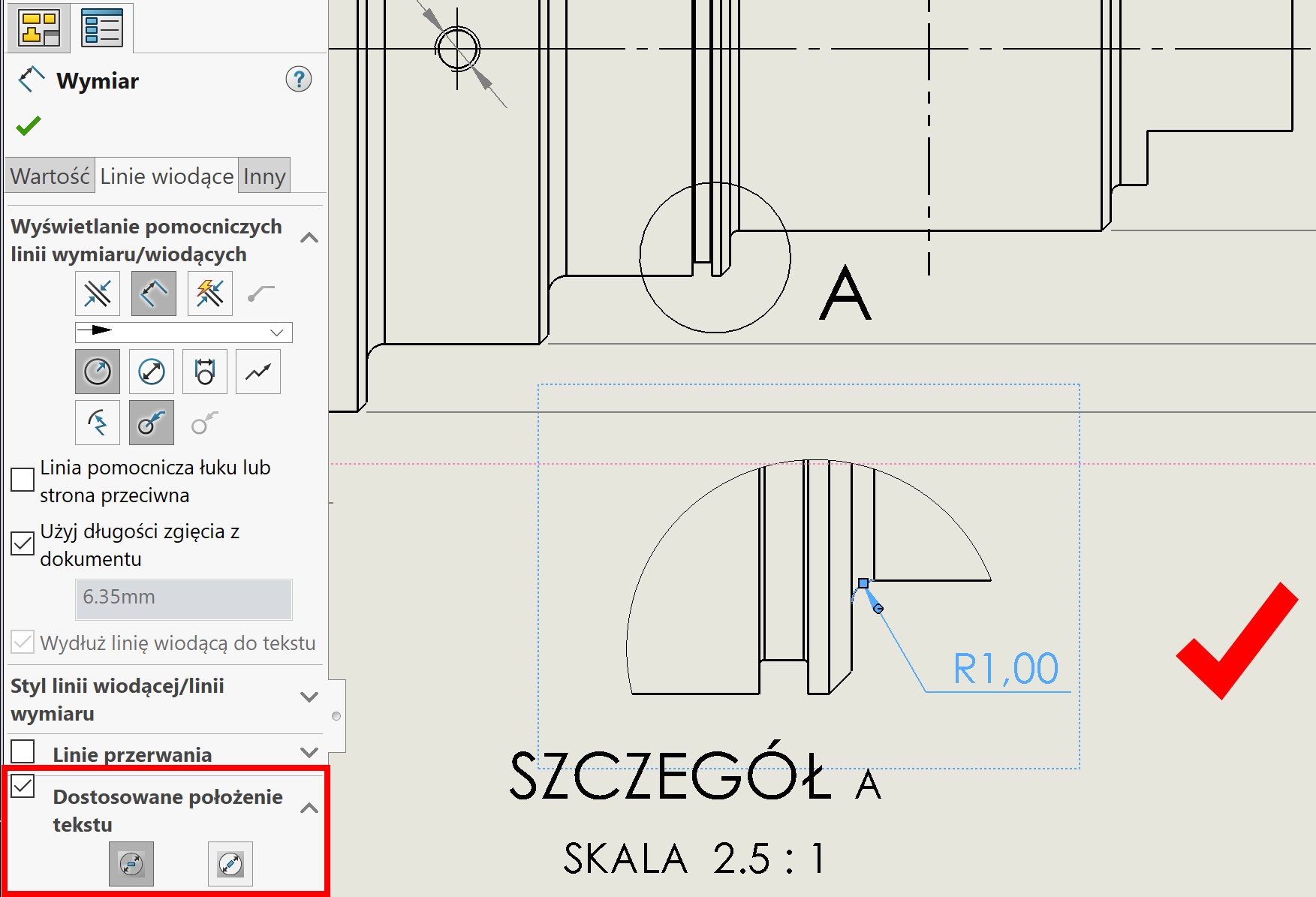

Of course, you can use adapted text position in many other situations, but the cited seem quite common. I will add at the end, that all local Dimensional settings can also be defined globally in the properties of the document.