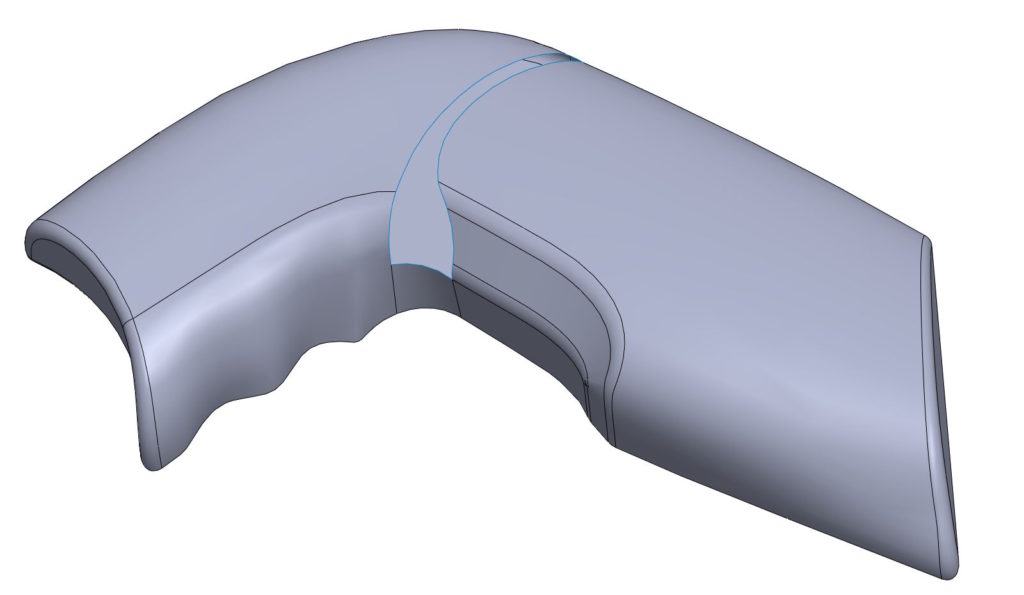
You repair imported files? Or maybe you process 3D scans or just model the surface?
The situation can definitely happen, When the most obvious surgery fails.
Discover the cause.
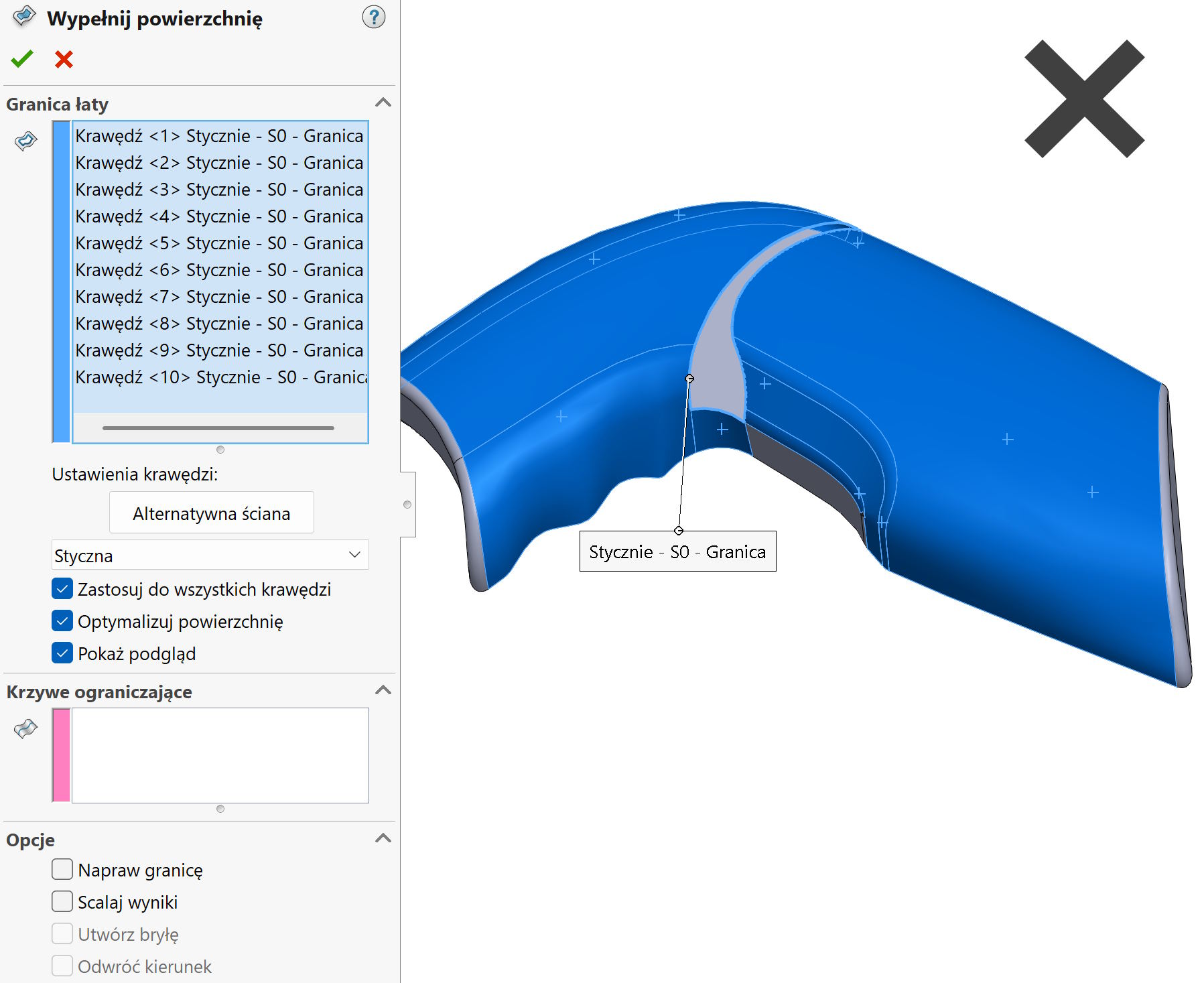
Filling the surface is used to patch holes in the surfaces. The default type of equalization is admittedly Contact, But I change to Tangents (to everyone). Unfortunately, the operation does not work in the discussed example!

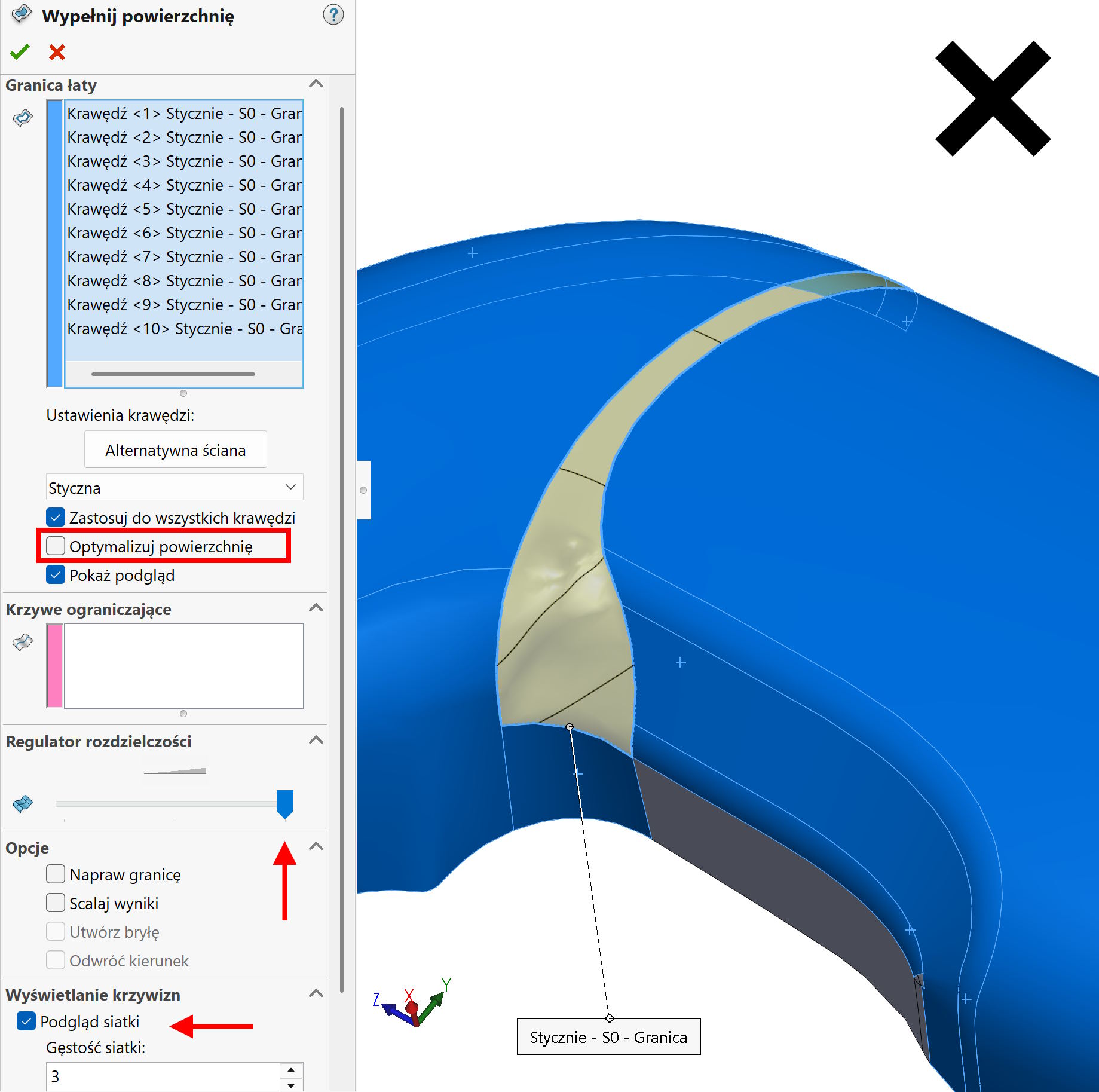
In this case, I try a second solution, So I uncheck Optimize the surface. The option when enabled causes, that the program creating a patch from U-V curves is based on border edges. In other words, If the hole is square, but on the one hand one edge is detected (It shines all in orange), On the other hand, e.g.. two or three, this program at the combination of these edges will force you to insert the curve. And now depending on how many edges are everywhere, The U-V curve system can cause them to twist them.
Another example is a triangle -shaped hole. If you mark Geometry optimization, The curves will spread from one vertex towards the opposite edge. Exclusion Optimization skutkuje utworzeniem krzywych krzyżujących się “prostopadle” niezależnie od kształtu granicy.
Application.
Disabling options Optimize the surface In some cases, it allows you to create a surface at all, In others, it can improve its quality, If deformations are visible (e.g. bubble). In addition, it is worth moving resolution slider maximum to the right.
In this example, the surface was created, but its quality is unacceptable. Ultimately Filling the surface This will not be done!

Effective solution.
Operation, which can deal with such an example is Area Boundary. Ale i w tym przypadku warto pamiętać o jednej opcji – o czym za moment.
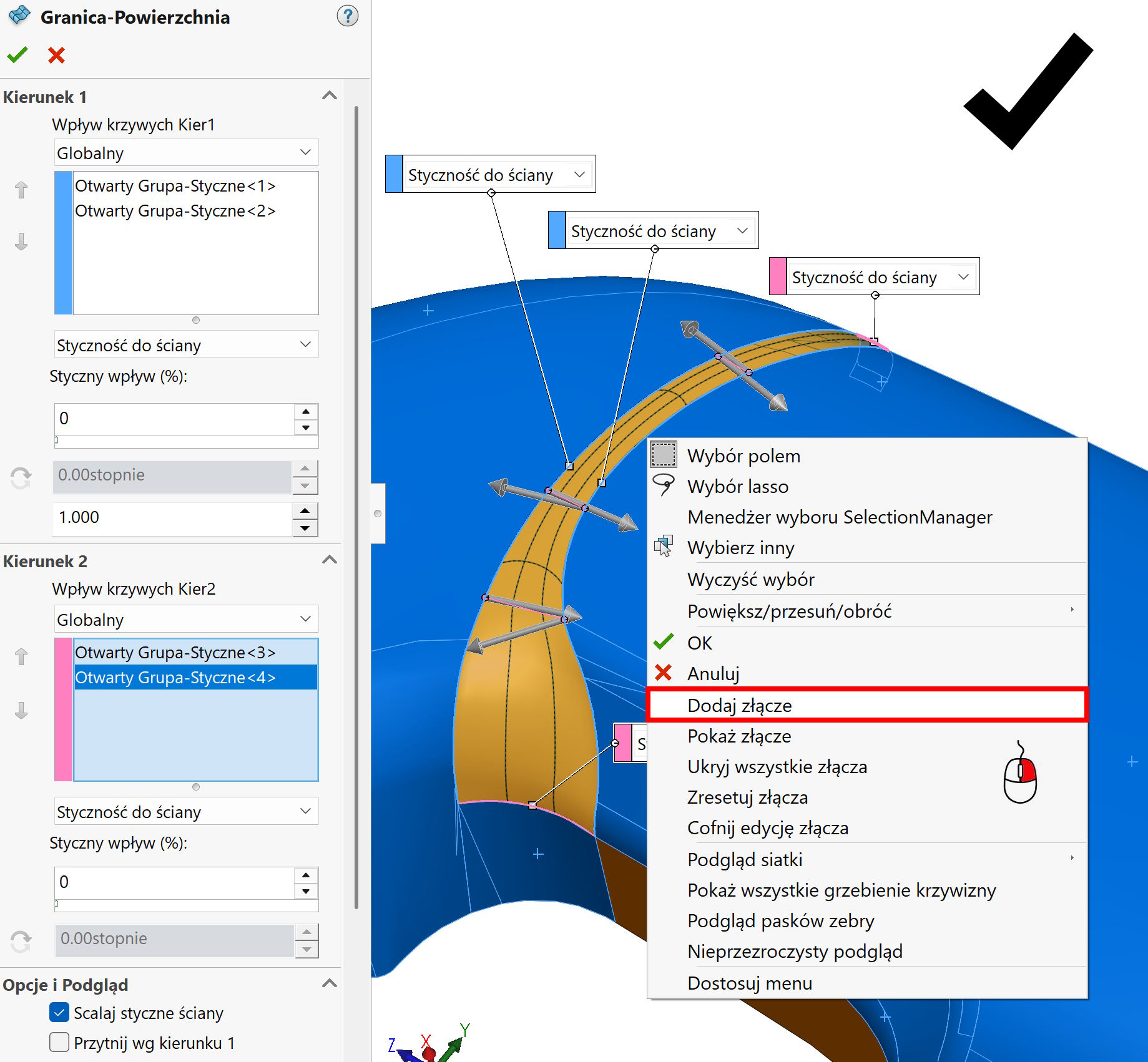
I mark all edges on one side with selection manager and I do the same on the other side. In the second direction I also select two sets of the edge, I set up everywhere Touch to the wall.
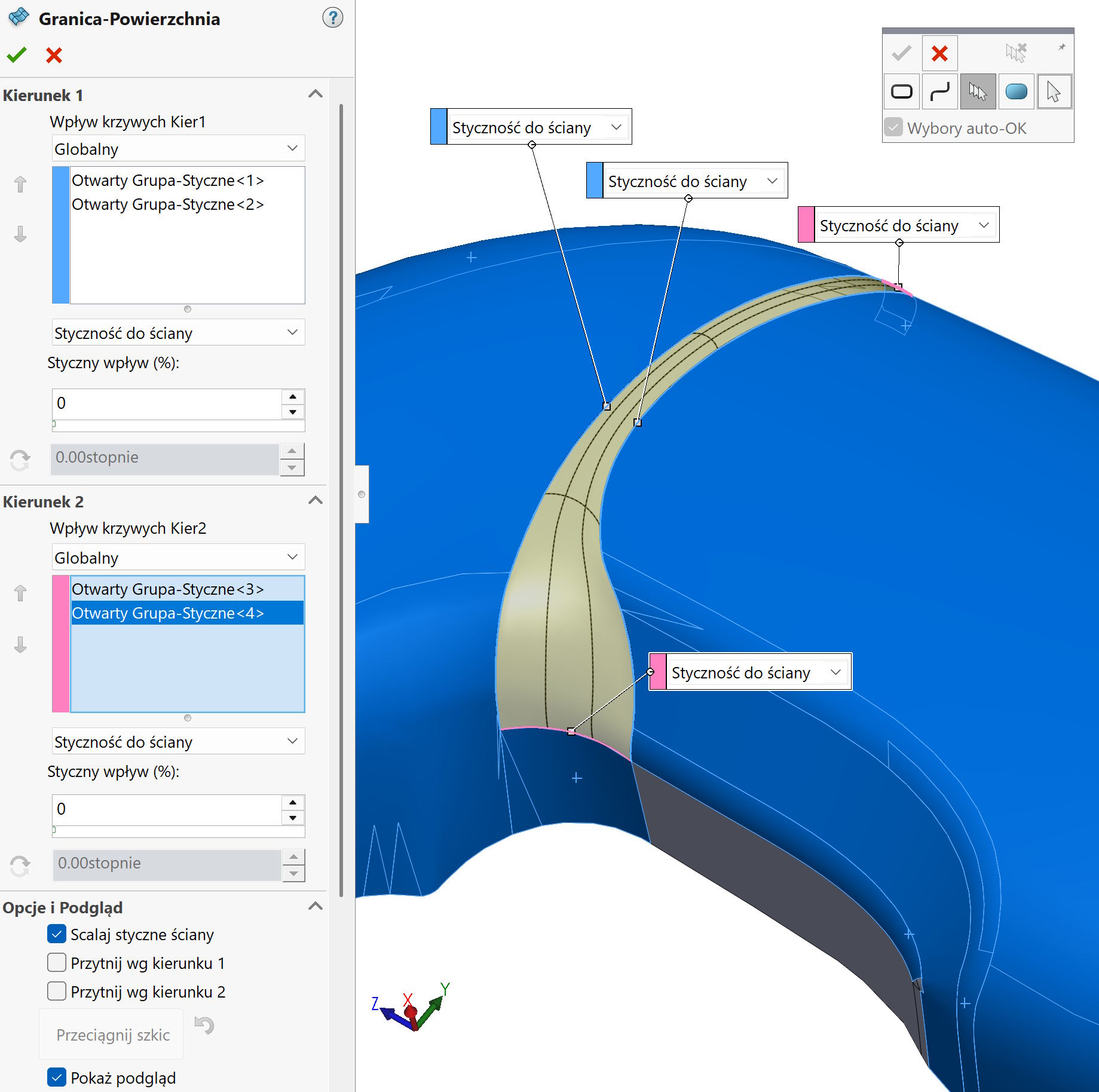
As you can see, the resulting surface is correct, but it can still be a bit improved. To this end, right -clicking on the edge Add connector. The program creates virtual connectors, which level the U-V mesh. Without them, a twist is visible, which will be very high, If one edge is clearly longer/shorter than the other.
Then, in my opinion, it is necessary to insert connectors! Oczywiście jeżeli występują krzywe prowadzące – złącza tego typy nie są potrzebne.